
A dental practice ranks on Google Maps by earning three things: a complete, accurate Google Business Profile, a steady flow of genuine reviews, and a website and web presence that prove it is the most relevant, trusted dentist near the searcher. This guide walks through each lever in the order that moves rankings fastest.
Request Dental SEO Quote
Request Dental SEO Quote
Why the Map Pack matters for dentists
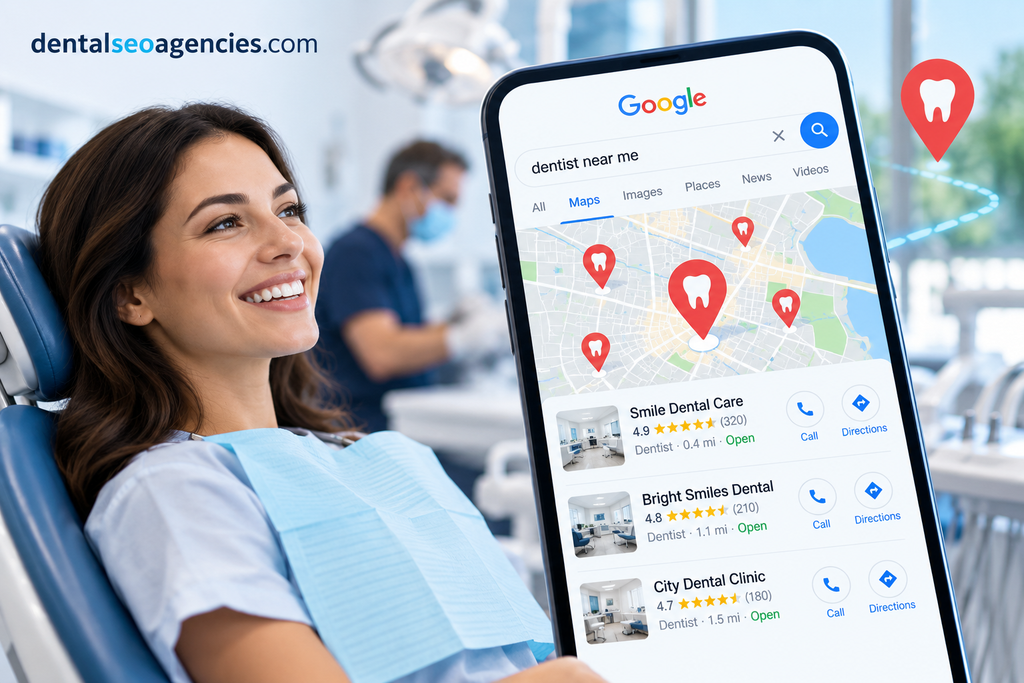
When someone searches “dentist near me” or “emergency dentist,” Google usually shows a map with three practices (the Local Pack) above the regular results. Those three spots collect most of the calls, direction requests and website clicks from that search.
Dental searches are strongly local and often urgent. A patient with a broken tooth rarely scrolls past the map. They compare the top three by star rating, review count, distance and open hours, then call. Ranking in that pack is usually the cheapest, most consistent source of new patients a practice has.
How Google ranks local results
Google says local results are based mainly on three factors. Every tactic in this guide feeds one of them.
| Factor | What it means | What a practice can control |
|---|---|---|
| Relevance | How well the profile matches the search (“pediatric dentist,” “dental implants”) | Categories, services, description, website content, review text |
| Distance | How far the practice is from the searcher or the location in the query | Very little; accurate address and pin, plus location pages for nearby areas |
| Prominence | How well known and trusted the practice is | Reviews, links, citations, press, overall web presence |
Distance is the one you cannot change, so a practice will almost never rank for “dentist” across an entire city. The realistic goal is to dominate a radius around the office and win specific service searches (implants, Invisalign, emergency) further out, where fewer competitors are relevant.
Step 1: Optimize the Google Business Profile
The Google Business Profile (GBP) is the listing that appears on Maps, so it is the single biggest ranking lever. Claim and verify it first, then fill in every field.
- Business name. Use the real-world name exactly as it appears on your signage and letterhead. Do not add keywords or cities (“Smile Dental – Best Implant Dentist Noida”). Keyword stuffing breaks Google’s guidelines and can get the listing suspended.
- Primary category. Choose the most specific accurate one. “Dentist” suits most general practices; use “Orthodontist,” “Pediatric Dentist,” “Cosmetic Dentist,” “Endodontist” or “Periodontist” only if that is truly your main service. The primary category carries the most ranking weight.
- Secondary categories. Add the others that apply, such as “Dental Implants Periodontist,” “Emergency Dental Service” or “Dental Clinic.” Only add what you actually offer.
- Address and map pin. Use the exact address, including suite or floor, and check that the pin sits on your entrance.
- Phone number. Use a local number that rings at the front desk. If you use call tracking, put the tracking number as primary and your main line as the additional number.
- Website link. Point to the homepage, or to the matching location page for multi-location groups. Add a booking link if you use online scheduling.
- Hours. Keep regular hours exact and add special hours for holidays. Listings that show “Open now” win clicks, and wrong hours cost trust.
- Services. List each treatment (cleanings, root canals, crowns, implants, clear aligners, teeth whitening, pediatric care, emergency care) with a short plain description.
- Business description. Write about 750 characters on who you treat, what you specialize in, and which neighborhoods you serve. Write for patients, and let relevant terms appear naturally.
- Attributes. Mark what applies: wheelchair-accessible entrance, parking, languages spoken, online appointments, women-led and so on.
- Opening date, logo and cover photo. Small details, but a complete profile looks more trustworthy and converts better.
Revisit the profile monthly. Anyone can suggest edits to a listing, and Google sometimes accepts wrong changes to hours, categories or phone numbers without telling you.
Step 2: Build a steady review engine
Reviews drive both prominence and conversions. Google looks at how many reviews you have, how recent they are, the average rating, and what the text says. A practice earning 8 to 15 new reviews a month usually outranks one that collected 200 reviews years ago and then stopped.
Make asking a routine, not a campaign.
- Ask in person at checkout, when the patient is happiest (after a painless treatment or a great cleaning). Have the front desk mention it and hand over a card with a QR code.
- Follow up with a text or email within a few hours containing your direct review link (find it under “Ask for reviews” in your profile).
- Automate the follow-up through your practice management software or a review tool so it never depends on someone remembering.
- Ask every patient, not only the ones you expect to be happy. Selectively asking only satisfied patients (review gating) breaks Google’s policies.
Encourage detail. A review that says “Dr. Sharma did my implant and it was painless” helps relevance for implant searches. You can suggest patients mention the treatment they had, but never script their words.
Stay within the rules. Do not offer discounts, gifts or contest entries for reviews, and never post fake reviews or buy them. Google removes them, can restrict your profile, and regulators in several countries fine businesses for fake reviews.
Respond to every review within a couple of days. Thank positive reviewers by name. For negative ones, stay calm, apologize for the experience, and move the conversation offline with a phone number.
Protect patient privacy in replies. Never confirm that the reviewer is a patient or mention any treatment detail, even if they did. Health privacy laws (HIPAA in the US, and similar rules elsewhere) apply to review replies. A safe reply: “We’re sorry to hear this. We’d like to understand what happened; please call our office manager at [number].”
Step 3: Strengthen the website and on-page local SEO
Google reads the website linked from your profile to judge relevance. A thin one-page site holds a practice back; a site with clear, local, service-specific pages pushes it up.
- One page per core service. Separate pages for implants, root canal treatment, clear aligners, pediatric dentistry, emergency dentistry and so on. Each should explain the treatment, who it suits, the process, recovery, cost ranges or financing, FAQs, and the dentist who performs it.
- Local signals on every page. Put the practice name, address and phone (NAP) in the footer, exactly as on your profile. Embed a Google Map on the contact page and mention the neighborhoods and landmarks you serve.
- Title tags that match searches. For example: “Dental Implants in Sector 62, Noida | Smile Dental.” Keep each title unique.
- Location pages for multi-location groups. Each office needs its own page with unique content, photos, team, hours and directions; link each profile to its own page.
- Schema markup. Add
Dentist(a LocalBusiness type) structured data with name, address, phone, hours, geo-coordinates and a link to your profile. It helps Google connect the site and the listing. - Trust content. Dentist bios with qualifications and registrations, real team and office photos, and patient testimonials support the expertise and trust Google looks for on health topics.
- Speed and mobile. Most local searches happen on phones. Aim for fast loading, a tap-to-call button, and online booking visible on the first screen.
- Helpful articles, sparingly. Answer real patient questions (“Is a root canal painful?”, “What to do if a crown falls off”) and link each article to the matching service page. Quality beats volume.
Step 4: Build citations and local links
Citations are mentions of your practice’s name, address and phone on other sites. Consistent citations confirm to Google that your details are real; conflicting ones (an old address, a former phone number) dilute trust.
Get NAP consistent everywhere.
- Decide on one exact format for name, address and phone, and use it everywhere.
- Search for the practice name and old phone numbers or addresses to find outdated listings, then fix or remove them.
- Cover the core platforms: Apple Business Connect (Apple Maps), Bing Places, Facebook, Yelp where relevant, and your national business directories.
- Add dental and health directories patients actually use, such as Healthgrades, Zocdoc and WebMD in the US, or Practo, Lybrate and Justdial in India.
- Keep professional listings current, such as your dental association and registration body profiles.
Earn local links. Links from locally relevant sites carry real weight for prominence. Good sources include:
- Sponsoring school events, youth sports teams or community health camps
- Free dental check-up drives covered by local news or community sites
- Partnerships with nearby pediatricians, pharmacies or gyms that list trusted providers
- Guest articles or expert quotes for local publications on oral health topics
- Your dental school’s alumni pages and local business associations
Avoid paid link schemes and bulk directory submissions. They add risk and very little value.
Step 5: Keep the profile active with photos, posts and engagement
An active profile tends to earn more clicks, calls and direction requests, and that engagement supports rankings over time.
- Photos. Upload real images of the exterior (so patients recognize the building), reception, treatment rooms, equipment and the team. Add a few new ones each month. Avoid stock photos, and never post identifiable patients without written consent.
- Videos. A 30-second office tour or a short welcome from the dentist makes the listing feel personal.
- Google posts. Publish one or two posts a month: new services, holiday hours, a whitening offer, a community event. Posts add fresh, relevant content and give searchers a reason to click.
- Questions from the public. Where your profile shows questions, answer them promptly and accurately, covering common ones like insurance, parking and emergency availability.
- Booking and messaging. Turn on online booking if your software supports it. Every channel that makes contact easier improves the actions Google can see.
Google changes which profile features it shows from time to time, so check your profile dashboard for what is currently available rather than relying on an old checklist.
Special situations and mistakes to avoid
Multiple locations. Each physical office with its own staffed hours gets its own profile, its own local phone number and its own location page. Manage them together in one business group.
Individual dentist profiles. Google allows separate practitioner listings for dentists who see patients publicly. In a solo practice, Google recommends merging the dentist and practice into one listing. In a group practice, practitioner listings can compete with the main one, so decide deliberately and keep categories distinct.
Moving or rebranding. Update the profile address rather than creating a new listing, so you keep your reviews. Then update the website and every citation in the same week.
Mistakes that hurt rankings or trigger suspension:
- Keywords or city names added to the business name
- Virtual offices, P.O. boxes or co-working addresses where you do not see patients
- Duplicate listings for the same location (report and merge them)
- Review gating, incentives or fake reviews
- Choosing categories for services you do not provide
- Letting hours, phone numbers or holiday closures go stale
- A website whose NAP details do not match the profile
If a profile is suspended, fix the cause first, then submit a reinstatement request with proof such as a utility bill, signage photos or your practice registration.
Track results and follow a 90-day plan
Measure what patients actually do, not only rank positions.
- GBP Performance report: calls, website clicks, direction requests and bookings each month.
- Grid rank tracking: tools such as Local Falcon, BrightLocal or Semrush show your position at points across a map around the office, which reveals how far your reach extends.
- Google Search Console and Analytics: add UTM tags to your profile’s website link so profile traffic shows separately.
- Front desk: ask every new patient how they found you, and log it.
A practical 90-day plan
| Period | Focus | Key actions |
|---|---|---|
| Days 1–14 | Foundation | Claim and verify the profile, fix name, categories, hours and services, upload 20+ real photos, pick a single NAP format |
| Days 15–30 | Reviews | Set up the review link, QR cards and automated follow-up texts; train staff; reply to every past review |
| Days 31–60 | Website | Build or improve service pages, add schema, match NAP, speed up mobile, add tap-to-call and booking |
| Days 61–90 | Authority | Fix and build citations, pursue 3–5 local links, post twice a month, add fresh photos |
| Ongoing | Maintain | Review requests daily, monthly profile audit, quarterly rank-grid check |
Most practices see measurable gains in calls and direction requests within two to three months, with stronger results by six months in competitive areas. Consistency matters more than any single trick: the practice that keeps earning reviews, keeps its profile accurate and keeps publishing useful content usually ends up in the Map Pack and stays there.
Map rankings are one part of the picture. Our dentist SEO guide covers treatment pages, reviews, schema and lead tracking too.