The best SEO tool for most dentists is Semrush with its Local Pro add-on, because it covers keyword research, map grid tracking, Google Business Profile management, reviews and site audits in one login. It is also one of the priciest setups, which is why the next two picks deserve a close look. SE Ranking and BrightLocal come next, and they are the better value for a single practice. Local Falcon is the sharpest tool for one dental job in particular: watching where you appear on the map for searches like “emergency dentist near me.”
We ranked ten tools with a simple, open feature score. Each tool gets 0 to 3 points on seven things a dental practice actually needs, for a maximum of 21. Every price below comes from the vendor’s own pricing page. If you want a website audit rather than a full SEO toolkit, read our separate guide to dental website audit tools, which covers crawlers, speed tests, schema validators and accessibility checkers in depth.
Request Dental SEO Quote
Semrush Scores 19 of 21, but Cheaper Tools Cover Solo Practices
- Semrush with Local Pro scored 19 out of 21. It costs $139 a month for the SEO plan plus $60 a month per location for Local Pro.
- SE Ranking (14) and BrightLocal (13) give a single practice most of the same value for far less money.
- Local Falcon charges one credit per grid point, so a solo practice can track ten keywords on a 7×7 grid every week with fewer than 2,000 credits a month, well inside the $24.99 Starter plan.
- Google Business Profile and Google Search Console are free, and they hold the only first-party data on how patients find you.
- The right stack depends on size: a solo office can spend under $900 a year, while a 12-location DSO should budget several thousand dollars.
How We Scored Each Tool Out of 21 Points
Most “best SEO tools for dentists” lists name a handful of products and stop there. They rarely say why one tool sits above another. We wanted a ranking you can check yourself, so every tool was scored against the same seven criteria. Each one maps to a real task in a dental practice, from tracking the map pack to answering reviews.
A score of 0 means the tool does not do the job, and a 1 means it does a small part of it. A 2 means it does the job well, while a 3 means it is among the best options for that task. Price runs the other way: 3 points for free tools or an entry price under $30 a month, 2 points for $30 to $100, and 1 point for anything over $100.
| Criterion | What earns 3 points | Why it matters to a dental practice |
|---|---|---|
| Local rank tracking and grids | Geo-grid scans of Google Maps rankings across your area | Patients searching two miles away see a different map pack than patients next door |
| Keyword research | Search volume, difficulty and question data for any term | Finds the implant, Invisalign and emergency phrases worth building pages for |
| GBP management | Posting, editing, audits and sync for Google Business Profile | Your profile drives map pack visibility and calls |
| Review management | Monitoring, replies and review requests in one place | Ratings and fresh reviews shape which practice a patient picks |
| Technical audit | A full crawl with prioritized issues | Broken pages and slow treatment pages cost rankings |
| Reporting | Scheduled, shareable or white-label reports | Owners and DSO managers need proof without logging in |
| Price | Free or under $30 a month to start | Most practices pay for tools out of a small marketing budget |
When two tools tied, the tie went to the tool that scored above zero on more criteria. If they were still level, the cheaper tool ranked higher. Scores reflect features listed on each vendor’s pricing page. They do not reflect sponsorship or affiliate deals, and none of these vendors paid for placement.
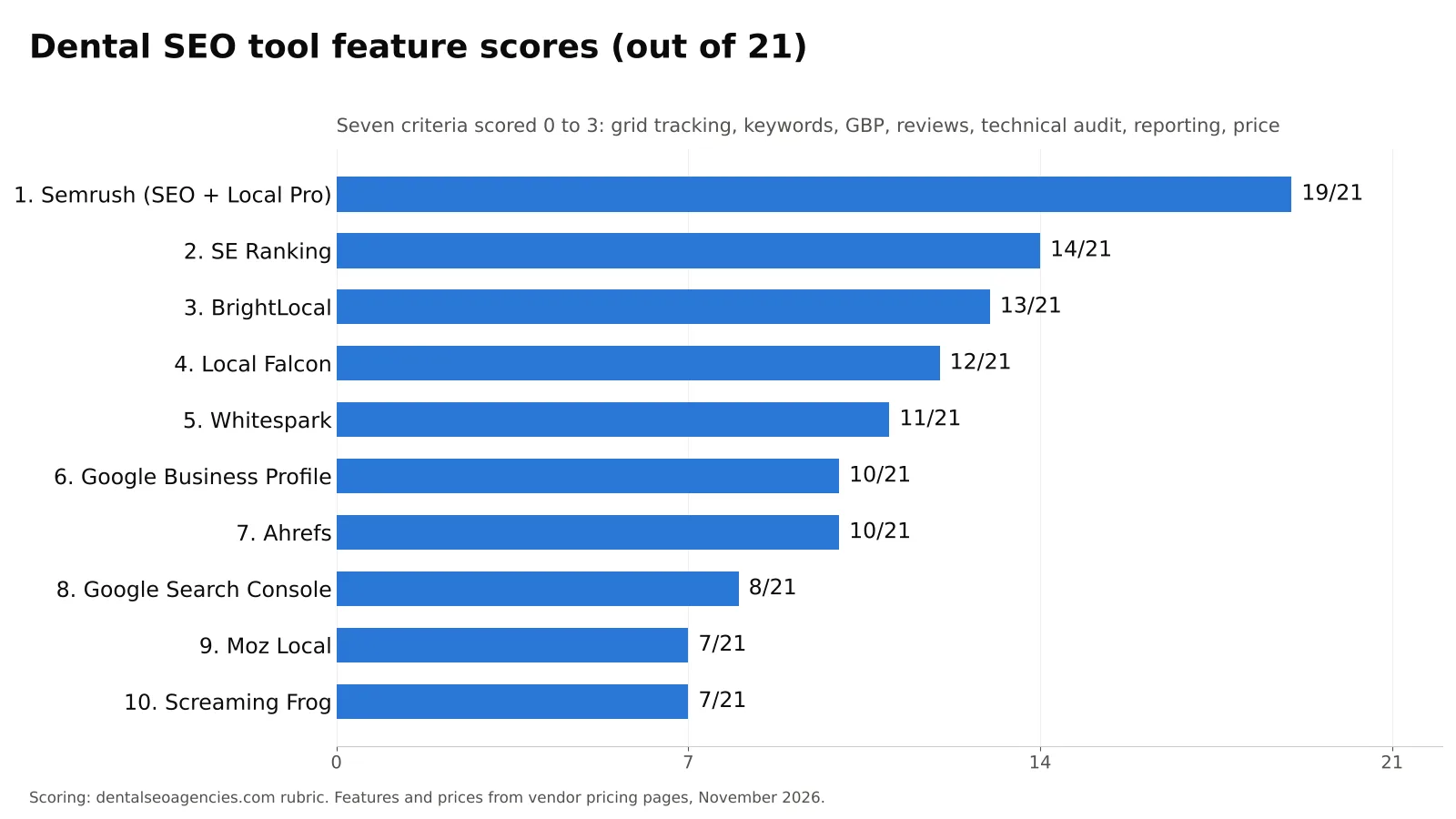
The 10 Best SEO Tools for Dentists, Ranked by Feature Score
Each entry explains what the tool does for a practice, where its points came from, what it costs and who should buy it. Read the score breakdown before the total, because a tool with a low total can still be the right pick if it scores 3 on the one job you care about most.
1. Semrush With Local Pro: The Widest Coverage in One Login (19/21)
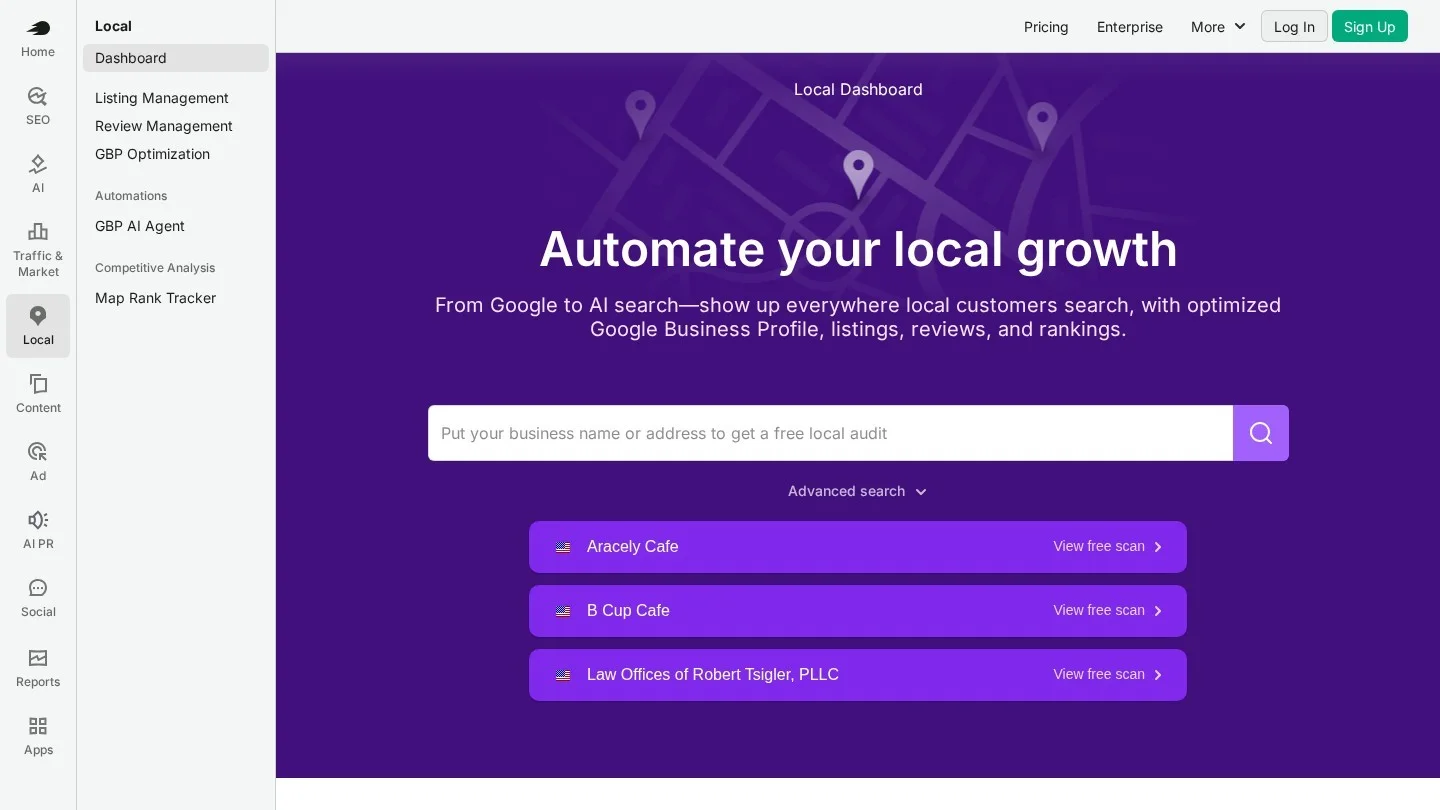
What it does for a dental practice: Semrush started as a keyword and competitor research tool, and that core is still its strength. You can enter “dental implants” and see related phrases, the questions people ask and how hard each term is to rank for. Its Site Audit crawls your site on a schedule. The Local toolkit adds the dental-specific layer on top of that research engine. According to Semrush’s pricing and plans guide, Local Base includes a Map Rank Tracker for geo-grid tracking, competitor heatmaps and a GBP AI Agent that drafts posts, review replies and profile changes. Local Pro adds listing management across 70+ directories, review management and GBP optimization.
Score breakdown: Grid tracking 3, keyword research 3, GBP management 3, review management 3, technical audit 3, reporting 3, price 1. It loses points only on cost, which adds up quickly once you pay for several locations.
Pricing: The Semrush pricing page (in US dollars) lists the SEO plan at $139 a month or $117.33 a month billed annually. Starter costs $199 ($165.17 annually) and Pro+ costs $299 ($248.17 annually). Advanced and Enterprise are quoted on request, while Local is billed per location: $30 a month for Local Base and $60 for Local Pro, with custom pricing for 20+ locations. The SEO plan tracks 500 keywords a day across five websites, according to Semrush’s subscriptions guide, and most plans include a 7-day free trial.
Who it suits: Practices that want one tool for everything, group practices and DSOs with an in-house marketer, and agencies. A solo dentist who will log in once a month is paying for far more than they will use.
2. SE Ranking: All-in-One Value With Three Locations Included (14/21)

What it does for a dental practice: SE Ranking covers the same ground as the big suites for less money: keyword research, daily rank tracking, a website audit and white-label reports. Its local features matter most for dentists, and the SE Ranking pricing page shows a Local and Map Rank Tracker with 1,500 keywords on both main plans. It also lists GBP posting and listing management across 100+ directories. Three locations are included, and extra locations start at $18.40 each.
Score breakdown: Grid tracking 2, keyword research 3, GBP management 2, review management 0, technical audit 3, reporting 3, price 1. It tracks map positions well, but its local module is lighter than Semrush Local or BrightLocal.
Pricing: Core costs $129 a month and includes 10 projects and 2,000 keywords tracked daily. Growth costs $279 a month for 30 projects and 5,000 keywords. Annual billing saves 20%, which brings the plans to $103.20 and $223.20 a month. The 14-day free trial needs no card.
Who it suits: A practice with two or three offices, or a small agency with a handful of dental clients. Pair it with a review tool if your reviews need daily attention.
3. BrightLocal: The Local SEO Workhorse for Single Practices (13/21)
What it does for a dental practice: BrightLocal is built only for local search, and it tracks your rankings, checks your citations for NAP consistency, audits your Google Business Profile against competitors and manages reviews. It does not do keyword research, and its audit is a local audit rather than a full crawl. For a single office that cares mostly about the map pack, those gaps rarely matter.
The plans build on each other, according to the BrightLocal pricing page. Track covers rank tracking for 100 keywords and four competitors, a geo-grid view for five keywords, local SEO audits, citation monitoring and GBP audits. Manage adds listing sync and GBP post scheduling, while Grow adds review monitoring and replies, review requests by email and SMS, and a widget to show reviews on your site.
Score breakdown: Grid tracking 2, keyword research 0, GBP management 3, review management 3, technical audit 1, reporting 2, price 2.
Pricing: For one location, Track costs $41 a month ($31 annually), Manage $54 ($40 annually) and Grow $65 ($49 annually). Grow comes to $584 a year when paid upfront. Multi-location tiers are published too: Grow for 11 to 20 locations costs $148 a month on annual billing. Citation Builder is pay as you go at $3.20 per site, or as low as $2 with bulk credits, and the trial lasts 14 days with no card.
Who it suits: Solo and two-office practices that want map pack tracking and reviews in one dashboard. It also fits DSOs, because the per-location pricing is published and stays modest as you grow.
4. Local Falcon: The Sharpest Map Grid Scanner (12/21)
What it does for a dental practice: Local Falcon drops a grid of virtual pins over your area and checks your Google Maps rank at each one. The result is a heat map that shows exactly where you win and lose. This matters for dentists because the map pack changes block by block. You might rank first for “emergency dentist near me” at the office and tenth two miles north.
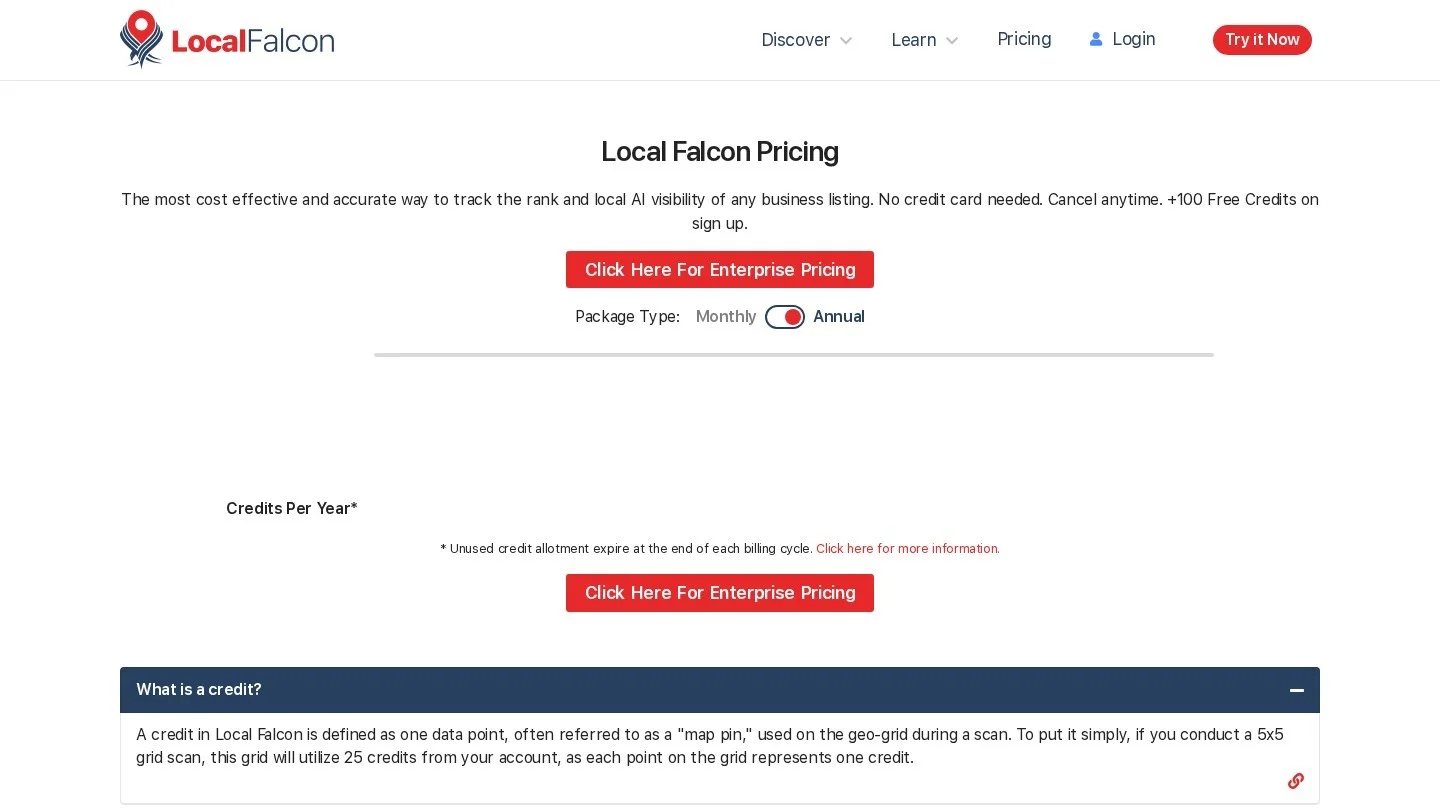
The Local Falcon pricing page explains the math. One credit equals one grid point, so a 5×5 grid uses 25 credits and a 9×9 grid uses 81. Grids run from 3×3 up to 21×21, and you can set the spacing in 0.1-mile steps. The page also lists AI visibility tracking, Falcon AI reports at 25 credits each, scheduled scans, white-label reports and a Looker Studio connection on Basic and higher.
Score breakdown: Grid tracking 3, keyword research 1, GBP management 1, review management 1, technical audit 0, reporting 3, price 3.
Pricing: Starter costs $24.99 a month for 7,500 credits, Basic is $49.99 for 15,150, Pro is $99.99 for 31,250 and Premium is $199.99 for 63,150. Keywords and locations are unlimited on every plan, extra credits cost $0.05 each and do not expire, and new accounts get 100 free credits.
Who it suits: Anyone who needs grid data without paying for a full suite. It pairs well with BrightLocal or Search Console, and it is also a strong match for practices tracking how they show up in AI answers, a topic we cover in our guide to ranking a dental clinic in AI Overviews.
5. Whitespark: Pick-and-Pay Local Tools, Priced Per Job (11/21)

What it does for a dental practice: Whitespark sells its local tools one at a time, so you only pay for what you use. Local Ranking Grids monitor rankings across up to 225 points. Reputation Builder handles review requests and monitoring, while Local Platform manages Google Business Profiles, and Local Citation Finder shows which directories list your competitors but not you. For a practice that already has keyword research covered elsewhere, this à la carte setup can cost less than a single month of an all-in-one suite.
Score breakdown: Grid tracking 3, keyword research 0, GBP management 2, review management 2, technical audit 0, reporting 1, price 3.
Pricing: The Whitespark pricing page lists Local Ranking Grids from $10 a month and Local Rank Tracker from $14 to $200 a month. Local Citation Finder costs $33 to $149 a month. Reputation Builder is $79 a month per location, and Local Platform is $1 a month per location. One-time listings packages range from $20 to $999.
Who it suits: Practices and agencies that want to build their own stack from parts. It works especially well for fixing citations after a move or a name change.
6. Google Business Profile: The Free Tool Every Practice Already Has (10/21)

What it does for a dental practice: Your Google Business Profile is the listing patients see in the map pack. Managing it directly lets you reply to reviews, post updates, add photos, set holiday hours and fix categories. Its performance view also shows the search terms people used to find your profile, which is real patient language you can reuse on your site. Third-party tools mostly add scale, scheduling and multi-location reporting on top of what this free dashboard already does.
Score breakdown: Grid tracking 0, keyword research 1, GBP management 3, review management 2, technical audit 0, reporting 1, price 3. It tied with Ahrefs on total and breadth, and ranks higher because it is free.
Pricing: Free.
Who it suits: Every practice. For a full walk-through of profile settings, categories and photos, read our guide to ranking a dental practice on Google Maps.
7. Ahrefs: Best for Backlinks and Competitor Research (10/21)
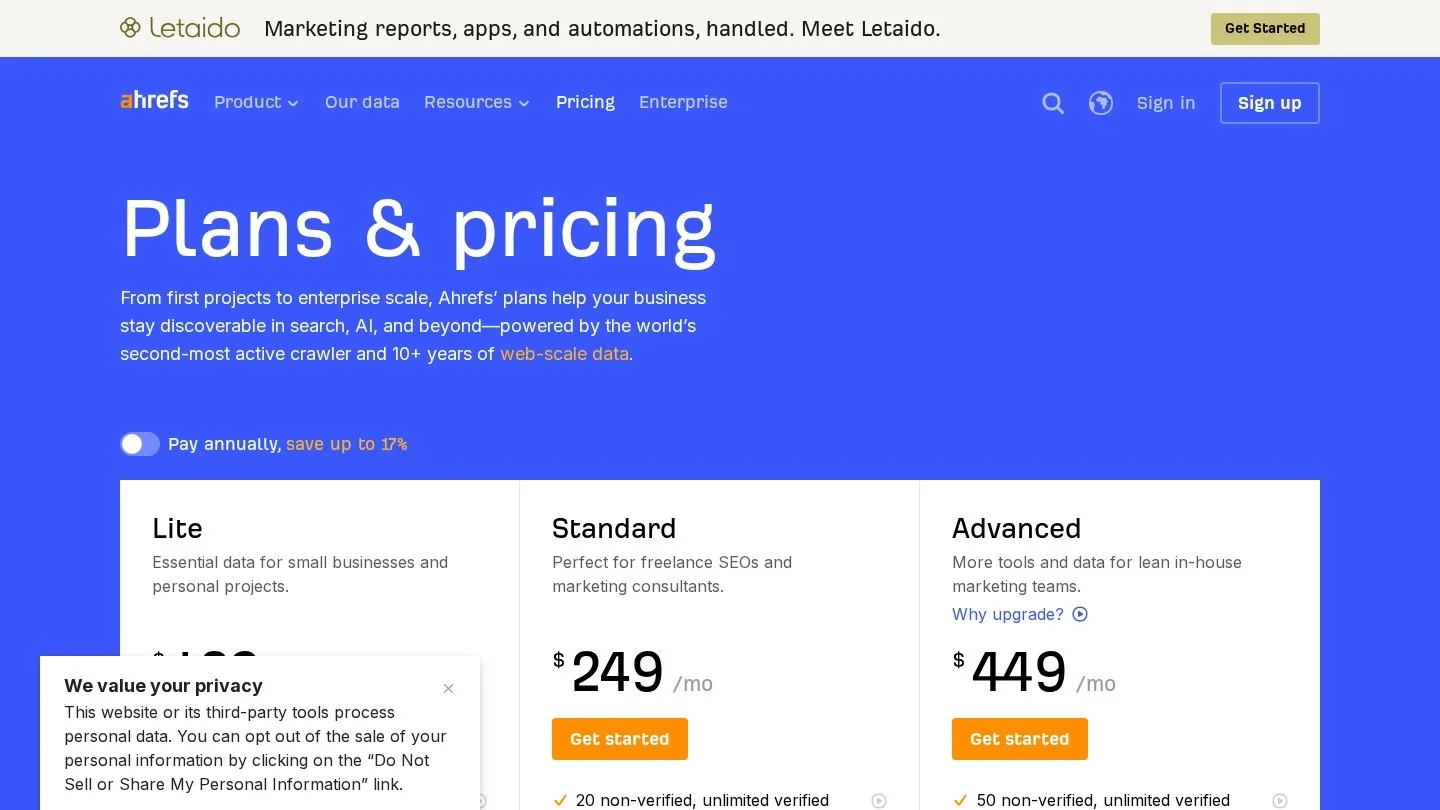
What it does for a dental practice: Ahrefs is the tool to use when you want to know why a competing practice outranks you. Its backlink index shows who links to them, and its keyword tools show which treatment pages bring them traffic. Site Audit and Rank Tracker are included, but its local features are thin for now. The Ahrefs pricing page lists a GBP Monitor in beta, and rank tracking updates weekly.
Score breakdown: Grid tracking 0, keyword research 3, GBP management 1, review management 0, technical audit 3, reporting 2, price 1.
Pricing: Lite costs $129 a month with 750 tracked keywords and five projects. Standard is $249, Advanced is $449 and Enterprise is $1,499 with an annual commitment. Annual payment saves up to 17%, and there is also a $29 Starter plan for research, a $99 Report Builder add-on and a free Ahrefs plan with limited Site Explorer and Site Audit access for site owners.
Who it suits: Agencies and practices in crowded cities where links decide close races. Most single practices will get more value from a dedicated local tool such as BrightLocal or Local Falcon.
8. Google Search Console: First-Party Query Data at No Cost (8/21)
What it does for a dental practice: Search Console shows the exact queries that brought patients to your website, how often you appeared and where you ranked. No paid tool has this data straight from Google. Filter the Performance report by queries containing “implant” or “emergency” and you can see which treatment searches already find you. It also reports indexing problems and Core Web Vitals.
Score breakdown: Grid tracking 0, keyword research 2, GBP management 0, review management 0, technical audit 2, reporting 1, price 3.
Pricing: Free for anyone with a verified property, including every member of your team you add as a user.
Who it suits: Every practice. Make sure the practice owns the property and adds the agency as a user, not the other way round, so historical query data survives any change of agency.
9. Moz Local: Listings Distribution Priced Per Office (7/21)

What it does for a dental practice: Moz Local pushes your practice name, address, phone number and hours to directories and keeps them in sync. That solves one of the most common local SEO problems for dentists: old listings left behind after a move, a merger or a new phone system. Higher tiers add review and profile management, but it does not track rankings on a grid or research keywords.
Score breakdown: Grid tracking 0, keyword research 0, GBP management 2, review management 1, technical audit 0, reporting 1, price 3. It tied with Screaming Frog and ranks higher because it scores on more criteria.
Pricing: Moz sells one subscription per location in three tiers. The Moz Local pricing page lists Lite at $199 a year billed yearly (about $16 a month) or $20 a month billed monthly, Preferred at $299 a year (about $24 a month) or $30 monthly, and Elite at $399 a year (about $33 a month) or $40 monthly. Two add-ons are sold per location: Listings AI at $119 a year, which is included in Elite, and Reviews AI at $69 a year.
Who it suits: Multi-location groups that need clean listings across many offices and already have rank tracking elsewhere.
10. Screaming Frog SEO Spider: The Desktop Crawler Agencies Rely On (7/21)
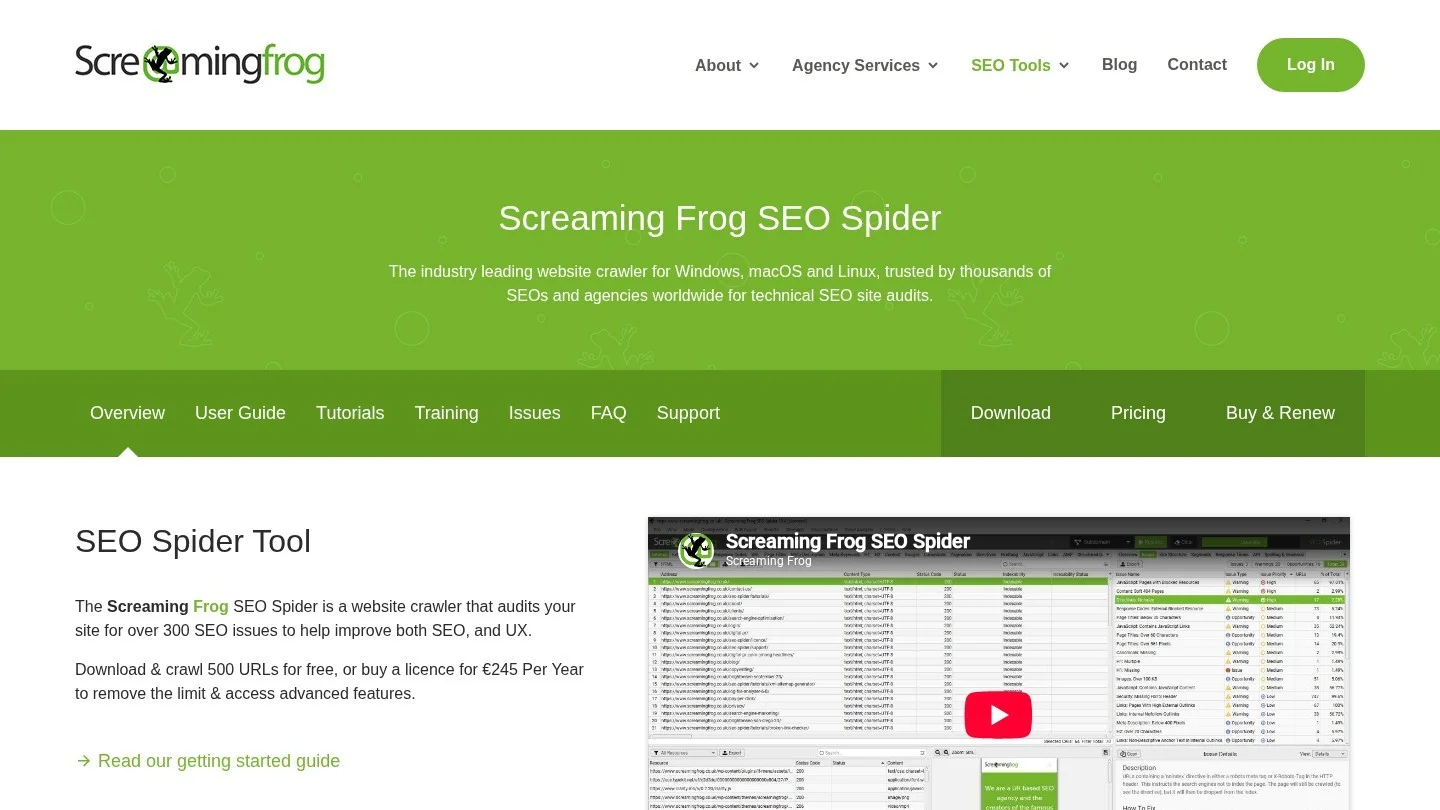
What it does for a dental practice: Screaming Frog crawls your whole site from your computer and lists every broken link, redirect, missing title and duplicate page. It is a specialist tool, so it scores high on one job and zero on the local ones. Our audit guide, linked at the top of this page, walks through the crawl settings and fixes, so we will not repeat those steps here.
Score breakdown: Grid tracking 0, keyword research 0, GBP management 0, review management 0, technical audit 3, reporting 1, price 3.
Pricing: The Screaming Frog pricing page lists a licence at £199 a year, with discounts from five licences. The free version crawls up to 500 URLs, which covers most single-practice websites.
Who it suits: Agencies, in-house marketers at DSOs and anyone moving a practice site to a new platform.
Feature-by-Feature Comparison Table
The table puts every score and entry price side by side. Use the “best for” column to shortlist, then read the score row for the job you care about. The second chart shows the same scores as a grid, so you can spot each tool’s strong and weak columns at a glance.
| Tool | Grid | Keywords | GBP | Reviews | Tech audit | Reporting | Price | Total | Entry price (Nov 2026) | Best for |
|---|---|---|---|---|---|---|---|---|---|---|
| Semrush + Local Pro | 3 | 3 | 3 | 3 | 3 | 3 | 1 | 19 | $139/mo + $60/mo per location | All-in-one, DSOs, agencies |
| SE Ranking | 2 | 3 | 2 | 0 | 3 | 3 | 1 | 14 | $129/mo ($103.20 annual) | Small groups, small agencies |
| BrightLocal | 2 | 0 | 3 | 3 | 1 | 2 | 2 | 13 | $41/mo ($31 annual) | Solo practices, DSOs |
| Local Falcon | 3 | 1 | 1 | 1 | 0 | 3 | 3 | 12 | $24.99/mo | Map grid tracking |
| Whitespark | 3 | 0 | 2 | 2 | 0 | 1 | 3 | 11 | From $10/mo (grids) | Build-your-own local stack |
| Google Business Profile | 0 | 1 | 3 | 2 | 0 | 1 | 3 | 10 | Free | Every practice |
| Ahrefs | 0 | 3 | 1 | 0 | 3 | 2 | 1 | 10 | $129/mo (Lite) | Backlinks, competitors |
| Google Search Console | 0 | 2 | 0 | 0 | 2 | 1 | 3 | 8 | Free | Every practice |
| Moz Local | 0 | 0 | 2 | 1 | 0 | 1 | 3 | 7 | $199/yr or $20/mo per location | Listings for many offices |
| Screaming Frog | 0 | 0 | 0 | 0 | 3 | 1 | 3 | 7 | Free to 500 URLs; £199/yr | Technical crawls |

Which Tool Stack Fits a Solo Office, a DSO or an Agency
Few practices need one tool from every row, so the smarter move is a small stack that covers each job once. The three stacks below are priced at current list rates, using annual billing where it is cheaper. The usage numbers are illustrations with stated assumptions, not vendor quotes.

Solo Practice: About $884 a Year
A single-location general dentist needs map pack tracking, review requests and real query data. The stack is Google Business Profile and Search Console (free), BrightLocal Grow on annual billing ($584) and Local Falcon Starter on annual billing ($299.88). That totals $883.88 a year, or about $74 a month.
Check the credits before you buy, because grid scans add up quickly. Say you track ten keywords on a 7×7 grid once a week. Each scan uses 49 credits, so ten keywords over four weeks use 1,960 credits a month. Starter includes 7,500, so you have plenty of room. If reviews are already handled by your practice software, drop to BrightLocal Track and the stack falls to $668.88 a year.
Multi-Location Group or DSO: $4,400 to $11,300 a Year for 12 Offices
Twelve offices change the math, because local tools charge per location. Take a group tracking eight keywords per office on a 9×9 grid twice a month. That is 12 × 8 × 81 × 2 = 15,552 Local Falcon credits a month, just above Basic, so Pro ($1,199.88 a year) is the right plan.
- Lean option: BrightLocal Grow for 11 to 20 locations ($148 a month annually, or $1,776 a year), Local Falcon Pro ($1,199.88) and the Semrush SEO plan on annual billing ($1,407.96). Total: $4,383.84 a year.
- Single-platform option: Semrush SEO ($1,407.96) plus Local Pro for 12 locations ($60 × 12 × 12 = $8,640) plus Local Falcon Pro. Total: $11,247.84 a year. You pay more for one login, AI drafting and listing sync across 70+ directories.
Groups should also standardize naming, categories and reporting across offices before buying anything. Our guide to multi-location dental SEO explains how to set up location pages and profiles so the tools report cleanly.
Dental Marketing Agency: About $5,080 a Year Plus a Crawler
An agency with 25 dental clients needs white-label reports, room for many projects and plenty of grid credits. SE Ranking Growth on annual billing costs $2,678.40 a year and covers 30 projects. Local Falcon Premium costs $2,399.88 a year, and a Screaming Frog licence adds £199. The two US-dollar tools total $5,078.28.
Check the grid budget again before you commit. Ten keywords per client on a 7×7 grid every week uses 25 × 10 × 49 × 4 = 49,000 credits a month. Premium includes 63,150, which leaves room for one-off audit scans during sales calls.
| Stack | Tools | Annual cost (Nov 2026) | What you give up |
|---|---|---|---|
| Solo practice | GBP, Search Console, BrightLocal Grow, Local Falcon Starter | $883.88 | Keyword research and full crawls |
| DSO, lean (12 offices) | BrightLocal Grow 11-20, Local Falcon Pro, Semrush SEO | $4,383.84 | One login, AI drafting |
| DSO, single platform (12 offices) | Semrush SEO + Local Pro x12, Local Falcon Pro | $11,247.84 | Budget |
| Agency (25 clients) | SE Ranking Growth, Local Falcon Premium, Screaming Frog | $5,078.28 + £199 | Deep review management |
Tools are only part of the cost of dental SEO, since content, links and someone’s time usually cost more. Our breakdown of dental SEO costs shows what practices typically pay in total.
Tracking an “Emergency Dentist Near Me” Grid, Step by Step
Emergency searches are some of the most valuable a practice can win. The patient is in pain, wants an appointment today and often calls the first practice in the map pack, so these searches are also local in the strictest sense, because Google ranks map results by distance as well as relevance. A grid scan shows how far your reach actually goes.
- Pick the keywords: track “emergency dentist near me,” “emergency dentist,” “same day dentist” and “dentist open Saturday.” Add “emergency dentist [your city]” as a control.
- Set the grid: center the grid on your office, then size it to your market. In a dense city, a 7×7 grid with 0.5-mile spacing covers a realistic drive. In a suburb or rural area, widen the spacing to one mile or more. Local Falcon lets you set spacing in 0.1-mile steps.
- Schedule it: run the scan weekly at the same time and day. Rankings shift with the time of day and the day of the week, so a Monday morning scan compared with a Friday evening scan tells you little.
- Read the map, not the average: look for the line where you drop from the top three. If it sits a mile from the office on one side only, a competitor near that edge is probably winning those searches.
- Act on what you find: check that your profile shows accurate hours, an emergency services page exists on your site and recent reviews mention emergency care. Then rescan in four to six weeks and compare the two maps side by side.
Reviews feed directly into emergency rankings, and our roundup of dental Google reviews statistics shows how patients weigh ratings and review recency when they choose a dentist.
Researching Implant Keywords Without Wasting a Month
Implants are often the highest-value treatment a general practice offers, so implant keywords deserve their own workflow. The goal is to find the phrases patients use at each stage, from early research through financing questions to booking, and then give each stage a dedicated page.
- Start with your own data: in Search Console, filter queries containing “implant.” These are terms that already find your site. Note any with many impressions but a low average position, because those are the quickest wins.
- Expand in a research tool: enter “dental implants” in Semrush, SE Ranking or Ahrefs. Filter for questions and for words like “cost,” “all-on-4,” “same day,” “financing” and “near me.”
- Group by intent: cost and financing questions belong on one detailed page. “All-on-4” deserves its own page if you offer it. Location phrases belong on your main implant page and your GBP services.
- Check who ranks now: look at the top results for each group, and if they are long pages with pricing ranges and doctor bios, a short service blurb will not compete.
- Track both views: add the phrases to your rank tracker for the organic results, and add your two most important local terms to your grid tool for the map pack.
For a ready-made starting list, browse our dental keywords collection, which groups terms by treatment. Once the pages exist, mark them up correctly too. Our guide to dental schema markup shows the Dentist and FAQ code to add.
Mistakes Practices Make When Buying SEO Software
Buying a suite and using one report: Many practices pay for an all-in-one plan and only ever check rankings. If that is all you need, a grid tool and Search Console will do it for a fraction of the price.
Tracking keywords from the wrong place: A rank tracker set to your city center will not tell you how you rank near your office. Set the location to your address or use a grid.
Letting the agency own the accounts: The practice should own its Google Business Profile, Search Console and analytics, with the agency added as a user. When the contract ends, the data stays with you.
Ignoring credit math: Grid tools charge per point, and a 15×15 grid uses 225 credits per scan, so daily scans on many keywords can empty a plan in a week. Run the numbers first, as we did above.
Questions on Free Tools, Geo-Grids and Agencies for Dental SEO
What Is the Best SEO Tool for a Dental Practice?
Semrush with Local Pro scored highest in our ranking because it covers every job, from keywords to reviews. For a single practice on a budget, BrightLocal plus Local Falcon covers the local work for under $900 a year.
Can I Do Dental SEO With Free Tools Only?
You can cover the basics with free tools alone. Google Business Profile, Search Console and the free Screaming Frog crawler handle your profile, query data and site health. You will lack grid tracking and keyword research, so paid tools help once you want to grow beyond your immediate area.
Is Semrush or Ahrefs Better for Dentists?
For most practices, Semrush is the better fit because its Local add-on adds grid tracking, GBP tools and review management. Ahrefs is stronger for backlink research, which matters most in crowded cities and for agencies.
What Is a Geo-Grid Rank Tracker?
A geo-grid tracker checks your Google Maps ranking from many points around your office and shows the results as a map. It tells you where nearby patients can find your practice and where a competing office wins those searches instead.
How Much Should a Dentist Spend on SEO Tools?
Based on current list prices, a solo practice can build a strong stack for about $670 to $890 a year. A 12-office group should plan for roughly $4,400 to $11,300 a year, depending on how much it wants in one platform.
Do I Still Need an Agency If I Buy These Tools?
Tools show you problems, but someone still has to fix them, write the pages and earn the links. If nobody in the practice has the time, compare providers on our US dental SEO agency directory or request a dental SEO quote.
Your First Week With a New Dental SEO Stack
Start with the free tools on day one, and confirm you own your Google Business Profile and Search Console, then export the last three months of Search Console queries as your baseline. On day two, pick the paid tool that fixes your biggest gap: a grid tracker if you do not know your map reach, or a review tool if your rating trails nearby practices.
By the end of the week, run your first “emergency dentist near me” grid and save it. That one map becomes the before picture for every profile, review and page change you make over the next quarter. A tool earns its fee only when it changes what you do, so cancel any subscription you have not opened in a month.