
What does technical SEO cover on a dental website, and which parts break most often? It covers five jobs. Google must crawl your pages and index the right ones. Phones must get the same content as desktop. Pages must pass Core Web Vitals, and each office needs Dentist markup. On top of that, multi-location groups need a clean office structure, and every practice needs a safe plan for its next site move.
Most of the damage we see comes from redesigns and location launches. A new theme ships with a stray noindex tag. Or a group adds ten offices and copies one template ten times. So we read Google’s own documentation on site moves, mobile indexing, Core Web Vitals and local business markup. Then we held two large dental groups’ location sites up against it. This guide is the checklist that came out of that work, written for marketers who run dental sites day to day.
Request Dental SEO Quote
Remember These Technical Numbers for Dental Sites
- A good page loads its main content within 2.5 seconds, reacts to taps within 200 milliseconds and keeps layout shift at 0.1 or less.
- Google indexes and ranks the mobile version of your site, so phone pages need the same content and markup as desktop.
- Google’s local business markup needs only two properties, name and address. Also, it asks for the most specific type, which for a practice is Dentist.
- During a site move, use 301 or 308 redirects and keep them for at least one year.
- For a medium-sized site, Google can take a few weeks or more to swap old URLs for new ones in results.
Let Googlebot Reach Every Treatment and Office Page
Open Search Console and run the URL Inspection tool on the five pages that bring in the most patients. For most practices, that means the homepage, the implant page, the emergency page, the Invisalign page and one office page. If any of them shows as blocked or not indexed, fix that before anything else in this guide.
Next, read your robots.txt file. Type your domain followed by /robots.txt into a browser. Look for any Disallow line that covers a folder of treatment pages, a location folder or the files your theme needs to render. Staging rules often leak into the live file after a redesign, so check it after every launch.
Hunt Down Noindex Tags Left Over From Staging
Robots.txt controls crawling. A noindex tag controls indexing. Developers often add noindex to a staging copy and then forget it at launch. In WordPress, the “Discourage search engines from indexing this site” box under Settings, then Reading, does the same damage across the whole site.
So crawl the live site with any desktop crawler and filter for pages that carry noindex. On a dental site, only thank-you pages, patient form confirmations and internal search results usually belong on that list.
Link Every Page From Somewhere a Patient Can Click
Orphan pages are common on dental sites. A practice writes a page on sleep apnea appliances, but nothing in the menu or body links to it. As a result, crawlers rarely find it and patients never do. Link each treatment page from its parent service hub, and link each office page from the locations hub. Our dental ranking factors guide covers internal linking between treatments, dentists and offices in more depth.
Keep Thin and Duplicate Pages Out of Google’s Index
Open the Page indexing report in Search Console. It splits your URLs into indexed and not indexed, and it lists a reason for each excluded group. Read the reasons for treatment and office URLs first, because those pages bring in patients.
Two patterns cause most trouble on dental sites. First, near-copies of one city page get spun out for every suburb, with only the town name swapped. Second, tag and category archives on the blog repeat the same posts under many URLs. For the city pages, merge them or rewrite each one with real local detail. For the archives, add noindex or remove them.
Point Canonicals at the Version You Want Ranked
Every indexable page needs a self-referencing canonical tag. Also, tracking links from ads and email add parameters such as ?utm_source to your URLs. The canonical tells Google which clean URL to keep. Check that the canonical on each office page points to that office, and never to the homepage or the locations hub.
Give Phone Visitors the Same Page Desktop Visitors See
Google uses the mobile version of a site, crawled with its smartphone agent, for indexing and ranking. That is mobile-first indexing. Its best practices ask for the same primary content, structured data and metadata on both versions. They also warn against lazy-loading primary content behind a swipe or a click. And both versions need the same robots meta tags.
Dental themes break this rule in quiet ways. For example, a mobile menu might drop the link to the emergency page. A treatment page might hide its cost and insurance section on phones to save space. Or the dentist bios may sit behind tabs that only load after a tap. Compare the two versions of your top pages side by side, and restore anything the phone version drops.

Pass Core Web Vitals on Booking and Treatment Pages
Core Web Vitals has three metrics. Largest Contentful Paint (LCP) measures load time. Interaction to Next Paint (INP) measures how fast the page reacts. Cumulative Layout Shift (CLS) measures how much the layout jumps. Google’s Search Console help sets these bands:
| Metric | Good | Needs Improvement | Poor |
|---|---|---|---|
| LCP | 2.5 s or less | Up to 4 s | Over 4 s |
| INP | 200 ms or less | Up to 500 ms | Over 500 ms |
| CLS | 0.1 or less | Up to 0.25 | Over 0.25 |
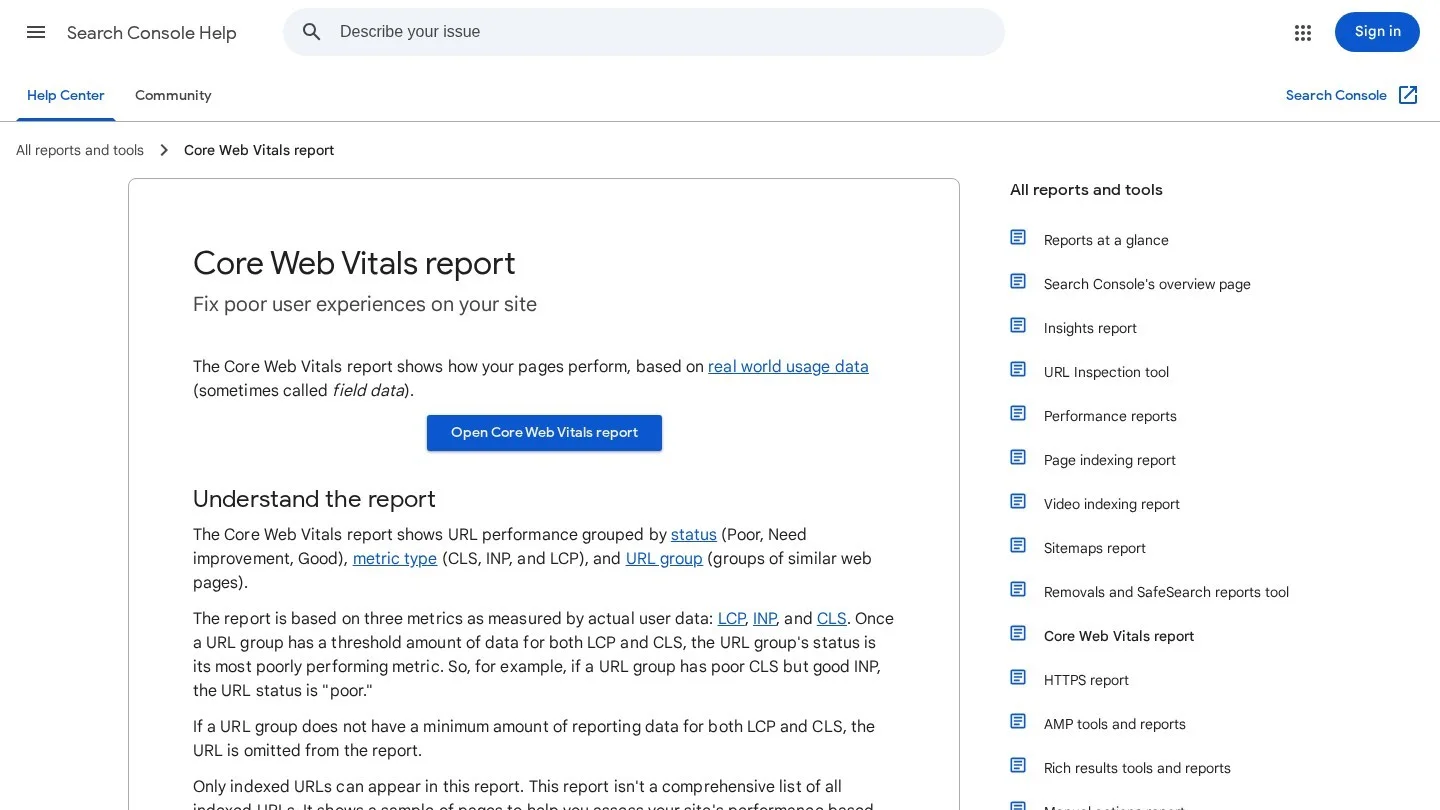
The report works on field data from real visitors. It groups URLs with a similar experience, and each group takes the status of its worst metric. So a group with poor CLS shows as poor even if LCP is fine. The values are 75th-percentile figures over 28 days. As a result, a fix today will take weeks to show in the report.
Fix the Four Usual Culprits on Dental Sites
In our experience, four elements cause most failing groups on practice websites. Each one has a plain fix.
- Hero videos and sliders. A full-width video of the office often becomes the LCP element. Swap it for one compressed image on mobile, and load the video only on larger screens.
- Before-and-after galleries. Dozens of full-size photos load at once. Resize them, serve WebP, and lazy-load every image under the first screen.
- Chat and review widgets. Third-party scripts block the main thread and hurt INP. Delay them until the visitor scrolls or taps.
- Booking iframes and banners. An online scheduler or offer bar that loads late pushes content down and raises CLS. Reserve its height in CSS so nothing jumps.
After each fix, use the Validate Fix button in the report. Then wait for the 28-day window to roll over before you judge the result.
Mark Up Each Office as a Dentist Entity
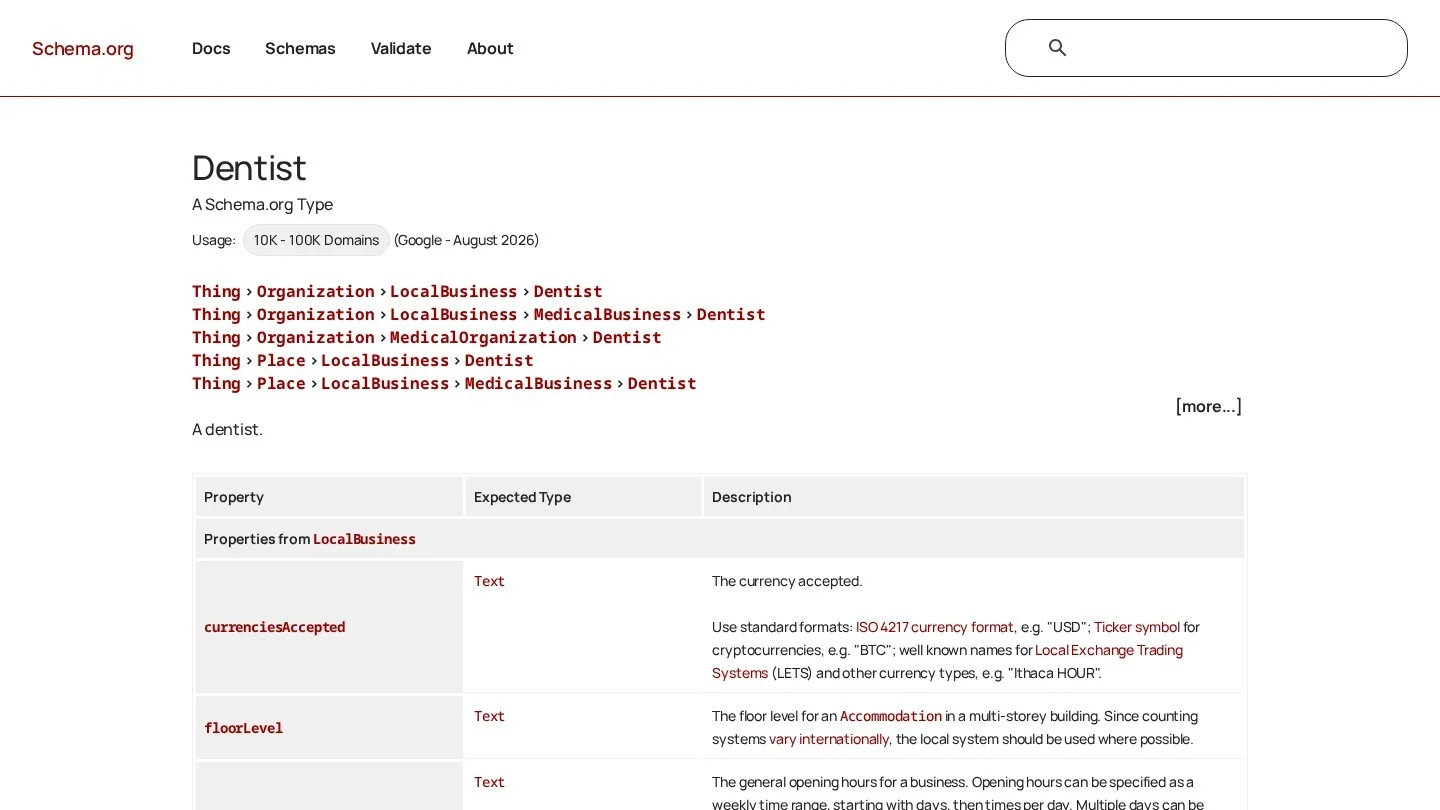
Schema.org defines Dentist in two words: “A dentist.” However, its place in the type tree tells you more. Dentist sits under LocalBusiness, under MedicalBusiness and under MedicalOrganization. So one Dentist entity is a local business, a medical business and a medical organization at the same time. For an office, you rarely need any other top-level type.
Google’s local business documentation requires two properties: name and address. It also recommends geo coordinates, opening hours, telephone, url and priceRange, among others. Next, it asks you to use the most specific LocalBusiness subtype you can. For a practice, that is Dentist.
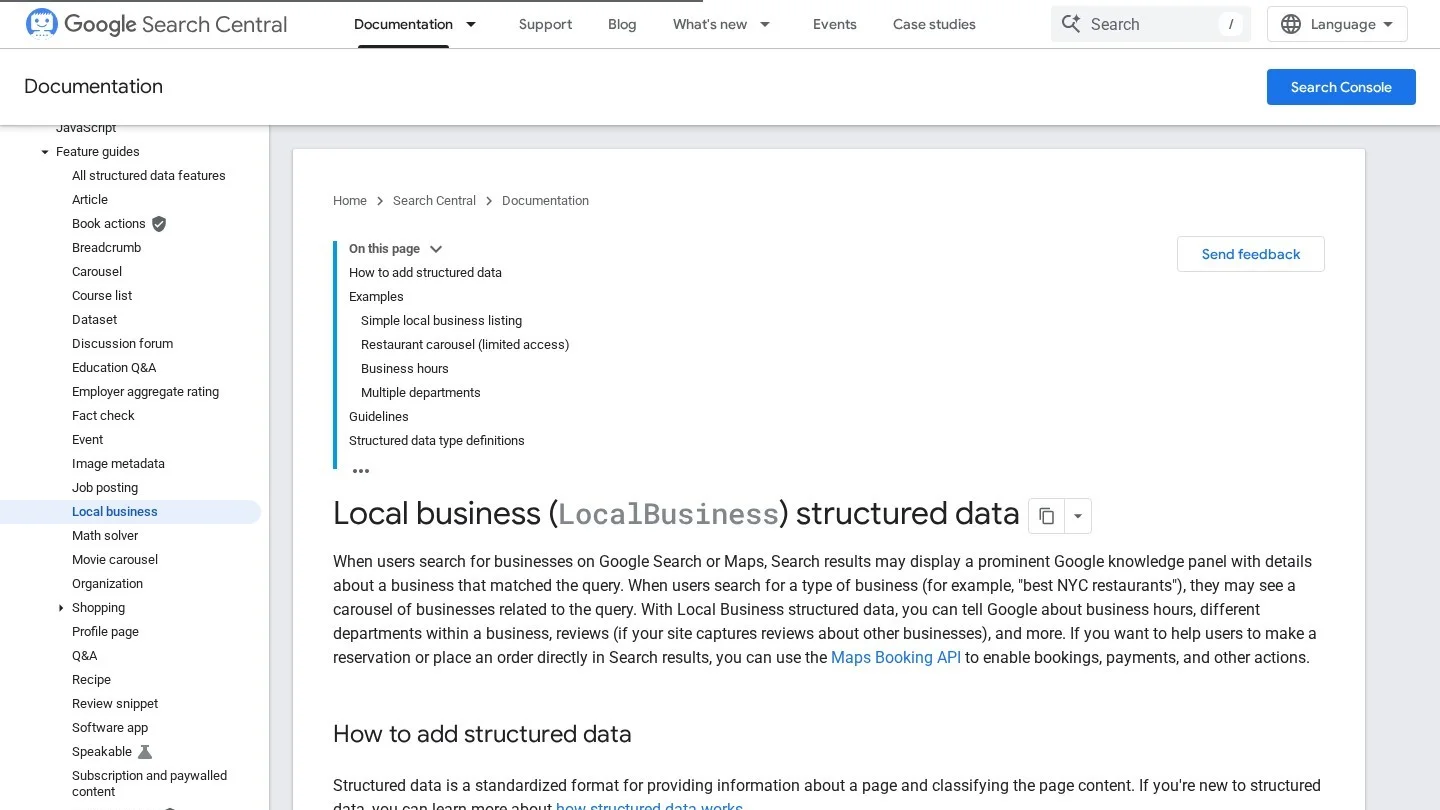
A few details trip up dental sites. The url must be the full address of that office’s own page. The telephone should include the country code. Also, Google asks for latitude and longitude to at least five decimal places. Finally, priceRange must stay under 100 characters, or Google will not show it.
{
  "@context": "https://schema.org",
  "@type": "Dentist",
  "name": "Example Family Dental Riverside",
  "url": "https://www.example.com/locations/riverside/",
  "telephone": "+1-555-010-0199",
  "priceRange": "$$",
  "address": {
    "@type": "PostalAddress",
    "streetAddress": "100 Main Street",
    "addressLocality": "Riverside",
    "addressRegion": "CA",
    "postalCode": "92501",
    "addressCountry": "US"
  },
  "geo": {
    "@type": "GeoCoordinates",
    "latitude": 33.98060,
    "longitude": -117.37550
  },
  "openingHoursSpecification": [
    {
      "@type": "OpeningHoursSpecification",
      "dayOfWeek": ["Monday", "Tuesday", "Wednesday", "Thursday", "Friday"],
      "opens": "08:00",
      "closes": "17:00"
    }
  ]
}
Swap in your own details, and keep every value identical to the visible text on the page. Google’s local business markup also lists review and aggregateRating, but only for sites that collect reviews of other businesses. So a practice should not mark up its own star rating this way. Our dental schema markup guide adds Person markup for each dentist and the testing steps.
Set Hours That Match the Front Desk
Google’s format for openingHoursSpecification uses 24-hour times. To mark a day closed, set both opens and closes to “00:00.” For seasonal hours, such as a shorter summer week, add validFrom and validThrough dates. Also, update the markup on the same day the office changes its hours, because patients check them before they call.
Build a State, City and Office Structure for Dental Groups
Large dental groups solve the multi-location problem with a tidy URL tree. We studied two of them. Each one gives crawlers and patients a short path from a state to a single office.
Western Dental’s California hub lists cities from A to Y under a “Browse by city” heading. Each city shows its office count, such as Los Angeles (13) and Sacramento (8). City pages sit at /en-us/find-a-location/california/{city}/. Office pages add the street address, as in /california/anaheim/1696-west-katella-avenue/. Also, a city with one office links straight to that office page and skips the extra city layer.

Western Dental also links Spanish versions of the same hub from its header, menu and footer. One sits at /es-us/ and another at /es-mx/. For a practice with Spanish-speaking patients, that is the pattern to copy: one URL per language, linked from every page.
Aspen Dental takes a shorter route. Its Texas hub links to about 72 cities under “Browse by city,” and each city page sits at /dentist/tx/{city}/. The site says Aspen Dental has offices in more than 45 states. Its pages also note that each practice is independently owned and operated by licensed dentists.
Smaller groups can copy the idea with fewer layers. With three to ten offices, one locations hub that links to every office page is enough. Then give each office its own Dentist markup on its own page. For bigger groups, Google’s markup supports a nested department property for parts of a business. Even so, separate Dentist entities on separate office pages are easier to keep correct. Our multi-location dental SEO guide covers profiles, reviews and reporting per office.
Move a Dental Website Without Losing Its Rankings
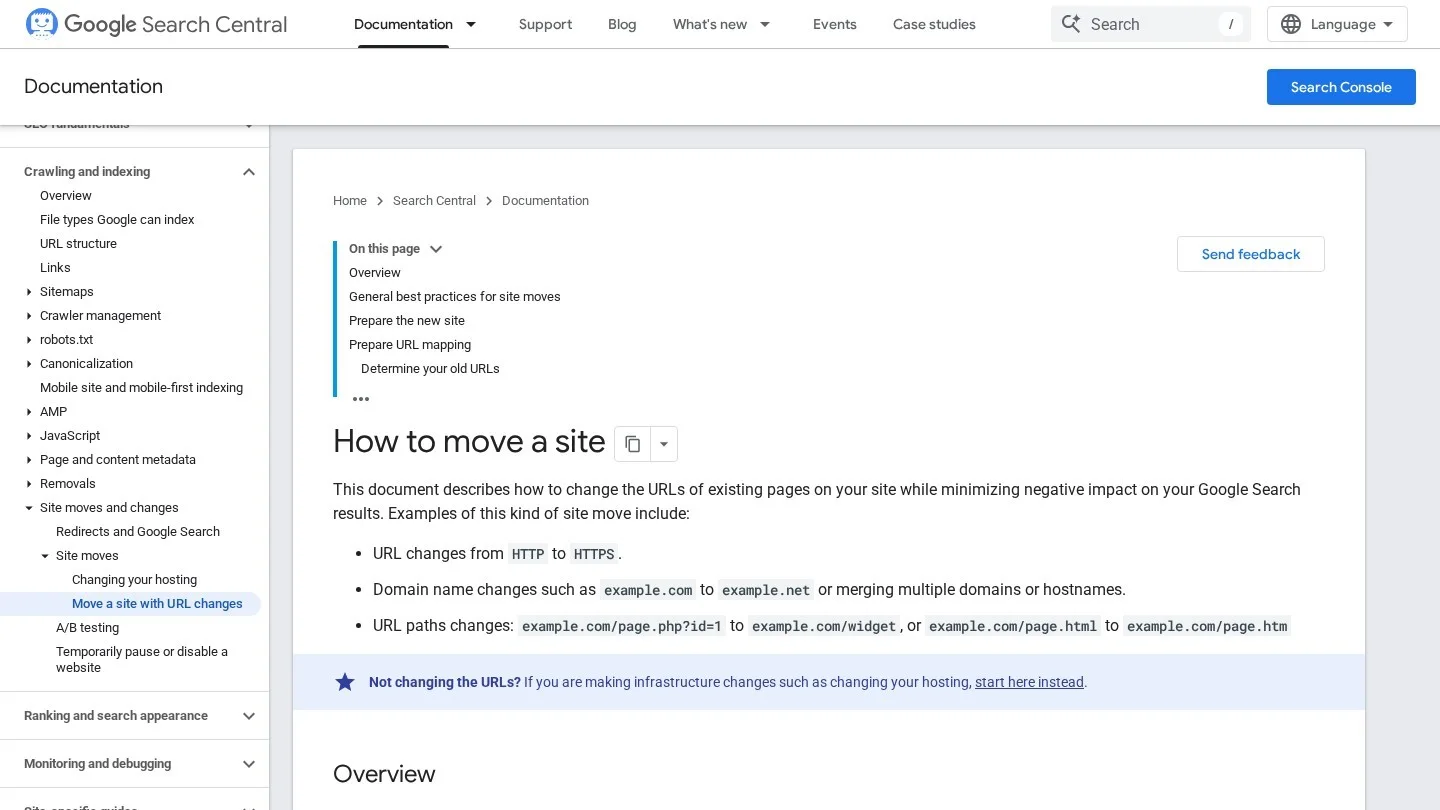
Google splits a site move into five stages. You learn the basics, prepare and test the new site, map old URLs to new ones, add redirects, and then monitor traffic. Small and medium sites should usually move all URLs at once. Most single practices fall in that group, so skip a phased move unless you run a large group site.
Map Each Old URL to One New URL
Export every URL from the old site, from Search Console and from your crawler. Then put them in a sheet with a “new URL” column. Each old treatment page maps to its new treatment page. Never send them all to the homepage, because a patient who clicks an old implant link wants the implant page. Also, keep old blog posts that still earn links, even if you rewrite them.
Redirect With 301s and Leave Them in Place for a Year
Google recommends server-side permanent redirects, such as 301 or 308. Client-side redirects are a last resort. Next, avoid chains. Googlebot can follow up to 10 hops, but Google advises pointing straight at the final URL. If that is not possible, keep chains to three hops or fewer.
Keep the redirects for at least one year, so Google has time to pass signals to the new URLs. After that, they can stay for visitors. However, each redirect slows the page a little. So update internal links and your Business Profile website links to point at the new URLs directly.
Use Change of Address Only When the Domain Changes
Search Console’s Change of Address tool is for moves between domains or subdomains, such as a group rebrand to a new .com. You do not need it for an HTTP to HTTPS switch, a www change on the same domain, or a new folder structure. For a domain move, submit it for every verified variant of the old domain. That includes www and non-www versions and any subdomains.
Before the move, verify all variants of both the old and new sites in Search Console. Once the redirects are live, submit the new sitemap. Also, keep a sitemap of the old URLs for a while to watch them get picked up. Redirect warnings on that old sitemap are expected.
Expect a Few Weeks of Movement
For a medium-sized site, Google says it can take a few weeks or more before new URLs replace old ones in results. Larger sites can take longer, and rankings may move around in that time. So tell the practice owner about this window before launch day. Our piece on why dental SEO takes time helps set those expectations.
Run This Technical Check Every Quarter
We keep the quarterly check to ten lines, so a practice manager can follow it without an agency. Each line names the tool and what a pass looks like.
| Check | Where | Pass Looks Like |
|---|---|---|
| Top five pages indexed | URL Inspection | All five show as indexed |
| Robots.txt | yourdomain.com/robots.txt | No Disallow on treatment or office folders |
| Stray noindex | Desktop crawler | Only thank-you and form pages |
| Excluded URLs | Page indexing report | No treatment or office pages in the list |
| Canonicals | Desktop crawler | Each page points to itself |
| Mobile parity | Phone and desktop side by side | Same content, links and markup |
| Core Web Vitals | Core Web Vitals report | No poor URL groups on mobile |
| Dentist markup | Rich Results Test | Valid, with hours that match the office |
| Office pages | Locations hub | Every office linked once from the hub |
| Old redirects | Desktop crawler | No chains, no redirects to the homepage |
If you want a tool for the crawler lines, our list of dental website audit tools compares the main options by price.
Answer What Marketers Ask About Technical Dental SEO
Does a Faster Site Rank a Dental Practice Higher?
In our view, speed is one signal among many. A fast page with thin content still gives patients little reason to book. So fix poor Core Web Vitals groups first, then spend the rest of your time on content and local signals.
Should Each Office Get Its Own Website?
For most groups, no. One domain with a page per office keeps links and authority in one place. Western Dental and Aspen Dental both run every office from one domain.
Can We Use the MedicalBusiness Type Instead of Dentist?
You can, but Google asks for the most specific subtype. Dentist already sits under MedicalBusiness, so it carries that meaning and adds more.
How Long Should Redirects Stay After a Rebrand?
At least one year, per Google’s site move guide. After that, you can leave them in place, because old links from dental directories and local news may still send visitors.
Why Is Our New Office Page Not Indexed Yet?
Check three things in order. First, confirm the hub links to it. Next, check that it has no noindex tag and a self-referencing canonical. Then request indexing in URL Inspection and add the page to your sitemap.
Crawl the Site Before the Next Redesign Goes Live
Most technical losses on dental sites happen on launch day. So crawl the staging site and the live site, compare the URL lists, and build the redirect map before anyone flips the switch. If you would rather hand the job to a specialist, request quotes from dental SEO agencies or browse firms on Dental SEO Agencies.