
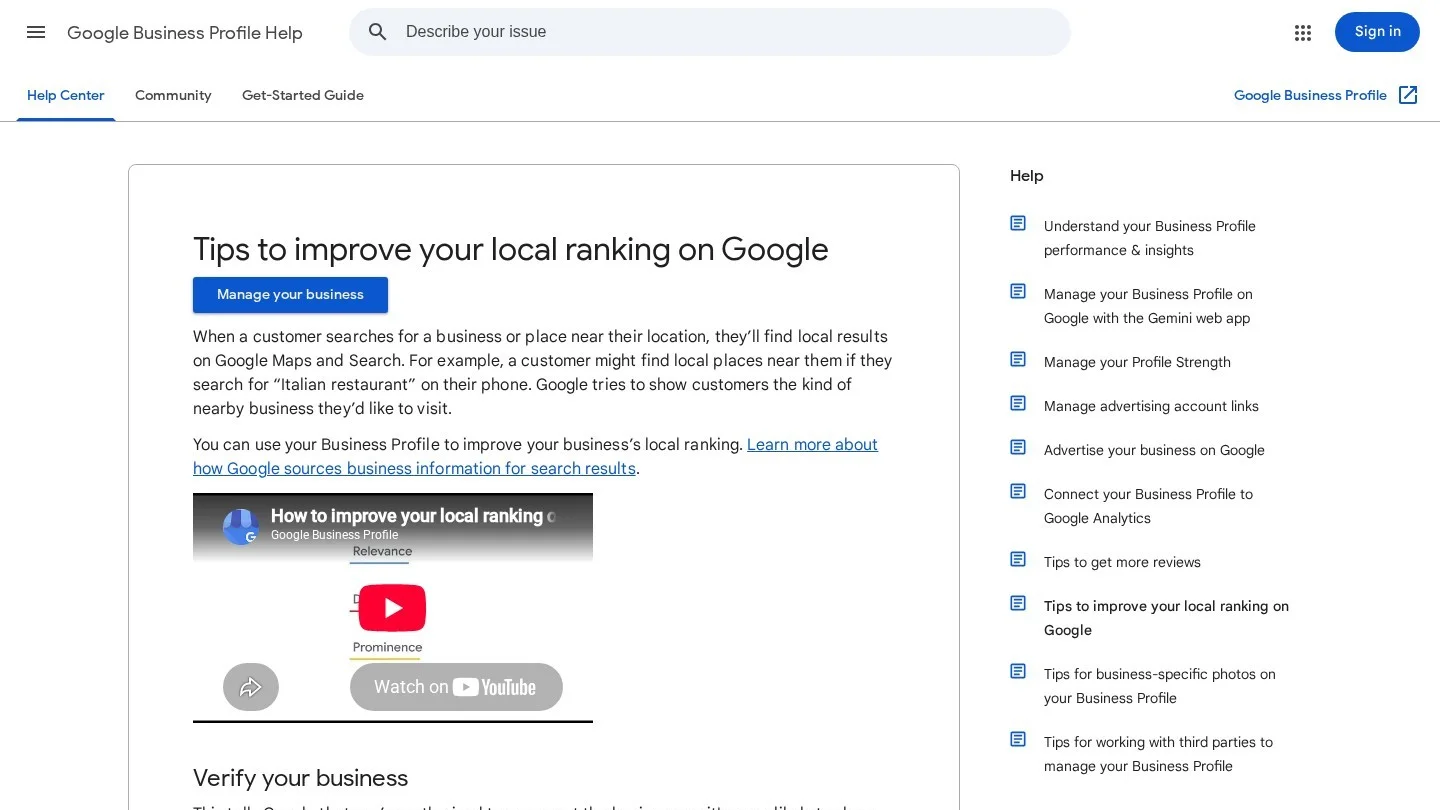
Google ranks the three dental offices in the map pack on relevance, distance and prominence. Nobody can buy a higher spot, and whatever the practice spends on Google Ads has no effect on where it sits in the map.
You can push on two of the three. Distance runs from wherever the patient is holding the phone, so your one job there is a correct address with the pin on the right building. Relevance lives mostly in the profile fields, and you can fix those this week. Prominence moves slowly, growing month by month as reviews come in and other websites link to the practice.
Fix the primary category and the website link first. Pick the wrong category and Google shows the office for the wrong searches. Groups have a second problem, because a profile that links to the group homepage sends Google to a page with no address for this office.
Request Dental SEO Quote
What Puts a Dental Office Into the Map Results
- The map results run on relevance, distance and prominence, and no payment to Google moves any of them.
- Pick “Dentist” as the primary category unless the whole practice is limited to one specialty, and add a second category only for work the office actually does.
- The profile name is the name on the sign out front. Adding “implants” or a city to it breaks Google’s guidelines.
- Every patient should get the review link after the visit. Google bans review incentives, and it bans asking only the happy ones.
- A Dallas practice paid $10,000 to settle a federal HIPAA case over its Yelp replies, so no reply should confirm that the reviewer is a patient.
- With UTM tags on the profile’s website link, GA4 reports map visits as their own source.
How Google Chooses the Three Dentists in the Map Results
Relevance means the profile matches what was typed. A search for “emergency dentist” pulls up offices whose categories and services say they see emergencies. Google can only match on what the profile says, and a half-filled profile gives it less to work with.
Distance starts at the searcher’s location. Two patients typing the same words, one on the north side of town and one on the south, get two different packs. Some offices try to look closer by dragging the map pin or renting a virtual office in another neighborhood. Both moves break Google’s address rules, and a virtual office cannot hold a profile in the first place.
Prominence is reputation. Google looks at how many reviews and ratings the practice has and how many websites link to it, and more reviews with good ratings work in the practice’s favor. Nothing on the profile moves slower. A new office with a flawless profile can sit under a 20-year-old practice for months, and our piece on why dental SEO takes time goes through the reasons.
| Factor | What Google means by it | What a dental office controls |
|---|---|---|
| Relevance | How well the profile matches the search | Categories, services, description, attributes and the linked location page |
| Distance | How far the office is from the searcher | Only a real, staffed address with a correct map pin |
| Prominence | How well known the practice is | Reviews, replies, links from other sites and consistent listings |
Step 1: Set “Dentist” or a Specialty as the Primary Category
Google reads the primary category as the clearest statement of what the business is, and it feeds straight into local ranking. Choose the most specific category that still covers the core of the practice. A general dentist who places a few implants and runs some aligner cases is still a Dentist. An office that does nothing but orthodontics is an Orthodontist.
In Edit profile, go to Business category and type “dent.” Google offers Dentist, Cosmetic dentist, Pediatric dentist and Emergency dental service, plus specialist options like Orthodontist, Endodontist, Periodontist and Oral surgeon. Up to nine more categories fit after the primary one. Google warns against adding one per service and gives a test to use instead, which is to say “This business IS a ___” with the category in the blank. If the sentence sounds wrong out loud, skip that category.
| Practice type | Primary category | Additional categories to consider |
|---|---|---|
| General practice with cosmetic work | Dentist | Cosmetic dentist, and Emergency dental service if you see same-day emergencies |
| Practice limited to children | Pediatric dentist | Usually none |
| Practice limited to orthodontics | Orthodontist | Usually none |
| Group with a periodontist on site | Dentist | Periodontist, only while that specialist practices at this address |
Specialist categories can also put a dentist at odds with the ADA Code of Ethics. Section 5.H allows a dentist to announce as a specialist only in a recognized specialty, and only with the education that specialty requires. Under Section 5.I, general dentists may announce their services but must avoid anything that implies specialization. Listing a general dentist as “Orthodontist” on Google is the kind of public claim 5.I warns about. Your state dental board has its own specialty advertising rules as well, so read them before adding any specialist category.
A category change can trigger a fresh verification. Settle on the categories and make the change in one sitting, because flipping back and forth to test rankings may mean verifying again every time.
Step 2: Fill the Name, Services, Description and Hours Fields
Practice Name and Doctor Titles
Type the name exactly as it reads on your sign and letterhead. Taglines and service descriptions are banned from the name field. “Maple Street Dental” is fine. “Maple Street Dental | Implants and Invisalign Austin” is a violation that any competitor can report.
Leave PLLC and similar legal terms out unless they are printed on your signage or invoices. Individual practitioner profiles get a little more room, and a dentist’s own profile may show a title or degree such as Dr.
Services Written the Way Patients Search
Under Edit services, Google lists predefined services for your category. Anything missing goes in through Add custom service. Google rejects a custom name that contains a price or a phone number.
Name services in the words patients type into the search bar. “Dental implants,” “Root canal treatment,” “Emergency tooth extraction” and “Clear aligners” match real searches, while hardly anyone types “Restorative solutions.” Each service can take a short description and a price. Add the price only if the front desk gives callers the same number.
A 750-Character Description for a Dental Office
You get 750 characters and no links or HTML. Google wants facts about the business in this box and keeps promotions and prices out of it. For a dental office, cover who you treat, the main treatments, the languages your team speaks and the insurance you take, then name the neighborhood and say how patients can book.
We wrote this 513-character sample for a made-up practice. “Maple Street Dental is a family dental practice in Austin’s Crestview neighborhood. Dr. Ana Ruiz and Dr. Sam Cole see adults and children from age one for checkups, fillings, crowns, root canal treatment, dental implants and clear aligners. We keep same-day slots for dental emergencies on weekdays. Our team speaks English and Spanish. We work with most PPO plans and offer financing through outside lenders. Parking is free behind the building, and the entrance is step-free. Book online or call the front desk.”
Every claim in the description needs proof behind it. Section 5.F of the ADA Code calls a statement misleading if it creates unjustified expectations about results, and it treats unsupported claims of superior quality the same way. “Pain-free dentistry” and “best dentist in Austin” can break both parts of that rule.
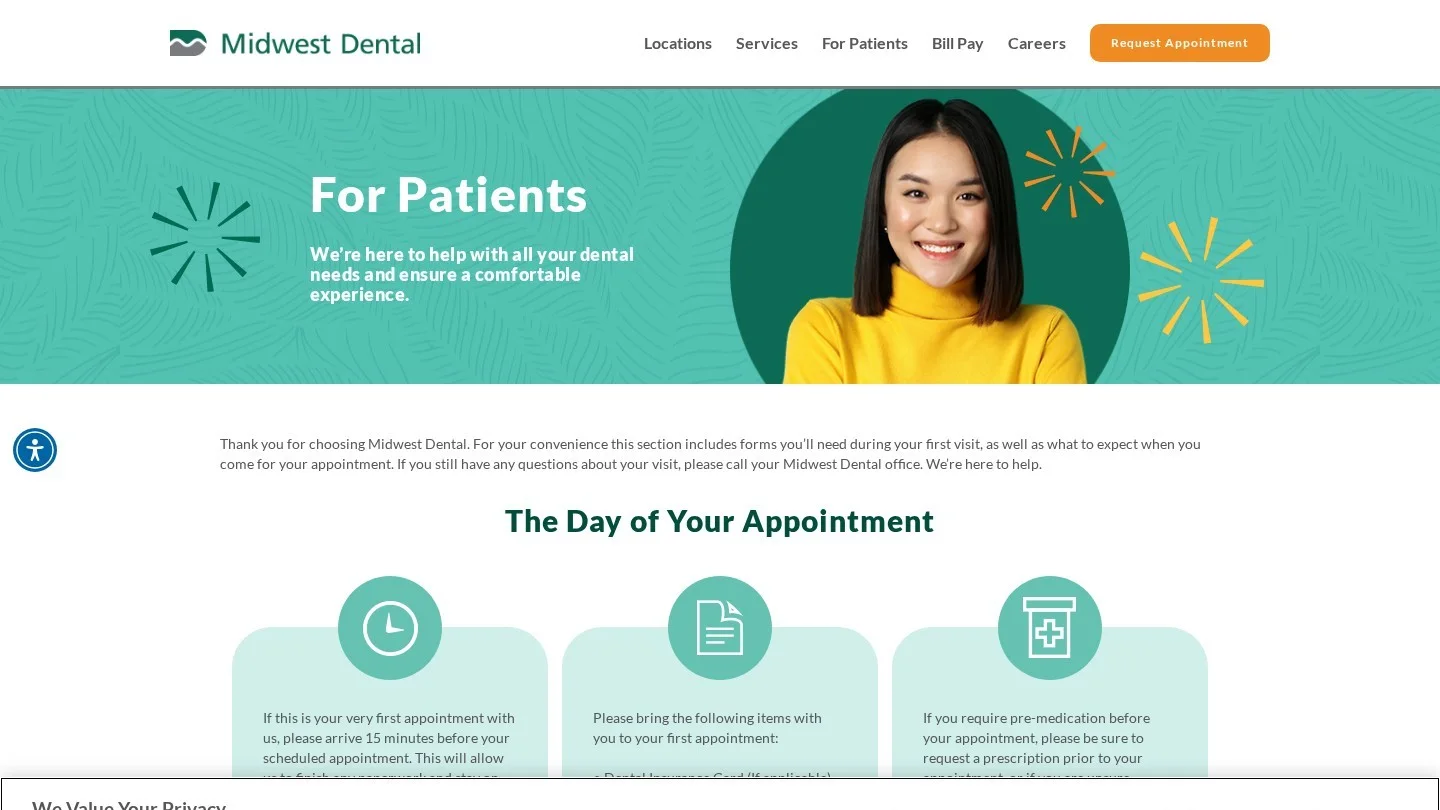
Midwest Dental’s new patient page names the insurance carriers it accepts, Delta Dental, MetLife and UnitedHealthcare among them, and tells first-time patients to plan on 1 to 1.5 hours for the visit. Those are the facts a profile description should carry, written the same way.
Hours, Special Hours, Phone and Opening Date
Regular hours are the hours patients can actually reach you. Holidays and one-off closures, like a staff training day, go under special hours. Skip them and the profile shows “Open” while every call rolls to voicemail.
The mydentist practice on Stevenson Square in Manchester lists its opening times day by day, with evenings until 7:30 p.m. Monday to Wednesday and Saturdays from 8 a.m. to 3:30 p.m. The same page has a Get directions link, the nearest pay and display car parks and the walk from Piccadilly and Victoria stations.
The primary phone slot takes a local line that your own team picks up. Google asks for a number tied to this location and under the practice’s direct control, and it prefers a local number over a central call center. Two more numbers can go in the extra slots.
The opening date takes a month and year. A practice that has not opened yet can enter a date up to a year out, and Google starts showing it to the public 90 days before the doors open.
Step 3: Attributes, Photos and the Products Tab
Find attributes under Edit profile, then More, and mark Yes or No beside each one before you save. Take the accessibility questions seriously. A patient coming in with a walker for a denture fitting will plan the whole trip around what you say about the entrance, restroom, parking and elevator. Identity attributes like women-owned or veteran-owned are optional and can be switched on or off whenever you like. Google checks attribute edits before they go live, which usually takes about 10 minutes and occasionally up to 30 days.
Photos go up as JPG or PNG files between 10 KB and 5 MB. Google recommends 720 by 720 pixels, and 250 by 250 is the smallest it accepts. Videos are capped at 30 seconds and 75 MB and need 720p or better. Google wants sharp, well-lit shots of the real place, so leave the heavy filters off.
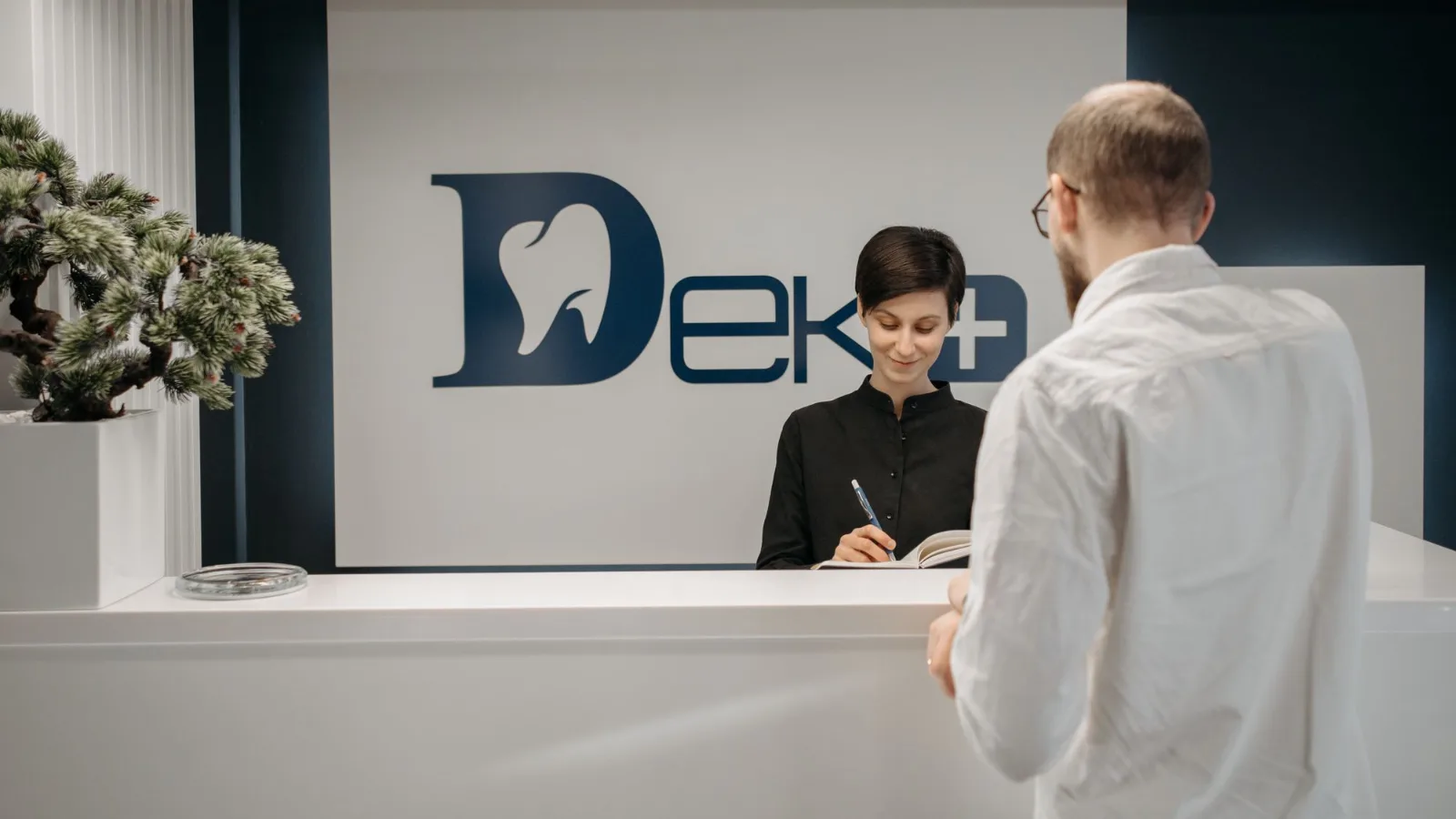
On a dental profile, upload the building from the street, the entrance and parking, reception, one treatment room and the team. New patients use those shots to find the door. The logo appears only once the profile has a name, address, category, phone and hours filled in. Patient photos stay off unless that patient signed written consent for this use.
Arrowhead Dentistry in Glendale, Arizona, uses that set of shots on its office tour page: the building exterior, the front door with its window signage, the front desk, the waiting room and a treatment room. Each photo has a caption and alt text naming the room and the practice.
Google’s ranking tips page mentions in-store products, but that feature is meant for retail businesses in eligible countries. Pharmaceuticals and health or medical devices are barred from product listings anyway. A dental office gets the same use out of its Services list. If your profile does show a Products tab, put treatments there with a real photo and a plain description, and keep anything sold on prescription off it.
Step 4: What Happened to Q&A on Dental Profiles
Google shut down the My Business Q&A API on November 3, 2025. In December 2025 it said an Ask button would replace the Q&A section in Maps. A patient types a question and gets an AI answer pieced together from the business’s own information and relevant reviews.
So the AI can only repeat what your profile and reviews already say. Write “children from age one” and “open until 7 p.m. on Thursdays” into the description and attributes, and those are the facts it will pass on. When a review gets your hours wrong, answer it politely with the correct hours. Our guide to AI SEO for dentists shows the same profile data turning up in other AI answers.
Step 5: Patient Reviews, Requests and Replies
Review count and ratings feed prominence, and replying to reviews is one of Google’s published local ranking tips. Patients read those reviews closely before they book, and our roundup of dental Google review statistics has the figures.
A Review Request Routine That Fits Google’s Policy
The profile gives you a review request link and a QR code. Load the link into your practice management or reminder software so every patient gets it by text or email after the visit. The QR code goes on a card at the checkout counter.
Yorkville Village Dental Group in Toronto keeps a patient reviews page with a Review on Google button and short step-by-step instructions for patients who have never left a review. Seven patient comments sit on the same page, each signed with a first name and last initial.
Asking only satisfied patients is against Google’s policy, and so is a discount or free whitening offered for a review. Staff should not push patients to write one before they leave the office. Review quotas for staff are out. So is asking for particular content, including a named team member, which means a card reading “Please mention Dr. Patel” breaks the rule.
Google treats reviews from current or former employees as a conflict of interest and takes them down. Federal law adds another layer. The FTC finalized its consumer review rule in August 2024, and it bans fake reviews, AI-written ones included, along with incentives tied to a positive or negative review. Undisclosed reviews by company insiders are also out, as are threats or intimidation meant to keep negative reviews off the page.
Writing Review Replies After the Elite Dental Settlement
Elite Dental Associates in Dallas paid $10,000 in 2019 to settle potential HIPAA Privacy Rule violations with the HHS Office for Civil Rights. The practice had disclosed patients’ health information in replies to Yelp reviews, including one patient’s last name and details of a health condition. A reply on Google carries the same risk.
A reply should never confirm that the reviewer is a patient. Leave out treatments, visit dates, billing and anything from the chart. Thank the reviewer and offer a private phone call. Then stop.
| Review type | Reply that stays within HIPAA |
|---|---|
| Five stars, mentions a crown | “Thank you for taking the time to write this. We have passed your note to the whole team.” |
| One star, complains about a bill | “We would like to hear more about this. Please call Dana, our office manager, at (512) 555-0142 so we can talk it through privately.” |
| One star, no text | “Thank you for the rating. If you would like to share more, please call our office manager at (512) 555-0142.” |
Every reply is checked against Google’s content policies before it posts. That usually takes up to 10 minutes, and now and then up to 30 days. The reviewer is notified and can still edit the review. Flag a review from the profile only if it breaks those content policies, because one you simply dislike will stay up.
Step 6: Build a Location Page Google Can Match to the Profile
The profile’s website link must represent this one location, and it cannot redirect to a social page. A single-office practice can point it at the homepage. Groups should link every profile to that office’s own location page.
Copy the practice name, address and phone onto the location page exactly as Google shows them. Then add the hours, parking and entrance details, and the dentists who see patients at that office, each linked to a bio. List the treatments done at that address and the insurance plans accepted there. On a phone, the booking button should sit near the top.
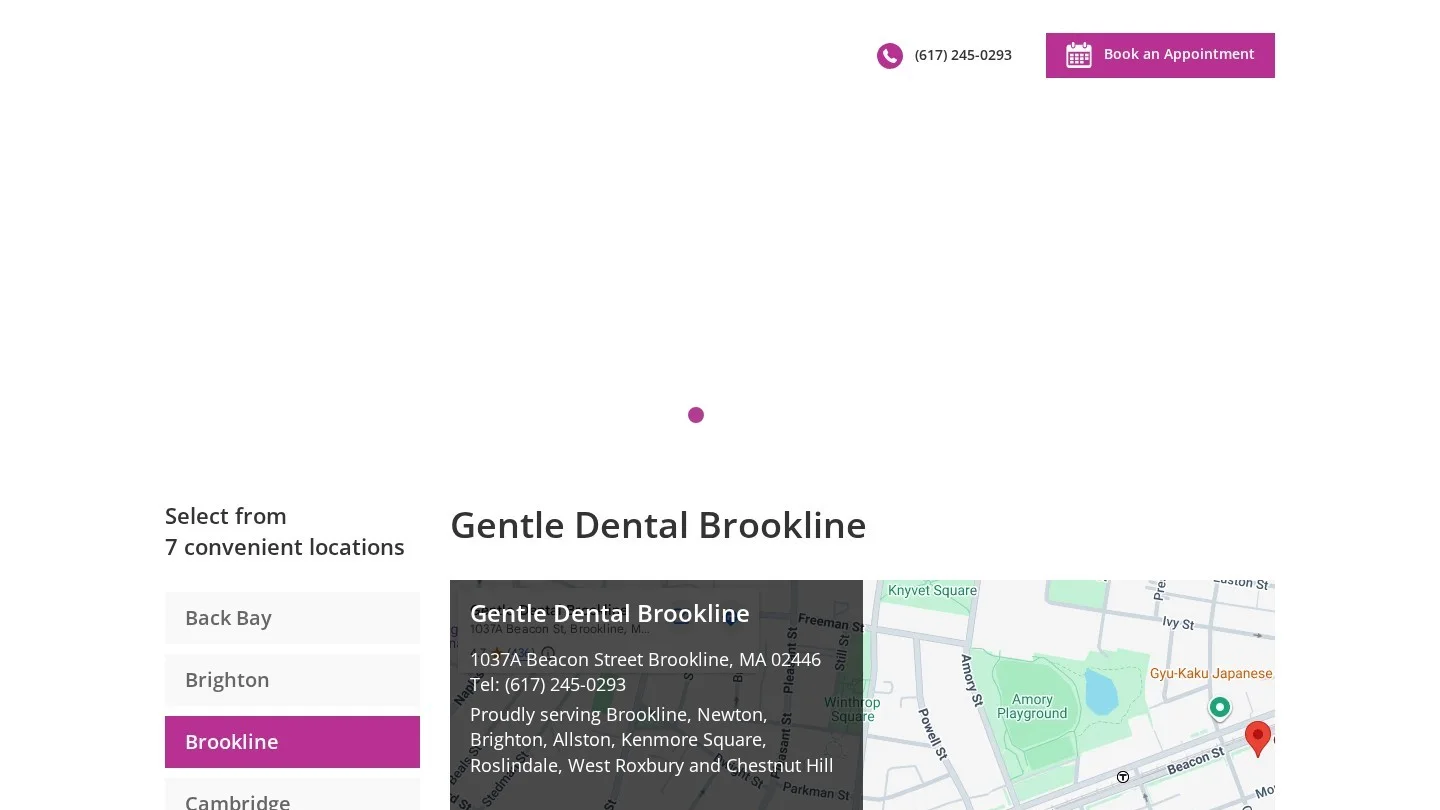
Gentle Dental’s Brookline office page in Massachusetts follows that layout. It shows the Beacon Street address, phone and hours beside an embedded Google map, then lists the six dentists who work there by role, the 15 treatments offered at that office and the insurance plans it accepts.
Use Dentist structured data on the page, since it is the most specific LocalBusiness type for a dental office. Name and address are required. Google also recommends geo coordinates to at least five decimal places, a phone number with country and area code, the location page’s canonical URL and opening hours. Markup for single dentists and for groups is in our guide to dental schema markup.
<script type="application/ld+json">
{
  "@context": "https://schema.org",
  "@type": "Dentist",
  "name": "Maple Street Dental",
  "url": "https://www.example.com/austin-crestview/",
  "telephone": "+1-512-555-0142",
  "address": {
    "@type": "PostalAddress",
    "streetAddress": "100 Maple Street, Suite 200",
    "addressLocality": "Austin",
    "addressRegion": "TX",
    "postalCode": "78757",
    "addressCountry": "US"
  },
  "geo": {
    "@type": "GeoCoordinates",
    "latitude": 30.35214,
    "longitude": -97.72873
  },
  "openingHoursSpecification": [
    {
      "@type": "OpeningHoursSpecification",
      "dayOfWeek": ["Monday", "Tuesday", "Wednesday", "Friday"],
      "opens": "08:00:00",
      "closes": "17:00:00"
    },
    {
      "@type": "OpeningHoursSpecification",
      "dayOfWeek": "Thursday",
      "opens": "10:00:00",
      "closes": "19:00:00"
    }
  ]
}
</script>
The address and phone in the markup have to match the profile character for character. The rest of the on-page work is in our breakdown of SEO ranking factors for dental websites.
Google counts the websites linking to a practice as part of prominence. For a dental office, the links that count are local ones. A listing in the county dental society’s member directory counts, and so do a youth sports league you sponsor, a hospital’s referral list and a local news story about your free care day.
Step 7: Citations That Repeat the Same Address
Any other site that lists your practice name, address and phone is a citation. Apple Business Connect, Bing Places, Yelp, Healthgrades and your dental society’s directory are where most practices start. Those listings feed other map apps and voice assistants, and Google sees the same details repeated across all of them.
One directory still showing your old suite number sends patients to the wrong door and leaves two addresses in public. Keep one master record, copy every listing from it, and fix the old listings when you move. Our list of 100 places to list a dental website gives the order to work through them.
Suspension Triggers on Dental Profiles and How to Appeal
Break the guidelines and Google can suspend or disable the profile. A removed profile vanishes from public view, and its owners and managers can no longer act on it. Seven of Google’s rules apply most directly to a dental office.
| Trigger | The rule it breaks | Fix |
|---|---|---|
| City or treatment keywords in the name | Name must match real-world signage | Use the name on the sign |
| Address at a virtual office, or a shared suite with no signage or staff | Virtual offices are ineligible, and shared offices need signage and staff during hours | List only the staffed office where patients are seen |
| A second profile for the same office | One profile per location | Remove the duplicate you created |
| Separate profiles for one dentist’s specialties | Practitioners must not create several profiles for specializations | Keep one profile per dentist |
| Profiles for hygienists or front-desk staff | Support staff cannot have profiles | Remove them |
| Website link that redirects to Facebook or another site | Links must not redirect or refer users elsewhere | Link to the office’s own page |
| P.O. box or remote mailbox as the address | P.O. boxes and remote mailboxes are not acceptable | Use the street address of the office |
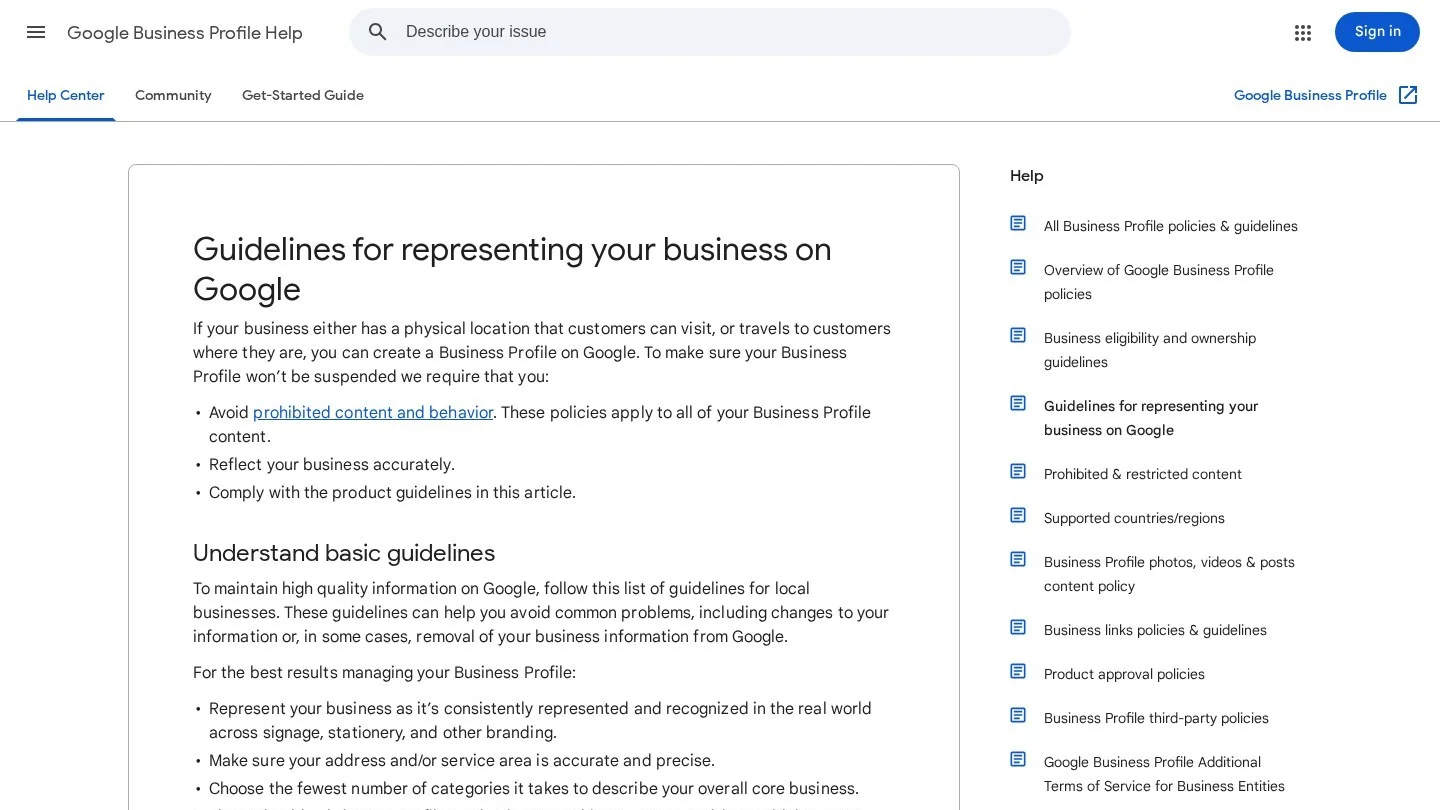
Appeals go through Google’s appeals tool. Sign in with the Google account tied to the profile, then pick the profile and the decision to see the reason and the policy involved. Upload your evidence, explain why the profile should come back and submit. Google accepts an official business registration, a business license, tax certificates and utility bills, and each one must show the same business name and address as the profile.
A utility bill in the dentist’s personal name will not match a profile called Maple Street Dental, so choose documents in the practice’s name. You get one appeal per decision, plus an extra review if you bring new evidence. While you wait, do not open a second profile for the same office.
Running the Local Pack for Several Offices
Because distance runs from each searcher, every office competes in its own pack. Each one needs a single profile with its own phone line and hours, linked to its own location page. A patient searching near the east office should land on the east office page and see the dentists and parking for that building.
Bupa Dental Care’s list of London practices gives every office a numbered entry with its own street address, phone number and opening hours. Each entry also says whether that practice is accepting new private patients.
Dentists who rotate between offices complicate the setup. A practitioner can have a profile if they deal with the public and can be reached at the verified location during its hours. When several dentists share one office, the practice holds the location profile and each dentist’s profile carries only the dentist’s name. Groups with 10 or more locations can bulk upload attributes. Profile ownership and group review programs are covered in our guide to multi-location dental SEO.
Measuring Local Pack Results With GBP Performance and UTM Tags
The Business Profile’s Performance report lists interactions, searches, views, directions, calls, website clicks, messages and bookings. A call is a tap on the call button. Bookings show up only if a booking provider is connected, and views count each person once per day. Search terms refresh at the start of every month and can take up to 5 days to appear.
Paid clicks from Google Ads are mixed into these numbers along with unpaid ones. If you run ads with location assets, part of every count came from the ads. Our comparison of Google Ads and dental SEO shows how to keep the two budgets apart.
Without UTM tags, GA4 lumps profile visits in with ordinary organic search. Every tagged link needs utm_source, utm_medium and utm_campaign. The values are case sensitive, which turns “google” and “Google” into two separate sources, so type everything in lowercase.
| Profile link | Tagged URL |
|---|---|
| Website button | https://www.example.com/austin-crestview/?utm_source=google&utm_medium=organic&utm_campaign=gbp-crestview |
| Appointment link | https://www.example.com/book/?utm_source=google&utm_medium=organic&utm_campaign=gbp-crestview&utm_content=booking |
| Offer post | https://www.example.com/new-patients/?utm_source=google&utm_medium=organic&utm_campaign=gbp-crestview&utm_content=offer-post |
In GA4, go to Reports, then Acquisition, then Traffic acquisition, and switch the primary dimension to Session campaign. Any row beginning with “gbp-” came from the profile. Each month, log five numbers per office. They are calls, direction requests, tagged website sessions, booked appointments and new reviews. Flat rankings with rising calls and bookings still mean the profile is working.
Questions Dentists Ask About Ranking in the Local 3-Pack
Can We Rank in the 3-Pack for a Suburb Where We Have No Office?
Sometimes, if the practices in that suburb have thin profiles or few reviews. An office several miles away starts behind, though, since distance runs from the searcher. Renting a virtual office or mailbox there breaks Google’s rules and puts the whole profile at risk.
Does Running Google Ads Improve Our Map Position?
No. Google does not sell better local rankings or grant them on request. Ads run in their own separate, labeled slots.
Should We Reply to Every Google Review?
Yes, as long as no reply confirms the reviewer is a patient. Google lists replying among its local ranking tips. A short, polite answer under a one-star review also shows the next reader that someone at the office is paying attention.
How Long Do Profile Edits Take to Go Live?
Google reviews most edits first. Attribute changes and review replies usually go live in about 10 minutes, though either can take up to 30 days. A category change may also send the profile through verification again.
Can a Dentist Have a Profile Next to the Practice Profile?
Yes, if the dentist sees patients and can be reached at the verified office during its hours. That profile carries the dentist’s name and nothing else. Hygienists and front-desk staff do not qualify for one.
A Two-Week Order of Work for One Dental Office
Day one goes to the name, primary category, phone number and tagged website link, because those four carry the most weight for relevance and suspension risk. Spend days two to five on the services list, description, hours, special hours and attributes. Then upload real photos of the outside of the building and the team.
Week two is for loading the review request link into your reminder system and settling reply wording with the team. Build or fix the location page and its Dentist markup, then bring Apple, Bing, Yelp and Healthgrades in line with the master record. From then on, open the Performance report around the sixth of each month, after the search terms refresh. Practices that want someone else to do the work can compare firms on Dental SEO Agencies.