
Schema markup for dentists is a block of JSON-LD code that tells search engines, in a fixed vocabulary, exactly what your practice is: a Dentist at a specific address, open certain hours, staffed by named clinicians with real credentials. The core setup is one Dentist block per office, an Organization block for the brand, a Person block for each dentist, and BreadcrumbList on inner pages. Treatment pages can add MedicalWebPage and MedicalProcedure markup.
This guide gives you copy-ready code for each type, each one checked against the schema.org vocabulary and parsed as valid JSON. It also covers what Google changed in 2026: FAQ rich results are gone, and the rules on review stars got stricter. You will also see how to add the code in WordPress and how to test it before and after it goes live.
Request Dental SEO Quote
Pick the Dentist Type and Stop Counting on Question Dropdowns or Stars
- Use the schema.org Dentist type, not plain LocalBusiness. Dentist is a subtype of LocalBusiness, MedicalBusiness and MedicalOrganization, and Google asks for the most specific type that fits.
- Google requires only name and address for local business markup, but recommends hours, phone, geo coordinates, URL and more.
- FAQ rich results stopped appearing in Google Search on May 7, 2026. FAQPage markup is harmless, but it no longer earns extra space in results.
- Star ratings from reviews your practice controls about itself are not eligible for review rich results on LocalBusiness or Organization markup.
- Test every page with the Rich Results Test and the Schema Markup Validator, then watch Search Console for errors after launch.
What Structured Data Can and Cannot Do for a Dental Practice
Structured data removes guesswork. Without it, Google has to work out from your page text that “Maple Grove Family Dental” is a dental office, that “M-Th 8-5” means opening hours, and that “Dr. Shah” is a licensed dentist. With it, each fact sits in a labeled field. Google’s general structured data guidelines support three formats and mark JSON-LD as “recommended.” JSON-LD is also the easiest to add, because it sits in one script block and does not touch your page design.
Be clear about the limits. Google says it “does not guarantee that your structured data will show up in search results.” Markup makes a page eligible for features, and it does not lift rankings by itself. Several features dental marketers once chased are no longer available, as later sections explain. The value today is accuracy: consistent facts about your practice, your dentists and your treatments that search engines and AI answers can read with confidence. That accuracy also supports the trust signals in our guide to E-E-A-T for dental websites.
Three rules from Google’s guidelines shape every example below. First, “Don’t mark up content that is not visible to readers of the page.” Second, use “the most specific applicable type and property names defined by schema.org.” Third, markup must be “a true representation of the page content.” Breaking these can lead to a manual action that removes a page’s eligibility for rich results.
Where Dentist Sits in the Schema.org Type Tree
Schema.org defines Dentist simply as “A dentist.” What makes it useful is where it sits. Dentist inherits from three parent types at once, so it can carry every property those parents allow.

| Type | Path in schema.org | When a dental site uses it |
|---|---|---|
| Organization | Thing > Organization | The brand or group behind one or more offices |
| LocalBusiness | Thing > Organization > LocalBusiness | Never alone on a dental site, since Dentist is more specific |
| MedicalBusiness | Thing > Organization > LocalBusiness > MedicalBusiness | Parent of Dentist; not used directly |
| MedicalOrganization | Thing > Organization > MedicalOrganization | Parent of Dentist; gives it isAcceptingNewPatients and medicalSpecialty |
| Dentist | Child of LocalBusiness, MedicalBusiness and MedicalOrganization | Each physical dental office |
| Person | Thing > Person | Each dentist and hygienist with a bio page |
| MedicalWebPage and MedicalProcedure | CreativeWork > WebPage; MedicalEntity > MedicalProcedure | Treatment pages such as implants or root canals |
| Service | Thing > Intangible > Service | Cosmetic or elective services with a stated price |
One quirk catches many developers. The Physician type has an availableService property for listing treatments, but Dentist does not. If you want to list services on a Dentist block, use hasOfferCatalog, or better, give each treatment its own page and markup. Google’s local business documentation also notes that additionalType is not supported. If a practice truly fits two types, list both in an array instead.
The Core Dentist Block for a Single-Office Practice
Google’s local business documentation requires only two properties: name and address. It recommends many more, and a dental office should use nearly all of them. Below is a complete block for a fictional practice. Replace every value with your own, and place it on the homepage of a single-office practice.
<script type="application/ld+json">
{
  "@context": "https://schema.org",
  "@type": "Dentist",
  "@id": "https://www.example.com/#practice",
  "name": "Maple Grove Family Dental",
  "url": "https://www.example.com/",
  "logo": "https://www.example.com/images/logo.png",
  "image": "https://www.example.com/images/practice-exterior.jpg",
  "description": "General, cosmetic and emergency dentistry in downtown Austin, Texas.",
  "telephone": "+1-512-555-0142",
  "email": "hello@example.com",
  "address": {
    "@type": "PostalAddress",
    "streetAddress": "1200 Maple Grove Blvd, Suite 210",
    "addressLocality": "Austin",
    "addressRegion": "TX",
    "postalCode": "78701",
    "addressCountry": "US"
  },
  "geo": {
    "@type": "GeoCoordinates",
    "latitude": 30.26715,
    "longitude": -97.74306
  },
  "hasMap": "https://www.google.com/maps?cid=1234567890123456789",
  "openingHoursSpecification": [
    {
      "@type": "OpeningHoursSpecification",
      "dayOfWeek": [
        "Monday",
        "Tuesday",
        "Wednesday",
        "Thursday"
      ],
      "opens": "08:00",
      "closes": "17:00"
    },
    {
      "@type": "OpeningHoursSpecification",
      "dayOfWeek": "Friday",
      "opens": "08:00",
      "closes": "13:00"
    },
    {
      "@type": "OpeningHoursSpecification",
      "dayOfWeek": [
        "Monday",
        "Tuesday",
        "Wednesday",
        "Thursday",
        "Friday"
      ],
      "opens": "00:00",
      "closes": "00:00",
      "validFrom": "2026-12-24",
      "validThrough": "2026-12-26"
    }
  ],
  "priceRange": "$$",
  "paymentAccepted": "Cash, Credit Card, CareCredit",
  "isAcceptingNewPatients": true,
  "medicalSpecialty": "https://schema.org/Dentistry",
  "areaServed": [
    {
      "@type": "City",
      "name": "Austin"
    },
    {
      "@type": "City",
      "name": "Round Rock"
    }
  ],
  "sameAs": [
    "https://www.facebook.com/example-dental",
    "https://www.instagram.com/example-dental",
    "https://www.yelp.com/biz/example-dental-austin"
  ]
}
</script>
Each field has a rule worth knowing:
- @id: a stable label for this entity, usually your homepage URL plus “#practice.” Other blocks point to it, so Google knows the dentists and treatment pages belong to the same practice.
- telephone: Google asks for the country code and area code. Use the same number as your Google Business Profile.
- geo: latitude and longitude need at least five decimal places. Copy them from your pin in Google Maps.
- openingHoursSpecification: each object covers a group of days with the same hours. To show a holiday closure, set opens and closes to “00:00” and add validFrom and validThrough dates, as the third object does. Without those dates, hours apply year-round.
- priceRange: must stay under 100 characters, or Google will not show it. Dollar signs or a short range work.
- isAcceptingNewPatients and medicalSpecialty: these come from the MedicalOrganization parent. Set the first to false if your books are closed, so the markup stays true.
- sameAs: links to your official profiles elsewhere. Only list profiles you control and keep current.

Every value here must match what visitors see on the page and what your Business Profile shows. If your hours change for summer, change all three places on the same day. Our guide to ranking a dental practice on Google Maps explains why matching details matter so much for the map pack.
Organization Markup for the Practice Brand
A single-office practice can let its Dentist block do double duty, since Dentist is already a kind of Organization. A group with several offices, or a brand name that differs from its legal name, should add a separate Organization block. Google’s organization structured data guide says to place it on the homepage or one page that describes the organization, such as the About page. It has no required properties.
<script type="application/ld+json">
{
  "@context": "https://schema.org",
  "@type": "Organization",
  "@id": "https://www.example.com/#organization",
  "name": "Maple Grove Dental Group",
  "legalName": "Maple Grove Dental Group, PLLC",
  "url": "https://www.example.com/",
  "logo": {
    "@type": "ImageObject",
    "url": "https://www.example.com/images/logo-512.png",
    "width": 512,
    "height": 512
  },
  "foundingDate": "2009",
  "telephone": "+1-512-555-0100",
  "contactPoint": {
    "@type": "ContactPoint",
    "contactType": "new patient appointments",
    "telephone": "+1-512-555-0142",
    "email": "hello@example.com"
  },
  "sameAs": [
    "https://www.facebook.com/example-dental",
    "https://www.linkedin.com/company/example-dental"
  ]
}
</script>
The logo must be at least 112 by 112 pixels, crawlable, and look right on a white background. Google also says the name should match your site name. The guide adds that local businesses should use the most specific LocalBusiness subtype and follow the local business guidelines as well, which is why the Dentist block remains the main entity for each office.
Person Markup That Ties Each Dentist to the Practice
Google has no rich result for a dentist’s credentials, but Person markup still does useful work. It states in machine-readable form that Dr. Shah holds a DDS, is licensed in Texas, belongs to the ADA and works at your practice. Place it on each dentist’s bio page, and show every listed credential in the visible bio too.
<script type="application/ld+json">
{
  "@context": "https://schema.org",
  "@type": "Person",
  "@id": "https://www.example.com/team/dr-priya-shah/#person",
  "name": "Priya Shah",
  "honorificPrefix": "Dr.",
  "honorificSuffix": "DDS",
  "jobTitle": "General Dentist",
  "url": "https://www.example.com/team/dr-priya-shah/",
  "image": "https://www.example.com/images/team/priya-shah.jpg",
  "worksFor": {
    "@id": "https://www.example.com/#practice"
  },
  "alumniOf": {
    "@type": "CollegeOrUniversity",
    "name": "Example University School of Dentistry"
  },
  "hasCredential": [
    {
      "@type": "EducationalOccupationalCredential",
      "credentialCategory": "degree",
      "name": "Doctor of Dental Surgery (DDS)",
      "recognizedBy": {
        "@type": "CollegeOrUniversity",
        "name": "Example University School of Dentistry"
      }
    },
    {
      "@type": "EducationalOccupationalCredential",
      "credentialCategory": "license",
      "name": "Texas Dental License",
      "identifier": "00000",
      "recognizedBy": {
        "@type": "GovernmentOrganization",
        "name": "Texas State Board of Dental Examiners"
      }
    }
  ],
  "memberOf": [
    {
      "@type": "Organization",
      "name": "American Dental Association",
      "url": "https://www.ada.org/"
    },
    {
      "@type": "Organization",
      "name": "Texas Dental Association"
    }
  ],
  "knowsAbout": [
    "Dental implants",
    "Clear aligner therapy",
    "Root canal treatment",
    "Emergency dentistry"
  ],
  "sameAs": [
    "https://www.linkedin.com/in/example-priya-shah"
  ]
}
</script>
The worksFor property points to the practice’s @id, which links the person to the office. The hasCredential array holds both the degree and the state license, each with recognizedBy naming who granted it. Be careful with specialty claims. The ADA recognizes 12 dental specialties, and the ADA Code limits how general dentists may describe other certifications. Do not add a “board certified” credential to markup that you could not lawfully state on the page. The bio page side of this work is covered in our dental E-E-A-T implementation guide.
Marking Up Treatments With MedicalProcedure and Service
Treatment pages for implants, Invisalign, veneers or root canals are where patients decide. Schema.org offers two good fits. MedicalProcedure describes a clinical procedure, with properties for preparation, how it is performed and follow-up care. Wrap it in a MedicalWebPage so you can also record who reviewed the page and when.
<script type="application/ld+json">
{
  "@context": "https://schema.org",
  "@type": "MedicalWebPage",
  "@id": "https://www.example.com/dental-implants/#webpage",
  "url": "https://www.example.com/dental-implants/",
  "name": "Dental Implants in Austin, TX",
  "lastReviewed": "2026-10-20",
  "reviewedBy": {
    "@id": "https://www.example.com/team/dr-priya-shah/#person"
  },
  "publisher": {
    "@id": "https://www.example.com/#practice"
  },
  "about": {
    "@type": "MedicalProcedure",
    "name": "Dental implant placement",
    "alternateName": "Tooth implant",
    "bodyLocation": "Upper or lower jaw",
    "preparation": "Exam, X-rays and a 3D CBCT scan to check bone volume",
    "howPerformed": "A titanium post is placed in the jawbone under local anesthesia, then topped with a crown after the bone heals.",
    "followup": "Healing check after about two weeks and crown placement once the implant has integrated."
  }
}
</script>
The reviewedBy and lastReviewed fields mirror the “medically reviewed by” byline patients see. Update lastReviewed only when a dentist actually rechecks the page. Google does not list MedicalProcedure among its rich result types, so this markup will not change how the listing looks. Its job is to describe the page clearly to any system that reads it.
For elective services with a published price, such as whitening, the Service type with an Offer is a cleaner fit. Only include a price if the same price appears on the page.
<script type="application/ld+json">
{
  "@context": "https://schema.org",
  "@type": "Service",
  "name": "In-office teeth whitening",
  "serviceType": "Teeth whitening",
  "provider": {
    "@id": "https://www.example.com/#practice"
  },
  "areaServed": {
    "@type": "City",
    "name": "Austin"
  },
  "offers": {
    "@type": "Offer",
    "price": "450.00",
    "priceCurrency": "USD"
  }
}
</script>
FAQPage, Review Stars and the Rich Results Google Took Away
Many dental schema guides still promise FAQ dropdowns and gold stars in search results. Neither is available to a typical practice.
Expandable Question Results Disappeared From Google on May 7, 2026
Google had already limited FAQ rich results to well-known government and health sites in 2023. In 2026 it removed them for everyone. According to Search Engine Journal’s report, Google added a notice to its FAQ structured data documentation saying “FAQ rich results are no longer appearing in Google Search,” effective May 7, 2026. Google said it would drop the FAQ search appearance, the rich result report and Rich Results Test support in June 2026, and Search Console API support in August 2026.
FAQPage remains a valid schema.org type, and existing markup does no harm. If your treatment pages have a visible FAQ section, a short block like the one below is fine to keep. Just do not expect it to change how your listing looks, and never mark up questions that are hidden from visitors.
<script type="application/ld+json">
{
  "@context": "https://schema.org",
  "@type": "FAQPage",
  "mainEntity": [
    {
      "@type": "Question",
      "name": "Do you see emergency patients the same day?",
      "acceptedAnswer": {
        "@type": "Answer",
        "text": "Yes. Call before 11 a.m. on a weekday and we will try to see you the same day."
      }
    }
  ]
}
</script>
Self-Serving Reviews Do Not Earn Stars
Since September 2019, Google has not shown review stars for “self-serving” reviews on LocalBusiness and Organization markup. These are reviews that a business hosts or embeds about itself. Because Dentist is a LocalBusiness, an AggregateRating fed by your own review widget will not produce stars for your practice. Google’s local business guide says review and aggregateRating are only recommended for sites that capture reviews about other local businesses.
The rules tightened again on July 24, 2026. TechWyse reports that Google’s review snippet documentation now says “Don’t include fake or undisclosed incentivized reviews” in content or markup. It also repeats that sites should not aggregate ratings from other websites. Violations can bring a manual action. The safe choice for a practice is to leave AggregateRating out of your Dentist markup and send patients to your Google Business Profile, where reviews already show in the map pack.
BreadcrumbList for Treatment and Location Pages
Breadcrumbs show where a page sits in your site, such as Treatments, then Restorative Dentistry, then Dental Implants. Google’s breadcrumb documentation requires itemListElement with at least two ListItems, each with a position, a name and an item URL. The final crumb can leave out its URL, and Google then uses the URL of the page itself. Google describes the feature as available on desktop.
<script type="application/ld+json">
{
  "@context": "https://schema.org",
  "@type": "BreadcrumbList",
  "itemListElement": [
    {
      "@type": "ListItem",
      "position": 1,
      "name": "Treatments",
      "item": "https://www.example.com/treatments/"
    },
    {
      "@type": "ListItem",
      "position": 2,
      "name": "Restorative Dentistry",
      "item": "https://www.example.com/treatments/restorative/"
    },
    {
      "@type": "ListItem",
      "position": 3,
      "name": "Dental Implants"
    }
  ]
}
</script>
Match the markup to a visible breadcrumb trail on the page. Most SEO plugins and many WordPress themes generate this automatically, so check that you are not adding a second copy by hand.
Multi-Location Schema Without Duplicate Entities
Group practices often paste the head office’s Dentist block into every page. That tells Google every location page describes the same office, which is false. The cleaner pattern gives each office its own Dentist entity on its own location page, with a unique @id, URL, phone, address, coordinates and hours. Each one points to a shared Organization through parentOrganization.
<script type="application/ld+json">
{
  "@context": "https://schema.org",
  "@graph": [
    {
      "@type": "Organization",
      "@id": "https://www.example.com/#organization",
      "name": "Maple Grove Dental Group",
      "url": "https://www.example.com/",
      "logo": "https://www.example.com/images/logo-512.png"
    },
    {
      "@type": "Dentist",
      "@id": "https://www.example.com/locations/downtown-austin/#dentist",
      "name": "Maple Grove Dental Downtown Austin",
      "url": "https://www.example.com/locations/downtown-austin/",
      "telephone": "+1-512-555-0142",
      "parentOrganization": {
        "@id": "https://www.example.com/#organization"
      },
      "address": {
        "@type": "PostalAddress",
        "streetAddress": "1200 Maple Grove Blvd, Suite 210",
        "addressLocality": "Austin",
        "addressRegion": "TX",
        "postalCode": "78701",
        "addressCountry": "US"
      },
      "geo": {
        "@type": "GeoCoordinates",
        "latitude": 30.26715,
        "longitude": -97.74306
      },
      "openingHoursSpecification": {
        "@type": "OpeningHoursSpecification",
        "dayOfWeek": [
          "Monday",
          "Tuesday",
          "Wednesday",
          "Thursday",
          "Friday"
        ],
        "opens": "08:00",
        "closes": "17:00"
      }
    },
    {
      "@type": "Dentist",
      "@id": "https://www.example.com/locations/round-rock/#dentist",
      "name": "Maple Grove Dental Round Rock",
      "url": "https://www.example.com/locations/round-rock/",
      "telephone": "+1-512-555-0177",
      "parentOrganization": {
        "@id": "https://www.example.com/#organization"
      },
      "address": {
        "@type": "PostalAddress",
        "streetAddress": "400 Example Pkwy",
        "addressLocality": "Round Rock",
        "addressRegion": "TX",
        "postalCode": "78664",
        "addressCountry": "US"
      },
      "geo": {
        "@type": "GeoCoordinates",
        "latitude": 30.50826,
        "longitude": -97.67893
      },
      "openingHoursSpecification": [
        {
          "@type": "OpeningHoursSpecification",
          "dayOfWeek": [
            "Tuesday",
            "Wednesday",
            "Thursday"
          ],
          "opens": "09:00",
          "closes": "18:00"
        },
        {
          "@type": "OpeningHoursSpecification",
          "dayOfWeek": "Saturday",
          "opens": "08:00",
          "closes": "12:00"
        }
      ]
    }
  ]
}
</script>
The @graph wrapper lets you publish several linked entities in one script. On the downtown page you would normally include the Organization and only the downtown Dentist, and do the same on the Round Rock page. Google’s documentation shows a different pattern, the department property, for separate units inside one building, such as a pharmacy inside a store. That fits a specialist suite inside a larger dental building, not offices across town. The rest of the setup, from Business Profiles to location page content, is covered in our multi-location dental SEO guide.
Adding Dental Schema in WordPress

You have three routes. Whichever you choose, use only one source for each entity, so Google does not see two different Dentist blocks on the same page.
Yoast SEO With Local SEO
Yoast’s Local SEO features come bundled with Yoast SEO Premium at $118.80 a year, Yoast WooCommerce SEO at $178.80 and Yoast SEO AI+ at $358.80, all excluding VAT. You choose a business type, enter address and hours, and Yoast turns the details into schema automatically. Locations run as a custom post type, so each office gets its own page with its own address, hours and map, and you can set a primary location.
Rank Math
Rank Math has a Local SEO module with a Business Type field. If your type is not in its list, it falls back to Organization, so confirm the output says Dentist. According to Rank Math’s multiple locations guide, adding more than one location requires Rank Math PRO. Turning on “Use Multiple Locations” creates an “RM Locations” post type where you add each office.
Custom JSON-LD
Plugins rarely output full Person credentials, MedicalWebPage review fields or MedicalProcedure details. For those, add your own script block to the specific page, through a header and footer code plugin or a custom field your developer prints in the page head. Keep the plugin for site-wide blocks and use custom code only for what the plugin cannot do. Then test the full page to confirm the two sources share @id values instead of creating duplicates.
Each code sample in this guide includes its script tag, so you can paste it as it is into a header code plugin or your developer’s template. Several of the tools in our best SEO tools for dentists roundup also crawl a whole site and flag pages where schema is missing or broken.
Testing With Rich Results Test, Schema Markup Validator and Search Console
Use two tools before launch and one after. Each answers a different question.

- Schema Markup Validator. Paste a URL or code into the Schema Markup Validator, run by schema.org. It checks every type and property against the full vocabulary, including Dentist, Person and MedicalProcedure, which Google’s tool may not report on. Fix any “not a known valid target type” warnings.
- Rich Results Test. Run the live URL through Google’s Rich Results Test. It shows which Google features the page is eligible for, such as breadcrumbs, and lists errors that block eligibility. Check the rendered HTML view to confirm plugin markup actually loads.
- Search Console. After launch, use the URL Inspection tool to request indexing of key pages. Then watch the rich result reports, such as Breadcrumbs, for new errors, and check the Manual Actions report if features vanish.
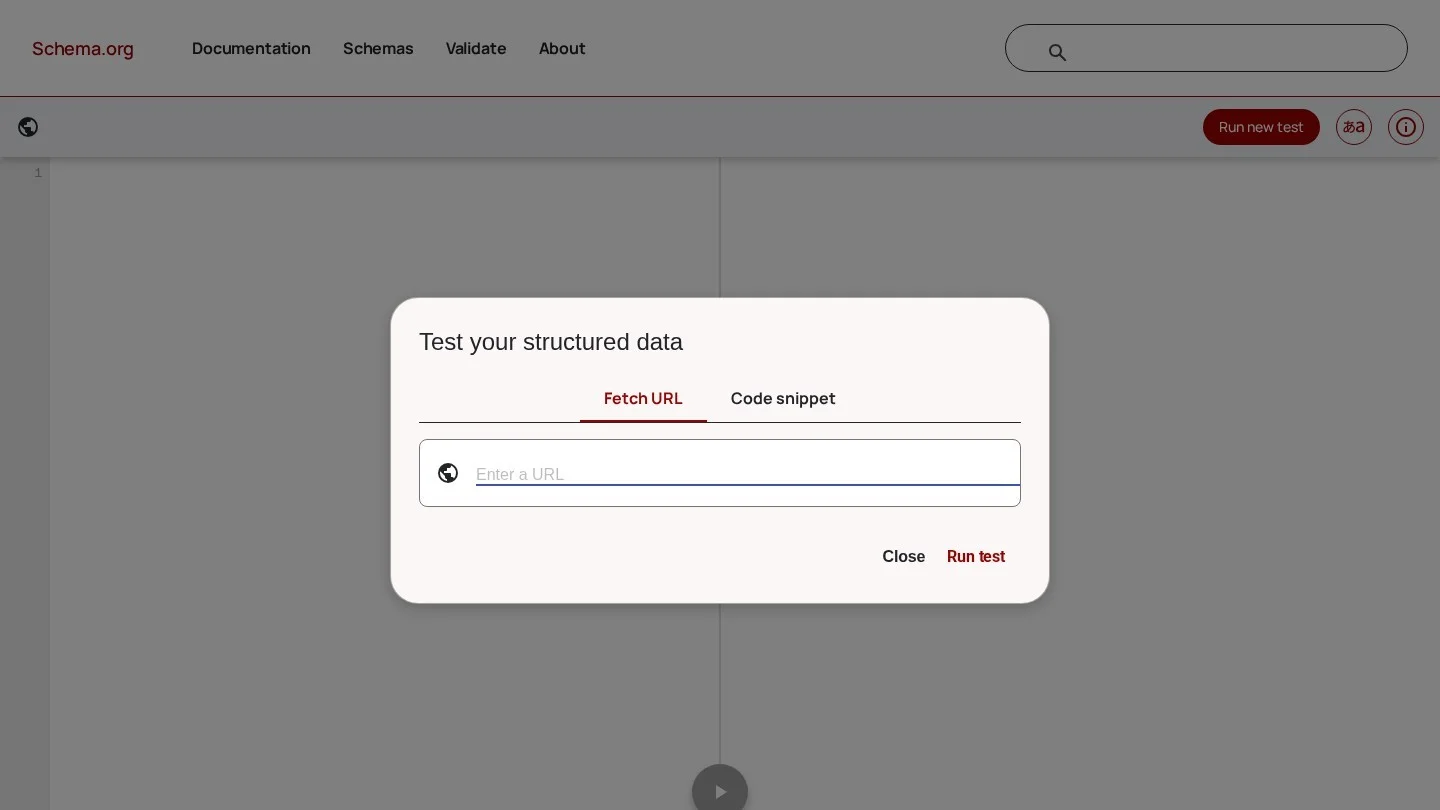
Every example in this guide was parsed as valid JSON and checked so that each property exists on its schema.org type. Your edited version still needs both tests, because one missing comma breaks the whole block. Our list of dental website audit tools explains how to fit schema checks into a full site audit.
Common Dental Schema Mistakes and How to Fix Them
These are the problems we see most often when auditing practice websites. Most take minutes to fix once you know where to look.
| Mistake | Why it hurts | Fix |
|---|---|---|
| Using LocalBusiness instead of Dentist | Google asks for the most specific type | Change @type to Dentist |
| AggregateRating from your own review widget | Self-serving reviews are not eligible for stars, and fake or undisclosed incentivized reviews can bring a manual action | Remove it from Dentist markup |
| Expecting FAQ rich results | They stopped showing on May 7, 2026 | Keep FAQs for patients, not for search features |
| Hours in markup differ from the page or Business Profile | Markup must match visible content | Update all three together |
| Phone without country code, or a different number | Google asks for country and area codes | Use +1 format and the Business Profile number |
| Head office block on every location page | Describes the wrong office on most pages | One Dentist entity per location page |
| Duplicate blocks from theme, plugin and custom code | Two conflicting practice entities | Pick one source per entity; share @id values |
| Geo coordinates with fewer than five decimals | Below Google’s stated precision | Copy exact coordinates from Google Maps |
| additionalType to add a second type | Google says it is not supported | Use an array in @type |
| Credentials in markup that the bio does not show | Marks up invisible content | Show every credential on the page |
| Board certification claims in hasCredential | May break ADA Code or state board rules | List only claims you can lawfully state |
| Placeholder values left live | Wrong URLs, phone numbers and images | Search the code for example.com and 555 numbers |
Dental Schema Questions Practice Owners Ask
Which Schema Type Should a Dental Office Use?
Use Dentist for each physical office. It is a subtype of LocalBusiness, MedicalBusiness and MedicalOrganization, so it covers everything those types offer. Add Organization for a multi-office brand and Person for each dentist.
Does Schema Markup Improve Dental SEO Rankings?
Not directly. Google says markup makes pages eligible for features but does not guarantee them. Its value is clear, consistent facts about your practice, which support local search and how AI answers describe you, as our guide to ranking in Google AI Overviews explains.
Should We Remove FAQPage Schema Now That FAQ Rich Results Are Gone?
You do not have to. Google’s notice says existing markup causes no problems. Remove it only if it marks up questions that are not visible, or if it is cluttering your code.
Can We Show Star Ratings for Our Practice in Google Results?
Not through your own website’s review markup. Self-serving reviews on LocalBusiness and Organization pages are not eligible. Your Google Business Profile reviews already show stars in the map pack and local results.
Is JSON-LD Better Than Microdata for a Dental Website?
Google supports both but marks JSON-LD as recommended. It sits in one block, so you can edit it without touching your page layout.
Where Should Dentist Schema Go on a Multi-Location Website?
Put each office’s Dentist block on that office’s location page, with its own @id, address, phone and hours. Link each one to a shared Organization with parentOrganization, and keep the Organization block on the homepage or About page.
Your First Hour of Schema Work
Spend the first 15 minutes running your homepage and one treatment page through both validators, and note what is there today. Spend the next 30 minutes fixing the Dentist block: the type, the phone format, the hours and the coordinates. Use the last 15 minutes to remove any self-serving AggregateRating and confirm there is only one practice entity per page. Person and MedicalWebPage markup can follow as you rebuild bios and treatment pages.
If your site needs a rebuild to make this work cleanly, compare dental website design services in the USA, and read our complete dentist SEO guide to see where schema fits in a full plan. For hands-on help, request a dental SEO quote and ask each agency to show you the validator results from a current client.