
The best keyword research tool for most dental practices is Google Keyword Planner. It is free, and its numbers also come from Google’s own search data. Add Google Search Console to see what patients already type to reach your site, and most single offices have all the data they need.
However, paid tools earn their fee in two cases. First, you want to see the keywords a competing practice ranks for. Second, you manage many offices or clients and need large keyword lists fast. For that work, we would pick Semrush or Ahrefs.
We compared seven tools on the jobs a dental marketer does every week. We read each vendor’s own pricing and help pages, so every price here is the vendor’s published list price. Then we built a keyword workflow that uses only public features.
Request Dental SEO Quote
Seven Tool Facts for Dental Keyword Planning
- Google Keyword Planner is free, but Google asks you to finish Google Ads account setup, billing details included, before you can use it.
- Search Console shows the real queries behind your clicks and impressions, filtered by country and device.
- Google Trends shows interest on a 0 to 100 scale. Those numbers are relative and never search counts.
- Semrush’s SEO Toolkit costs $139.95, $249.95 or $499.95 a month, with a seven-day free trial.
- Ahrefs lists Starter at $29 a month and Lite at $129 a month, and every main plan includes Keywords Explorer.
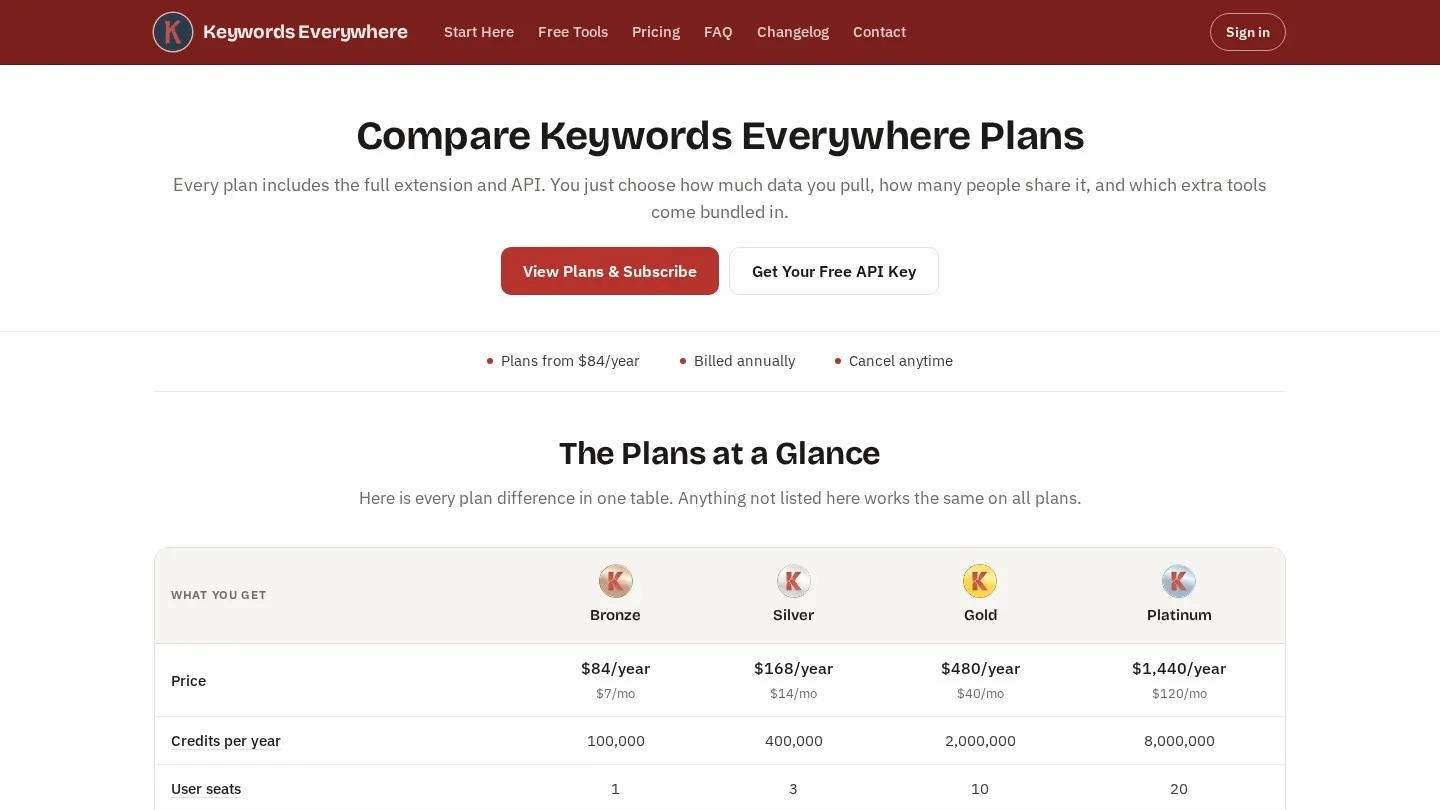
- Keywords Everywhere sells credits by the year, from $84 for 100,000 credits.
- A solo practice can do solid keyword work for $0 to $84 a year by pairing the free Google tools with a credit plan.
How We Compared Seven Keyword Tools for Dental Searches
First, we judged each tool on five questions that come up in real dental work. Can it show demand in one city or metro area? Can it reveal what a nearby practice ranks for? Does it surface the questions patients ask before booking? Can it show seasonal swings, such as whitening before weddings? And what does it cost per year for one office?
Then we checked every price on the vendor’s own pricing or help page. Where a vendor did not print a price, we left the price out and listed the plan limits instead. We also kept the review polite. Every tool on this list does its core job well, so the notes on each one point to features it could add.
Our seed list came from the treatments most general and cosmetic practices offer. It covered implants, veneers, Invisalign, whitening, root canals, crowns, emergency visits, pediatric visits and dentures. We paired each one with three modifiers: cost, near me and a city name. In fact, those three modifiers cover most of the intent we see on dental sites.

Dental Keyword Research Tools Compared by Price and Data
The table puts the seven tools side by side. Also, prices are monthly list prices unless the vendor sells by the year.
| Tool | Price | Main data | Shows local demand | Shows competitor keywords | Best dental use |
|---|---|---|---|---|---|
| Google Keyword Planner | Free with a Google Ads account | Monthly searches, competition, bid estimates | Yes, by location | No | Volume for treatment and city terms |
| Google Search Console | Free | Your clicks, impressions, CTR and position | By country | No | Queries already reaching your site |
| Google Trends | Free | Relative interest, 0 to 100, back to 2004 | By region and metro | No | Seasonal timing for campaigns |
| Semrush SEO Toolkit | $139.95 to $499.95 a month | Keyword lists, difficulty, competitor rankings | Yes | Yes | Large lists for many treatment pages |
| Ahrefs | $29 to $1,499 a month | Keyword ideas, difficulty, competitor rankings | Yes | Yes | Gaps against nearby practices |
| Keywords Everywhere | $84 to $1,440 a year | Volume, CPC, competition and trend in your browser | Yes | Limited | Quick checks while you search |
| AnswerThePublic | Plans by monthly searches | Question and preposition phrases | By country | No | Patient questions for FAQ and blog pages |
Seven Tools Dental Marketers Use for Keyword Research
The first three tools are free and come from Google. The other four are paid. We list them in the order a practice should try them.
Google Keyword Planner: Free Search Volume for Treatment and City Terms
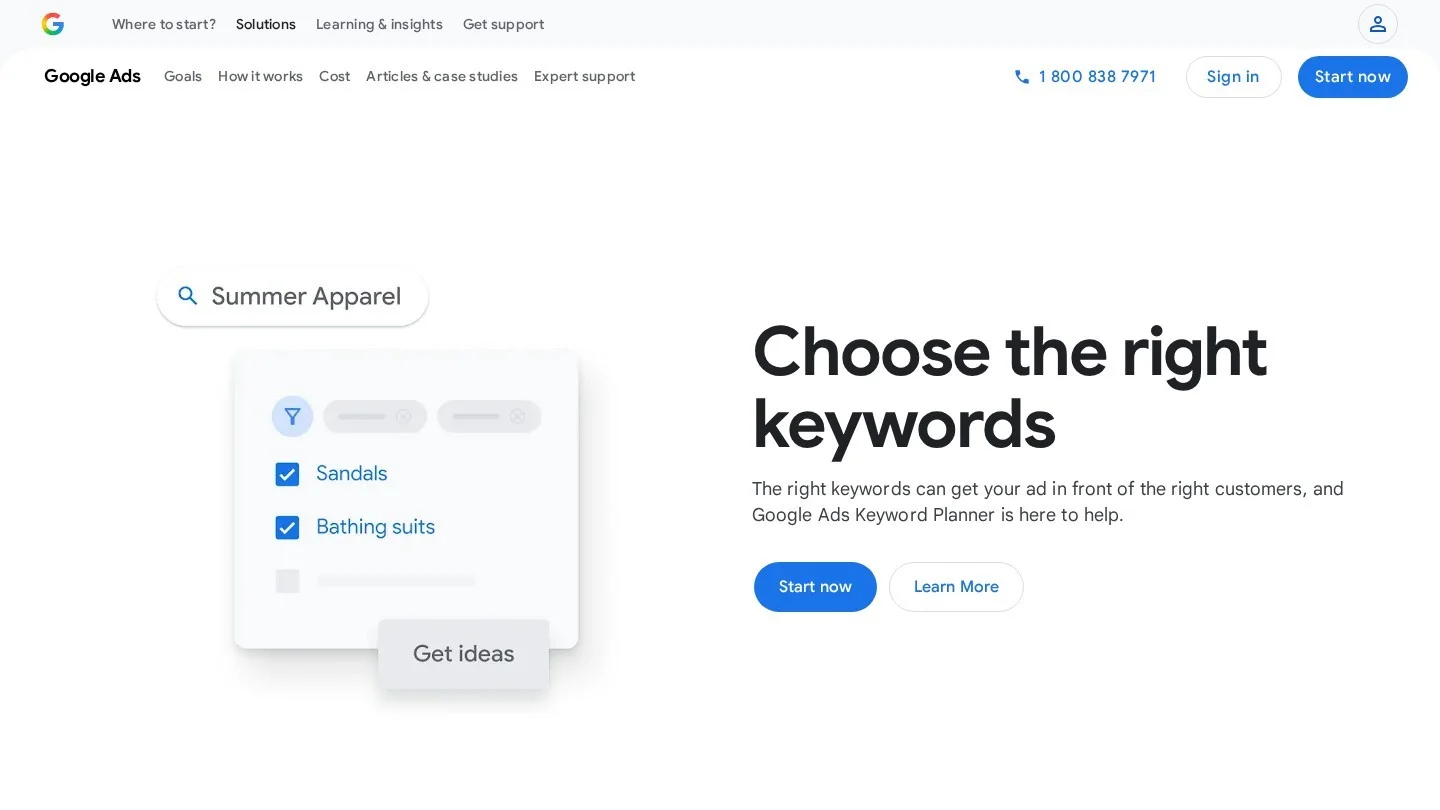
Google Keyword Planner lives inside Google Ads. Google calls it a free resource for building keyword lists. Still, you must finish Google Ads account setup before you can open it. That setup also asks for billing details and a first campaign.
The tool has two parts. “Discover new keywords” takes a word or a website and returns ideas. “Get search volume and forecasts” takes your own list and shows monthly searches, competition and bid estimates. For a dental office, the location setting does the heavy lifting. So set it to your city or a radius around the office, never the whole country.
Here is a sample run. Type “dental implants” and “implant dentist” as seeds, set the location to your metro and filter ideas that contain “cost” or “near”. Next, export the list and sort by monthly searches. For example, the cost and financing phrases usually belong on one implant cost page, while “near me” phrases belong on the location page.
Keyword Planner has one gap for small towns. Google’s help page says it cannot show keywords with very low search volume. As a result, many suburb-level phrases never appear. Search Console fills that gap.
Price: free. Pick it if: you need volume numbers for one city. Room to grow: however, organic data, such as who ranks for each term, would make it more useful for SEO work.
Google Search Console: The Queries Patients Already Use to Find You
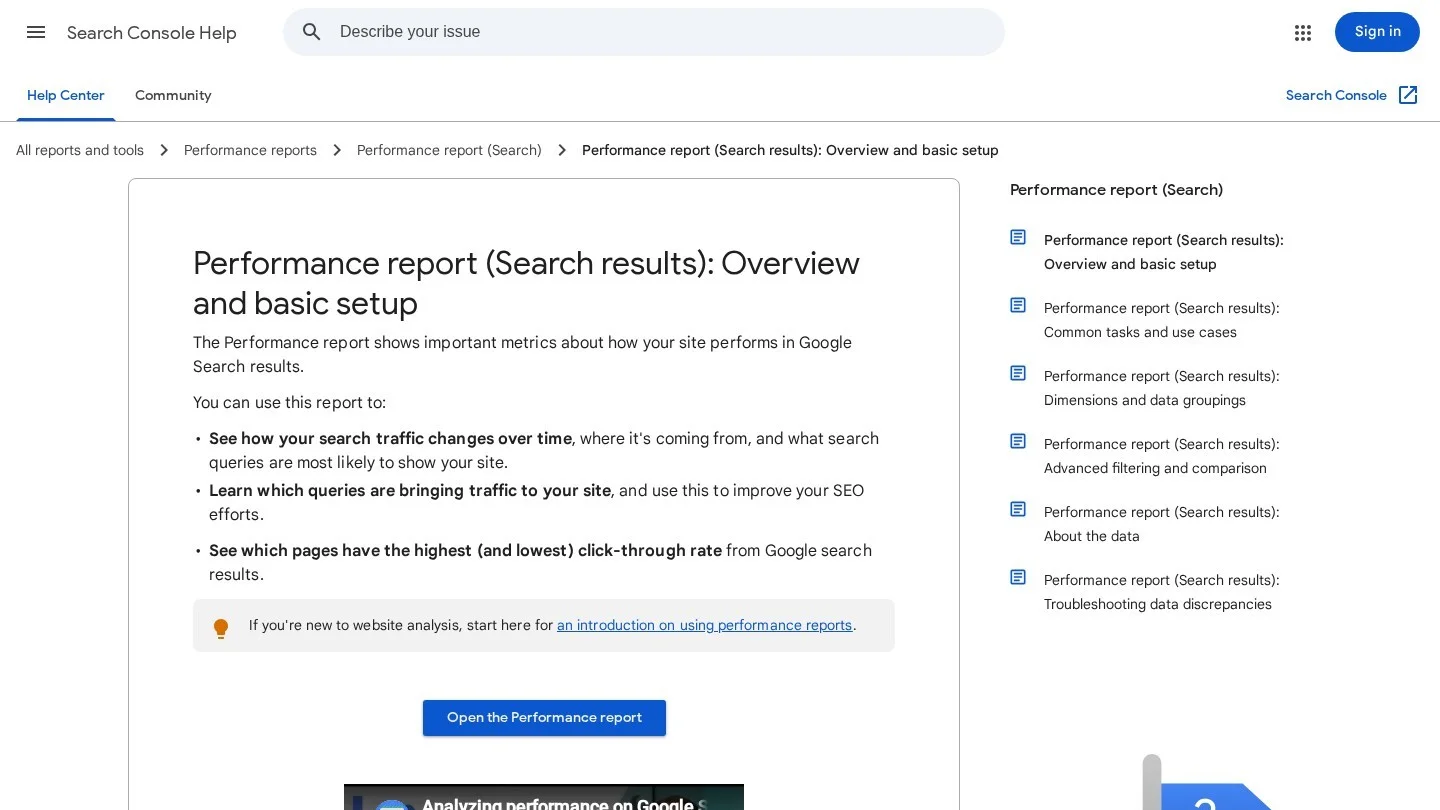
Google Search Console is the only tool here built on your own site’s data. Its Performance report shows clicks, impressions, click-through rate and average position. Then it breaks them down by query, page, country and device.
For keyword research, open the Queries tab and sort by impressions. Next, look for phrases with many impressions and few clicks. For instance, a page may show up for “same day crown” on page two without a single click. That phrase deserves a section on the crown page, or a page of its own.
Use the query filter as well. Google lets you keep queries that contain a word, or drop queries that contain it. So filter for your city name, then for “cost”, then for “emergency”. Each filter gives you a short list of real patient phrases.
Two limits matter. First, Google hides some queries to protect user privacy. Second, the report keeps only the most important rows, so the full list needs a bulk data export. Even so, no paid tool sees your own impressions.
Price: free. Pick it if: your site has been live for a few months. Room to grow: still, a built-in keyword suggestion feature would help new sites with little data.
Google Trends: Seasonal Demand for Whitening, Invisalign and Emergencies
Google Trends answers a different question, because it shows timing. When do people in your state search for teeth whitening, Invisalign or a children’s dentist? Its data runs back to 2004.
However, the numbers need care. Google scales every chart from 0 to 100, and those values do not represent absolute search volume. A 100 only marks the peak point in the chart you are looking at. So use Trends to compare two terms or to spot a season, and use Keyword Planner for counts.
For example, compare “teeth whitening” with “Invisalign” in your state over five years. Then mark the months where each one climbs. Publish or refresh those pages a few weeks before each rise, so Google has time to crawl them.
Price: free. Pick it if: you plan content or ads around seasons. Room to grow: even so, city-level data for small towns would make it more useful for single offices.
Semrush Keyword Magic Tool: Large Keyword Lists for Treatment Pages
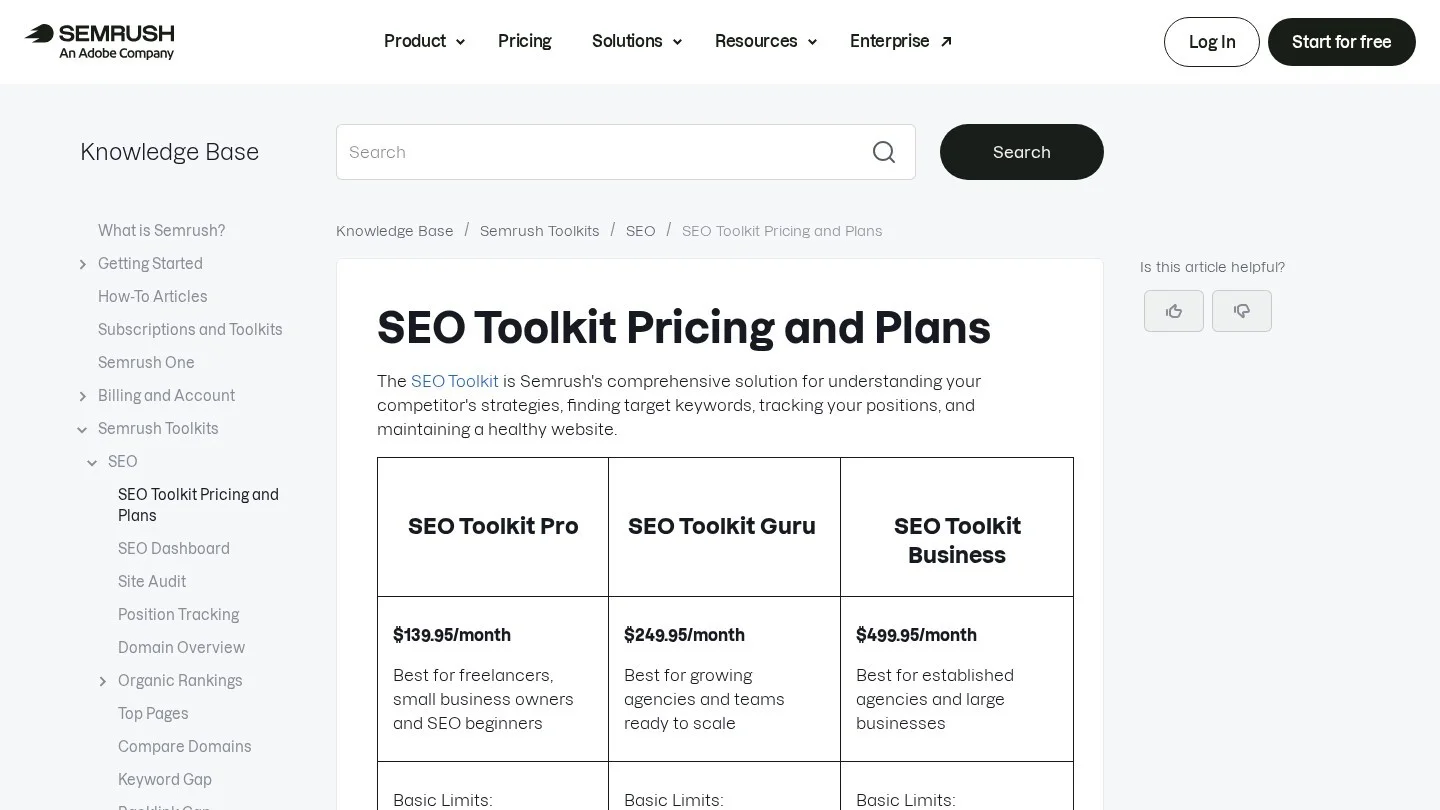
Semrush sells its SEO Toolkit in three tiers. Pro costs $139.95 a month, Guru $249.95 and Business $499.95. Also, each plan comes with a seven-day free trial. Keyword reports return up to 10,000 results on Pro, 30,000 on Guru and 50,000 on Business.
Its Keyword Magic Tool turns one seed into grouped lists. Type “veneers” and the tool sorts ideas into subgroups such as cost, porcelain and composite. As a result, you can see the page structure of a veneer section before you write a word.
Semrush also shows the keywords a competitor ranks for. So enter the domain of the practice that tops the map pack in your area. Then filter its keywords by your city name. In many cases, that list shows which treatment pages earn the other practice its traffic.
Price: $139.95 to $499.95 a month. Pick it if: you run several offices or an agency. Room to grow: however, a lower-priced plan for one location would make it easier for solo dentists to try.
Ahrefs Keywords Explorer: Competitor Keywords From Nearby Practices
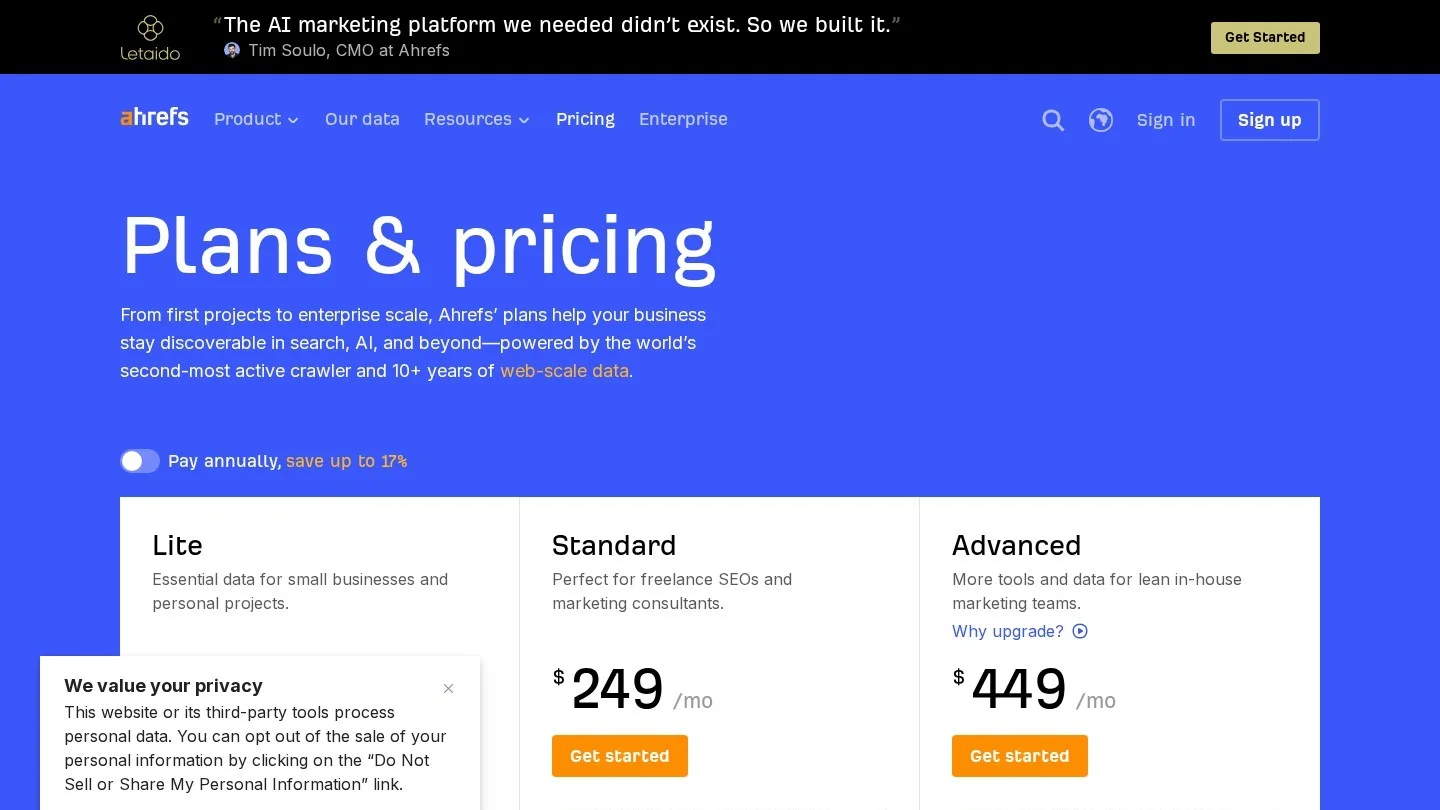
Ahrefs lists five paid plans. First, Starter is $29 a month, Lite $129, Standard $249 and Advanced $449. Enterprise costs $1,499 a month and needs an annual contract. Keywords Explorer comes with every main plan, and saved keyword lists grow from 50 on Lite to 100 on Standard and 200 on Advanced.
For dental work, competitor comparison is the main draw. So you enter your domain and two or three nearby practices. Then the report shows keywords they rank for and you do not. For instance, if two competitors rank for “sedation dentist” phrases and you do not, that is a page to build.
Ahrefs also has a free tier for site owners. It gives limited Site Explorer and Site Audit access for a site you verify. In addition, Ahrefs lists a free Keyword Generator among its free tools.
Price: $29 to $1,499 a month. Pick it if: you study competitors before you plan pages. Room to grow: still, a local pack view inside Keywords Explorer would help map-focused dental work.
Keywords Everywhere: Volume Numbers Inside the Search Results Page
Keywords Everywhere is a browser extension. It adds volume, cost per click, competition and a 12-month trend next to Google results. It also adds “Related” and “People Also Search For” panels to the side of the page.
The plans are annual. Bronze costs $84 for 100,000 credits, Silver $168 for 400,000, Gold $480 for 2 million and Platinum $1,440 for 8 million. Each keyword’s data costs one credit, so Bronze covers a lot of searching for one office.
The dental use is speed. You type “emergency dentist open Saturday” into Google, and the numbers sit right next to the results. Then you can check the top pages in the same window. For a front-desk lead or office manager who does the marketing, that is often enough.
Price: $84 to $1,440 a year. Pick it if: you want numbers while you browse. Room to grow: a monthly plan would also help owners who only research once or twice a year.
AnswerThePublic: Patient Questions for FAQ and Blog Pages
AnswerThePublic turns a seed word into questions and phrases. Type “root canal” and it returns patterns such as “how long does a root canal take” and “root canal vs extraction”. So those phrases make good H2s on treatment pages and good topics for short posts.
The paid plans are Starter, Growth and Business, and they allow 100, 200 and 300 searches a month. Also, each plan bills monthly with a one-time seven-day trial, or yearly up front.
So use it after Keyword Planner. Planner tells you how many people search for root canals in your city. AnswerThePublic tells you what those people want to know. In fact, many of its questions match what patients ask at the front desk.
Price: see the vendor’s plan page. Pick it if: you write treatment FAQs or blog posts. Room to grow: however, local volume next to each question would save a trip to another tool.
Our Five-Step Workflow for a Dental Keyword List
We use the same five steps for every practice. Also, each step uses a public feature of the tools, and the free Google tools can carry the whole job.
Step 1: List Every Treatment the Office Actually Provides
Pull the list from your own fee schedule. Then only list care the office provides today. Then add the words patients use. Patients say “fake teeth” and “dentures”, “tooth doctor for kids” and “pediatric dentist”. In our experience, the front desk call log is the best source of patient words.
Step 2: Expand Each Treatment in Keyword Planner
Paste the treatment list into “Discover new keywords”. Set the location to your metro area. Next, filter for cost, near me, emergency, same day and your city name. Export the results and delete anything the office does not do.
Step 3: Add the Phrases Google Already Shows You For
Open Search Console and export 16 months of queries if the site has that much history. Then add every query with impressions that is missing from your Planner list. These are often the long, local phrases Planner cannot show.
Step 4: Collect the Questions Patients Ask
Run your top ten treatments through AnswerThePublic, or simply read the “People also ask” box on Google. For instance, “do veneers ruin your teeth” is a question a veneer page should answer near the top. Also add questions from your own phone notes.
Step 5: Sort Every Phrase by Intent and Page
Finally, give each phrase one of four labels: research, cost, near me or emergency. Then assign each label group to one page. One page per group keeps two of your own pages from competing for the same phrase.
The table shows how one sorted group looks for an implant practice. Still, the phrases are our own examples of the patterns patients use.
| Intent | Example phrases | Page that should rank | Example title tag |
|---|---|---|---|
| Research | how long do dental implants last, implant vs bridge | Dental implants treatment page | Dental Implants in [City]: Process, Recovery and Results |
| Cost | dental implant cost [city], implant financing | Implant cost page | Dental Implant Cost in [City]: Fees and Financing |
| Near me | implant dentist near me, implants [neighborhood] | Office location page | [Practice Name] Implant Dentist in [Neighborhood] |
| Emergency | broken implant crown, implant pain after surgery | Emergency page | Emergency Dentist in [City]: Same-Day Visits |
Turning Tool Output Into Treatment, City and Cost Pages
A keyword list does nothing until each group has a page. So we looked at how real practices build pages for each intent. Three examples show the patterns we would copy.
Aspen Dental publishes a veneers cost page with per-tooth price ranges and financing links. That page targets the cost intent directly. Also, it keeps cost phrases off the main veneer page, so the two pages do not compete.
Parkland Pediatric Dentistry runs an emergencies page with separate sections for knocked-out baby teeth and permanent teeth. Each section answers a phrase a worried parent types. For example, “knocked out baby tooth” and “knocked out permanent tooth” need different first aid, so they get different sections.
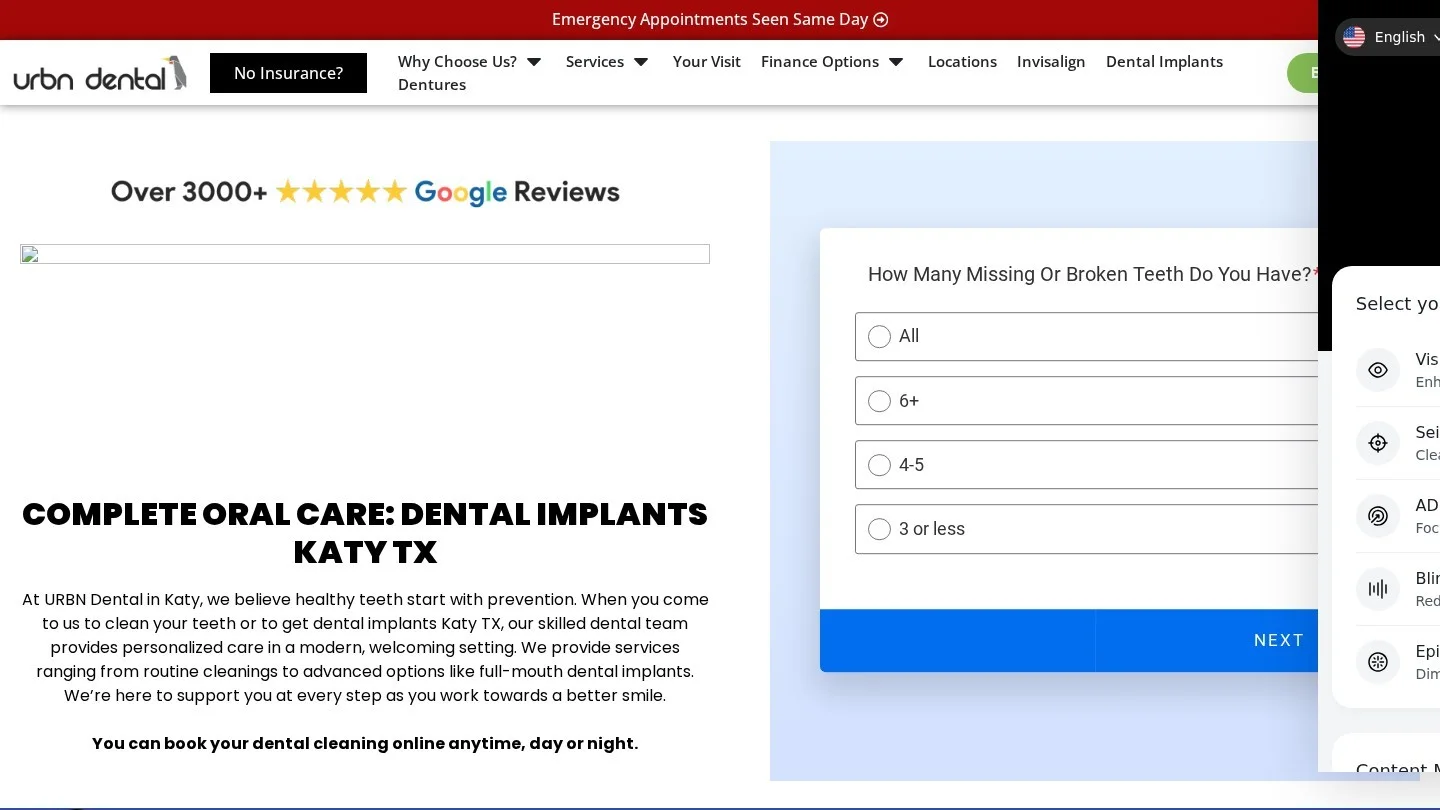
URBN Dental’s Katy implant page ties the treatment to one office. Also, it links to financing, the office page and a periodontist’s profile. That is how a city plus treatment phrase gets its own page without a thin copy of the main implant page.
Our keyword lists for specific niches also show the same method at a larger scale. For example, see the long-tail keywords for pediatric dentists and the cosmetic dentistry keyword list. For “implant vs bridge” style pages, use our treatment comparison keywords.
What Each Tool Stack Costs a Solo Office, a Group and an Agency
We added up a year of list prices for three common setups. The math uses monthly list prices times 12, so annual discounts would lower the totals.
| Setup | Tools | Yearly cost |
|---|---|---|
| Solo practice | Keyword Planner, Search Console, Trends, Keywords Everywhere Bronze | $84 |
| Group with 3 to 10 offices | Free Google tools plus Semrush Pro | $1,679.40 |
| Group with 3 to 10 offices | Free Google tools plus Ahrefs Lite | $1,548 |
| Agency with many dental clients | Free Google tools plus Semrush Guru | $2,999.40 |
| Agency with many dental clients | Free Google tools plus Ahrefs Standard | $2,988 |
A solo office rarely needs more than the first row. The free Google tools cover volume, real queries and seasons. Then Bronze credits add quick checks while you browse.
Groups are different. With five offices, you need the same treatment phrases checked in five towns. So a paid tool saves hours, and its competitor data shows which nearby practice to watch. Our guide to SEO for multi-location dental groups covers how to split keywords across office pages.
Agencies, on the other hand, need the higher tiers for result limits and client projects. Our wider review of SEO tools for dentists covers rank tracking, listings and audits as well.
Keyword Mistakes We See on Dental Websites
The first mistake is using national volume. A phrase may show thousands of searches across the country and a handful in your town. Because patients book close to home, set the location before you read any number.
The second mistake is treating Trends scores as searches. A Trends value of 100 only marks the peak of that chart. So never put Trends numbers in a report as volume.
The third mistake is one page for every phrase. “Dental implant cost” and “dental implants cost near me” share one intent. As a result, they belong on one page. Splitting them creates thin pages that compete with each other.
The fourth mistake is ignoring phrases with no volume. Planner hides low-volume terms, yet Search Console often shows impressions for them. For instance, a neighborhood name plus “dentist” may never appear in Planner and still bring calls.
The last mistake is a claim problem. Keywords such as “implant specialist” or “orthodontist” imply a specialty. State dental boards limit who may use specialist titles, so only target those terms when the dentist holds the credential. Our page on dental website E-E-A-T covers credentials on the page itself.
Dentists’ Questions About Keyword Research Software
Is Google Keyword Planner Free for Dentists?
Yes. Google describes it as a free resource for advertisers. However, you need a Google Ads account with setup finished, billing details included, before it opens.
Which Tool Shows What Patients Typed to Reach Our Site?
Google Search Console. Its Performance report lists the queries that brought impressions and clicks to your pages. Some private queries stay hidden, but most of the list is there.
Do We Need a Paid Keyword Tool for One Location?
Usually not, because Keyword Planner, Search Console and Trends cover volume, real queries and seasons. A paid tool earns its cost when you need competitor keywords or work across many towns.
Can Google Trends Tell Us How Many People Search?
No. Trends shows interest on a 0 to 100 scale relative to the chart’s peak. It is useful for timing and comparison, so pair it with Keyword Planner for counts.
How Often Should a Practice Redo Keyword Research?
We redo the full list once a year and check Search Console every month. Also redo it when the office adds a treatment, a dentist or a new location.
Should Keyword Research Feed Google Ads Too?
Yes. In fact, the same Planner data shows bid estimates, and many practices use it for both. Our comparison of Google Ads and dental SEO covers how to split the budget.
Build Your First Dental Keyword Sheet This Week
Set up Google Ads access on day one, then pull your treatment list into Keyword Planner with your metro as the location. On day two, export Search Console queries and merge the two lists. Next, add the questions from AnswerThePublic or the “People also ask” box. Finally, sort every phrase into research, cost, near me or emergency, and give each group one page.
After that, the work moves to the pages themselves. Our dentist SEO guide covers what each page needs to rank. If you would rather hand the work to a specialist, you can compare firms on Dental SEO Agencies.