Wood Lane Dentistry near Reading, England, runs two dental implant pages at once. One sits in the site’s treatment menu, with the full site menu, nine FAQs and fees from £1,500. The other lives in a /ppc/ folder. It has no menu at all, and every section leads to one form.
That pair answers the question. A dental SEO landing page has to earn its spot in Google’s free results, so it carries depth, links and local proof. A PPC landing page is already paid for. So its one job is to turn the click into a booked consultation, and every extra exit costs money.
We pulled both Wood Lane pages apart, section by section. Then we compared them with an Australian implant offer page. We also checked Google’s help pages on Quality Score, noindex and duplicate content. The comparison that follows is the one we wish every practice had before it briefed a designer.
Request Dental SEO Quote
Landing Page Rules We Took From Google’s Help Pages
- Quality Score runs from 1 to 10 per keyword, and Google calls it a diagnostic tool. It is not an input in the ad auction.
- Landing page experience is graded against other advertisers who showed for the same search over the last 90 days.
- Google asks advertisers to put important information near the top of the page and to avoid clutter from pop-ups.
- A noindex tag only works if robots.txt lets Google crawl the page.
- Google’s AdsBot ignores the global user agent (*) in robots.txt, so a blanket block does not stop ad checks.
- Some duplicate content is normal, and Google says it is not a spam policy violation.
Compare Dental SEO and PPC Landing Pages Line by Line
Every row in this table is a choice your designer will make. So settle each one before anyone writes copy.
| Choice | SEO landing page | PPC landing page |
|---|---|---|
| Main goal | Rank for a treatment and town, then book the visitor | Turn one paid click into one call or form |
| Who arrives | Searchers at every stage, from “what is an implant” to “implant dentist near me” | People who typed a keyword you bid on and read your ad |
| Structure | Many sections: process, cost, cases, FAQs, dentist bio | Few sections, each one ending at the same call to action |
| Content depth | Long enough to answer the questions patients ask before booking | Only what the ad promised, plus the proof needed to act |
| Menu | Full site menu and links to related treatments | Menu removed or cut back; phone number stays |
| Forms | General enquiry or booking link, often in several places | One short form that matches the ad’s offer |
| Tracking | Search Console queries, organic sessions, calls from organic visitors | Google Ads conversions, GCLID on the URL, a separate call number |
| Indexing | Indexed, with a self-referencing canonical | Often noindex, or a canonical to the SEO page |
| Success metric | Non-branded clicks and new patients from organic search | Cost per booked patient from the campaign |
The table hides one surprise, though. Wood Lane’s ad page is far from short. It carries six FAQs, two reviews, a dentist bio and even parking details. So length is optional on an ad page. Focus is what makes it one.
Study One Practice’s Two Implant Pages
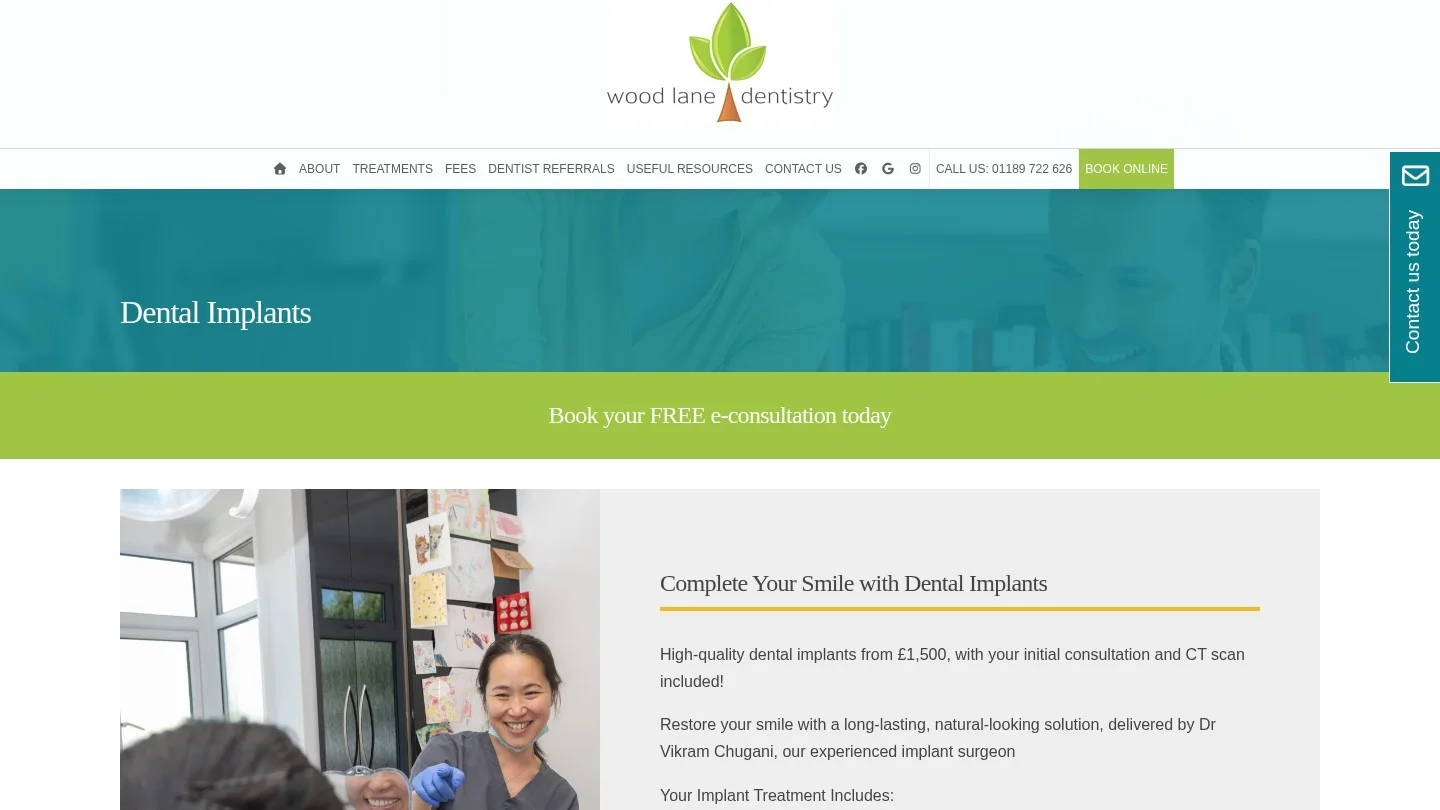
Wood Lane Dentistry in Sonning Common, near Reading, gives us a rare same-practice pair. Both pages sell implant consultations from the same dentist, Dr Vikram Chugani. However, they are built for different traffic.
Read the Treatment Page That Ranks
The organic page sits at /dental-treatments/dental-implants/. Its title tag targets “Dental Implants Reading” and adds Henley, a nearby town. It also carries a canonical tag pointing to itself and a robots tag set to index, follow.
The full menu stays in place. Visitors can reach 17 treatment pages, a fees section, dentist referrals and contact forms. Then the body works through what implants are, the benefits, the treatment steps and aftercare. After that come two case studies, a dentist video and nine FAQs.
Prices are on the page too. Implant placement starts from £1,500, and a CT scan worth £150 is free. A single implant can also cost £166.67 a month over 12 months. Also, the page links out to crowns, sedation, oral surgery and the fees page. Those links are what a ranking page needs.
Read the /ppc/ Page Built for Ad Clicks
The H1 on the ad page reads “FREE dental implant consultations in Reading.” Three short highlights, an offer block and five benefit bullets come next, then a before-and-after pair. Then it adds six FAQs, two patient reviews, a dentist bio with his GDC registration, opening hours and parking.
Notice what is missing. There is no menu, and the logo links back to the ad page itself. The only other site link we found goes to the privacy notice. So a visitor has three choices: call, fill in the form or leave.
The form asks for a full name, phone number and email. Then it asks if the visitor is a new or existing patient and offers an optional message box. A consent line links to the privacy policy. No prices appear, because the offer is the free consultation.
Keep the Menu on an Offer Page, Like National Dental Care Hughesdale
Not every paid page drops the menu. National Dental Care in Hughesdale, Melbourne, runs an offer page for a free 30-minute implant consultation. Its H1 names the offer, and its body is only about 300 words.
Still, the full site menu stays. The page has no form either, just “Book now” buttons and a phone number. Its terms are spelled out. Patients must be 18 or over, and each person gets one free consultation. The offer also cannot be combined with others. The consult itself covers an assessment, an intra-oral X-ray and scan, a treatment plan and cost and financing options.
This model works for a group with online booking already in place. Because the booking system does the converting, the page can stay short. For more offer formats, our guide to dental lead generation tactics covers implant pages that lead with monthly payments.
Score the PPC Page the Way Google Ads Does
Google Ads grades your ad pages even if you never look. The grade shows up as Quality Score, a number from 1 to 10 for each keyword. Google calls it “a diagnostic tool,” and it says the score “is not an input in the ad auction.”
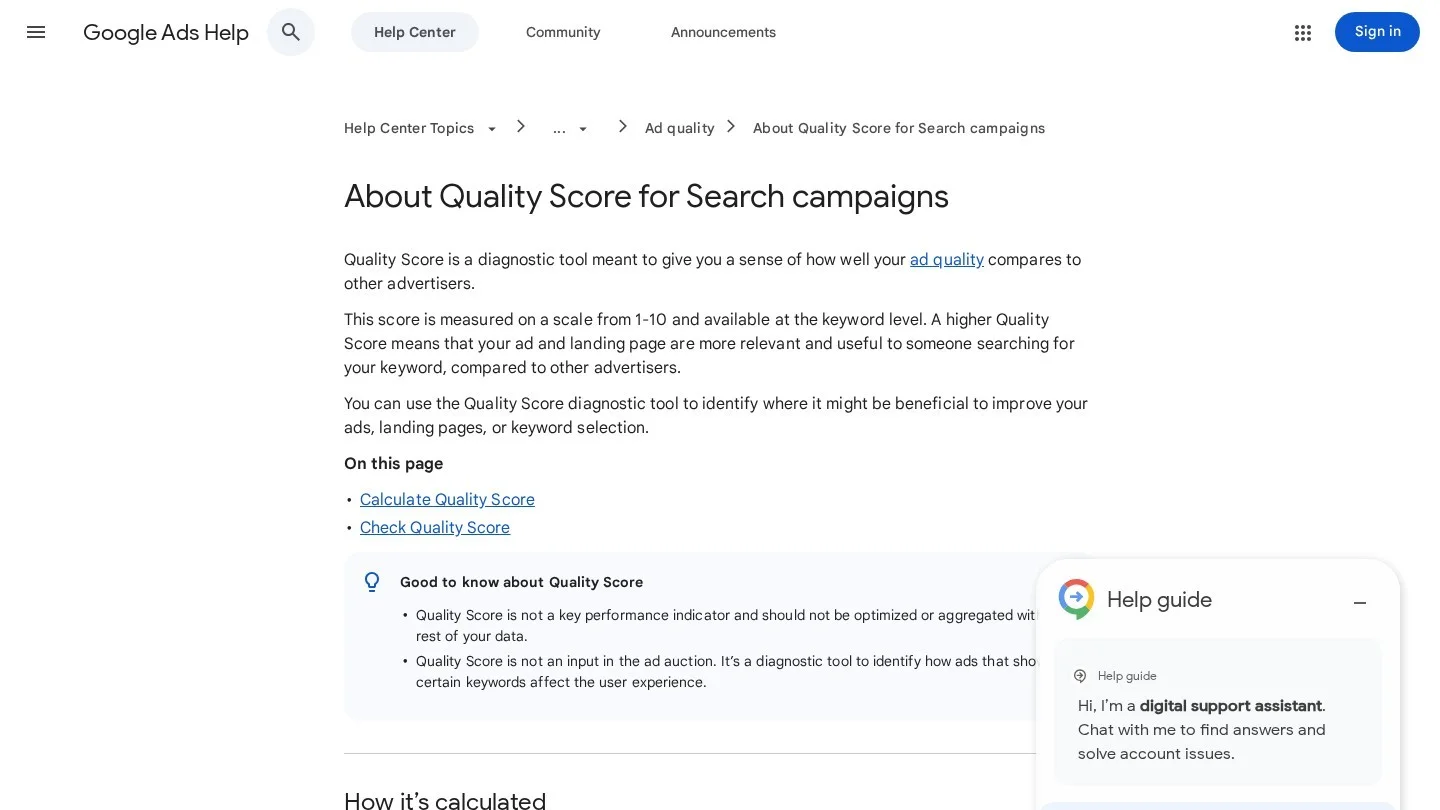
The score has three parts:
- Expected clickthrough rate. How likely your ad is to be clicked when it shows.
- Ad relevance. How closely the ad matches the intent behind the search.
- Landing page experience. How relevant and useful your page is to people who click.
Each part gets one of three ratings, with “Above average” at the top and “Average” in the middle. Google compares you with advertisers whose ads showed for the exact same search over the last 90 days. So a dentist in a busy city is graded against other dentists bidding there.
Fix What Google Names Under Landing Page Experience
Google’s help pages list what a good ad page does. Each item turns into a task for a dental page.
| What Google asks for | What it means on a dental implant ad page |
|---|---|
| A page that closely matches the ad and keywords | An “implant consultation” ad lands on the implant page itself |
| The ad’s call to action on the page | A “free consultation” ad leads to a consultation request form |
| Useful, original information about what you advertise | Your own process, your dentist and your fees, written for this page |
| Customer reviews, if you have them | Two or three real reviews near the form |
| Important information near the top, visible without scrolling | Offer, phone number and form or booking button on the first phone screen |
| No clutter from too many ads or pop-ups | No chat pop-up or newsletter box on top of the form |
| A fast page that works on mobile | Compressed images and a tap-to-call number |
Google also suggests grouping keywords into themes. For a practice, that means one ad group per treatment, such as implants, Invisalign or emergency care. Then each ad group gets its own page. A single “services” page cannot match an implant ad, an aligner ad and a toothache ad at once.
Give the SEO Page the Depth Ads Skip
An ad page can stay narrow because Google Ads delivers the visitor. An organic page has no such help. It must match many searches and convince Google that a dentist stands behind it.
So the SEO page carries what the ad page leaves out. For example, it explains candidacy, steps and recovery, and it answers cost questions. It also shows case studies with consent, a named dentist and links to related treatments. Wood Lane’s treatment page does most of this, which is why it keeps the full menu.
Then link the SEO page to pages that support the same decision. A patient reading about implants may also want a bridge comparison or sedation details. Our guide to treatment comparison pages covers how to build those versus pages safely.
Decide on Menus and Forms for Each Page Type
These two choices change conversion more than any headline. They also decide how the page behaves in search.
Strip the Menu Only When Ads Pay for the Visit
On a PPC page, every menu link is a way out after you paid for the click. That is why Wood Lane’s /ppc/ page keeps only the phone number, the address and a privacy link. On the other hand, a menu-free organic page would be an orphan. Visitors and Google would have no path to the rest of the site.
So use this rule. Pages that get only paid traffic can drop the menu. Pages that need to rank keep it.
Match the Form to the Promise in the Ad
Wood Lane’s ad form asks five things and one consent line. That is short enough for a phone. Its treatment page instead uses an e-consultation form with a “reason for message” dropdown, which sorts implant enquiries from emergencies and check-ups.
Both are sensible for their traffic. An ad visitor already chose implants, so the dropdown adds nothing. An organic visitor might be reading about implants while needing a check-up, so the dropdown routes them. Also, keep any free-text box optional and avoid asking for medical history before the visit. Our dental website conversion rate statistics give context for judging form results.
Track Each Page With Its Own Numbers
Shared numbers make both pages look wrong. So give each page type its own phone number and its own conversion count.
On the ad side, Google Ads auto-tagging adds a parameter called GCLID to the landing page URL after a click. A click on an ad for example.com becomes example.com/?gclid=123xyz. Google warns that a small share of websites do not allow arbitrary URL parameters and serve an error page instead. So click your own ad once after launch. If you get an error, turn auto-tagging off, have your developer allow the parameter, then turn it back on.
GA4 then files Google Ads search clicks under its Paid Search channel. Organic visits go to Organic Search. Because the two pages are separate URLs, you can also compare them by landing page.
On the SEO side, measure non-branded clicks in Search Console and calls from a tracking number shown only to organic visitors. The full method sits in our guide to calculating dental SEO ROI, including the HIPAA limits on call recording.
Choose Index or Noindex for Ad-Only Pages
Most ad pages do not need to rank. Some should not rank at all. So decide on indexing while you build the page.
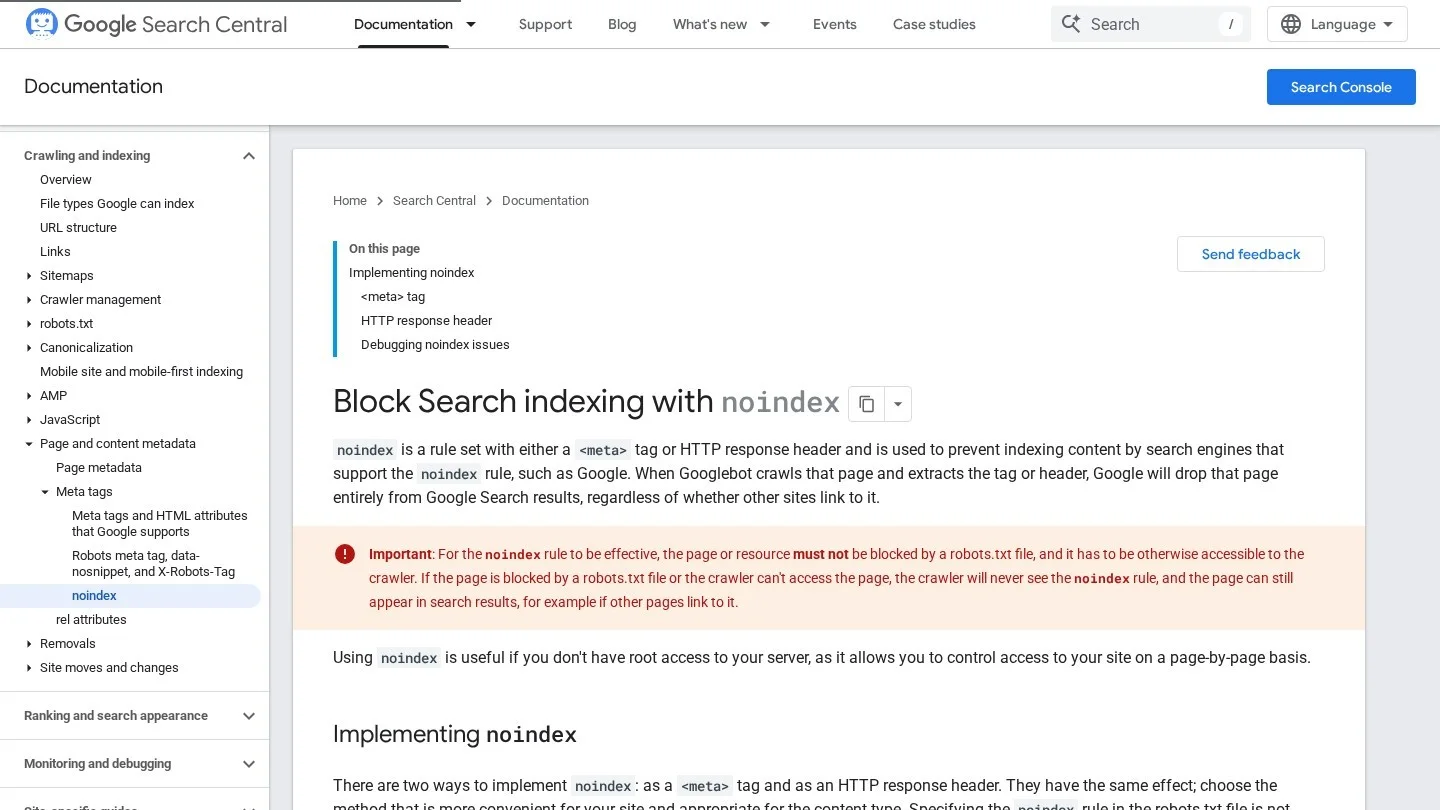
To keep a page out of Google, add a noindex rule. You can use a robots meta tag in the page head or an X-Robots-Tag HTTP header. Google then drops the page from search results, even if other sites link to it.
However, there is a trap. Google says a noindex rule only works if robots.txt does not block the page. If you block your /ppc/ folder in robots.txt, Googlebot never sees the noindex tag. The page can still appear in results if other pages link to it.
Leave AdsBot Free to Crawl the Page
Google Ads checks landing pages with its own crawlers, AdsBot-Google and AdsBot-Google-Mobile. Google says AdsBot ignores the global user agent (*) in robots.txt. So a blanket “Disallow” for all bots will not stop it.
A rule that names AdsBot directly is different. Google says crawl preferences for these user agents affect Google Ads’ ability to check ad quality. So never block AdsBot by name on a folder your ads point to.
Pick the Right Setting for Each Page
| Page | Index or noindex | Why |
|---|---|---|
| Treatment page that ranks | Index, self-referencing canonical | It is the page you want in organic results |
| Ad page with the same content as the treatment page | Noindex, or a canonical to the treatment page | Avoids a second copy competing for the same searches |
| Time-limited offer page | Noindex | The offer ends, and an expired offer in search results misleads patients |
| A/B test variants of one ad page | Noindex on all variants | Several near-copies add nothing to search |
| Ad page with content found nowhere else on the site | Index, if it can stand alone | It may rank for its own searches, so give it the menu and links |
Our technical dental SEO guide covers how to find stray noindex tags left over from staging sites.
Stop Ad Variants From Competing With the Ranking Page
Duplicate pages do not break Google’s rules. In fact, Google says some duplicate content on a site is normal and not a spam policy violation. Still, duplicates cause two practical problems for a dental site.
First, Google groups pages that look the same and picks one as the canonical. That page gets crawled most often, while the duplicates are crawled less. If your ad page and treatment page are close copies, Google might pick the ad page. Then the version without a menu could be the one patients find.
Second, Google notes that duplicates make performance harder to track. Organic clicks get split across two URLs, and your reports blur.
So check for near-copies whenever you build a new ad page. Wood Lane’s treatment page, for instance, also links to a separate /dental-implants-reading/ page. Any site with several implant URLs should name one as the ranking page. Then point canonicals at it, noindex the ad versions and merge the rest.
Groups with many offices face this at scale. National Dental Care’s offer terms cover two clinics, Hughesdale and Spring Street. If each clinic runs its own copy, the local details, such as address, phone and team, are what keep each version useful.
Copy These Implant Page Outlines
Both outlines come from the pages we studied and Google’s ad guidance. Swap in your own fees, team and photos.
Outline the SEO Implant Page
- H1 with the treatment and town, such as “Dental Implants in Reading.”
- Short answer on who implants help and what they replace.
- Your fee range or starting price, labeled as your office’s own.
- Candidacy and when a dentist may suggest another option.
- Treatment steps and healing time, in plain words.
- Two case studies with written patient consent.
- Dentist bio with registration details.
- Links to crowns, bridges, sedation and financing pages.
- Six to ten FAQs from real front-desk calls.
- Booking link, phone number and full site menu.
Outline the PPC Implant Page
- H1 that repeats the ad’s offer, such as “Free Implant Consultation in Reading.”
- Phone number and form or booking button on the first phone screen.
- Three proof points: dentist experience, review count, technology.
- What happens at the consultation, as a short list.
- Two or three real reviews next to the form.
- Four to six FAQs on cost, pain and timing.
- Offer terms in plain language.
- Second call to action at the bottom.
- No menu, no pop-ups, logo linking to the page itself.
- Noindex tag or a canonical to the SEO page.
The same split works for other treatments. An emergency ad page needs the phone number above everything else and today’s hours. An Invisalign ad page needs the consultation offer and a monthly payment line. Meanwhile, the SEO versions of both keep their menus, FAQs and internal links.
Answer Practice Questions on Splitting Landing Pages
Can Google Ads Send Clicks to Our Normal Implant Page?
Yes, and for a small budget it can work. However, the menu gives paid visitors many exits. Test both versions and compare cost per booked patient.
Should the PPC Page Show Implant Prices?
Wood Lane’s ad page has no prices and sells the free consultation instead. Its treatment page gives fees from £1,500. If your ad mentions a price, the page must repeat it, because Google asks for consistent messaging from ad to page.
Will a Noindex Ad Page Hurt Our Rankings?
No. A noindex page just stays out of search results. Your treatment page keeps ranking on its own merits.
How Many PPC Landing Pages Does a Practice Need?
One per ad group is a good working rule. Most general practices need pages for implants, emergency care and aligners. Our comparison of Google Ads and dental SEO shows which treatments deserve ad spend.
Build the Ad Page After the Ranking Page Exists
Write the SEO implant page first, because it holds the facts, fees and proof. Then cut it down into the ad page, remove the menu, match the form to your offer and add the noindex tag. Want a team to build both? Request quotes from dental SEO agencies, and ask each one for a page pair it has built.