The best dental review management software for most practices is Birdeye. It sends review requests by text or email, and its dental page names Dentrix, Eaglesoft, Open Dental and Planet DDS. Birdeye also says it gathers reviews from more than 200 sites. Weave is the better buy if your phones already run on Weave. And Swell is the one to shortlist for a growing group, since it serves solo practices up to 200-location DSOs.
We researched 12 review tools that dental and healthcare offices use. For each one, we opened the vendor’s own product page. We noted how requests go out, where patients land and what help the team gets with replies. Then we compiled it all into one table and checked each setup against the HHS, FTC and Google review rules.
Request Dental SEO Quote
What We Found in 12 Review Platforms
- Birdeye, Swell and Podium name dental practice management systems on the pages we opened, so requests can fire when a visit closes.
- Five of the 12 tools offer AI-drafted review replies: Weave, Birdeye, Swell, Solutionreach and RepuGen.
- None of the 12 product pages we opened shows a list price. Every vendor quotes through sales or a separate plans page.
- HHS settled with a California dental office for $23,000 after its replies to online reviews exposed patient details.
- Google bars businesses from selectively asking happy patients for reviews. So check any setting that sends only high scores to Google.
Our Comparison Table of 12 Dental Review Tools
We built this table from the product page of each tool. If a page did not state a detail, we wrote “not stated” so you know to ask in the demo. Also, prices are missing for a reason: no page we opened listed one.
| Tool | How requests go out | Where patients review | Reply help | Dental software named | Price on page |
|---|---|---|---|---|---|
| Birdeye | Automatic text or email | 200+ sites, including Google and Facebook | AI replies in one click | Dentrix, Eaglesoft, Open Dental, Planet DDS and more | Separate pricing page |
| Weave | Manual, scheduled, text link or automatic | Not stated | AI Response Assistant, staff approve drafts | Not stated on the reviews page | Plans page and sales line |
| Swell | Text from the PMS when a visit closes | Google first | Drafted replies for one-click approval | Dentrix, Open Dental, Ortho2 Edge, Denticon, Curve and more | Plans page |
| NexHealth | Automatic text and email after the visit | Google, or a social profile you choose | Not stated | Not stated on the reviews page | Separate pricing page |
| Podium | Request after a completed appointment | Not stated | Not stated | Dentrix v9.0 to v22.6 | Not stated |
| RevenueWell | Automatic text or email after the visit | Patient Connect 365 or a search engine | Respond when you choose | Not stated on the reviews page | Plans page |
| Solutionreach | Automatic or manual text or email | Many listings and locations | AI-suggested templates, bulk replies | Not stated on the reviews page | Separate pricing page |
| Adit | Text after the patient leaves | Google, Facebook, Yelp, Healthgrades, RateMDs | Platform to respond to unhappy patients | Not stated on the page | Not stated |
| Doctible | Text from the office number, with a re-prompt | Google and Facebook | Reply from the dashboard | “EHR integration,” no names | Plans page |
| Yext | Not stated | Third-party review sites | Respond from the platform | Not stated; built for healthcare providers | Not stated |
| Reputation | Review requesting tool | Not stated | Reviews module | Not stated; healthcare focus | Not stated |
| RepuGen | Review prompts, plus surveys to past patients | “Healthcare review sites” | ReplyWize AI replies | Not stated on the page | Quote based on features |
Twelve Review Platforms Dental Offices Use
We ranked these by how much of the dental review job each page covers. That means the request, the sync with your schedule, the reply and the privacy terms. So a tool lower on the list may still be right for a practice that already uses its other products.
1. Birdeye Names Four Dental Systems on Its Dental Page

Birdeye sends review requests by text or email automatically, and it pairs with your CRM. Its dental page names Dentrix, Eaglesoft, Open Dental and Planet DDS. It also lists Dentrix Enterprise, SoftDent, Curve Dental and Dentrix Ascend.
Birdeye says the tool gets dental practices reviews on more than 200 sites, such as Google and Facebook. For replies, it uses AI to draft a response in one click. Also, Birdeye states in its FAQ that its products are fully HIPAA compliant.
Birdeye could add prices to its dental page. Right now, the page links to a separate pricing page. So budget a demo before you compare costs.
2. Weave Lets Staff Approve AI Review Replies
Weave sends review requests right after appointments. The team can pick one of four ways: manual, scheduled, a text link or fully automatic. New reviews then show up in real time inside the Weave app.
Its AI Response Assistant drafts replies, and staff can check each draft before it goes out. That review step matters in dentistry, because one careless line can confirm someone is a patient. Also, the office can call the patient directly after a poor review.
Weave could name the review sites it supports on this page. For now, ask which sites the monitor covers. The page points to a plans page and a sales line for prices.
3. Swell Fires a Text the Moment a Visit Closes

Swell texts a review invite from your practice software when an appointment closes. It sends patients to Google first. Its dental page names Dentrix, Open Dental, Ortho2 Edge, Sikka, Dental Intelligence, Denticon and Curve, plus “100+ more.”
Swell also drafts replies for one-click approval as soon as a review posts. In addition, it sends surveys after every visit and sorts them by location and provider. Groups get leaderboards that rank clinics on review count, response rate and star rating.
The page shows HIPAA and SOC 2 Type II badges. For example, Swell says Smile Doctors saw a 9% invite-to-review rate. Prices sit on a separate plans page.
4. NexHealth Filters Requests by Appointment Type

NexHealth sends requests by text and email once a visit ends. You choose which appointment types get a request. For instance, you could ask after cleanings and skip emergency visits.
However, one setting needs a careful look. NexHealth keeps ratings of three stars or fewer in a private dashboard and guides happy patients to Google. Google’s policy bars selective requests for positive reviews, so ask NexHealth how to give every patient the same Google link.
5. Podium Connects to Dentrix With a Rep-Led Setup
Podium requests a review after an appointment is marked complete in Dentrix. The integration supports Dentrix versions 9.0 to 22.6. Also, it sends appointment notices and reminders from the same link.
Setup is hands-off for the office. You request the integration, and then a Podium rep connects to your server to configure it. Still, the page does not say how replies work, so ask for a demo of the review inbox.
6. RevenueWell Adds a Review Widget for Your Website

RevenueWell texts or emails patients after their appointment. Depending on your settings, the patient gets a short survey or a review request. Then they can review on RevenueWell’s Patient Connect 365 or a search engine they prefer.
The software also watches major search engines for new reviews of your office. On top of that, a website widget shows live reviews on your site, and a Facebook app shows patient testimonials. So RevenueWell covers the display side, which few product pages on our list mention.
7. Solutionreach Compares Your Ratings With Nearby Offices
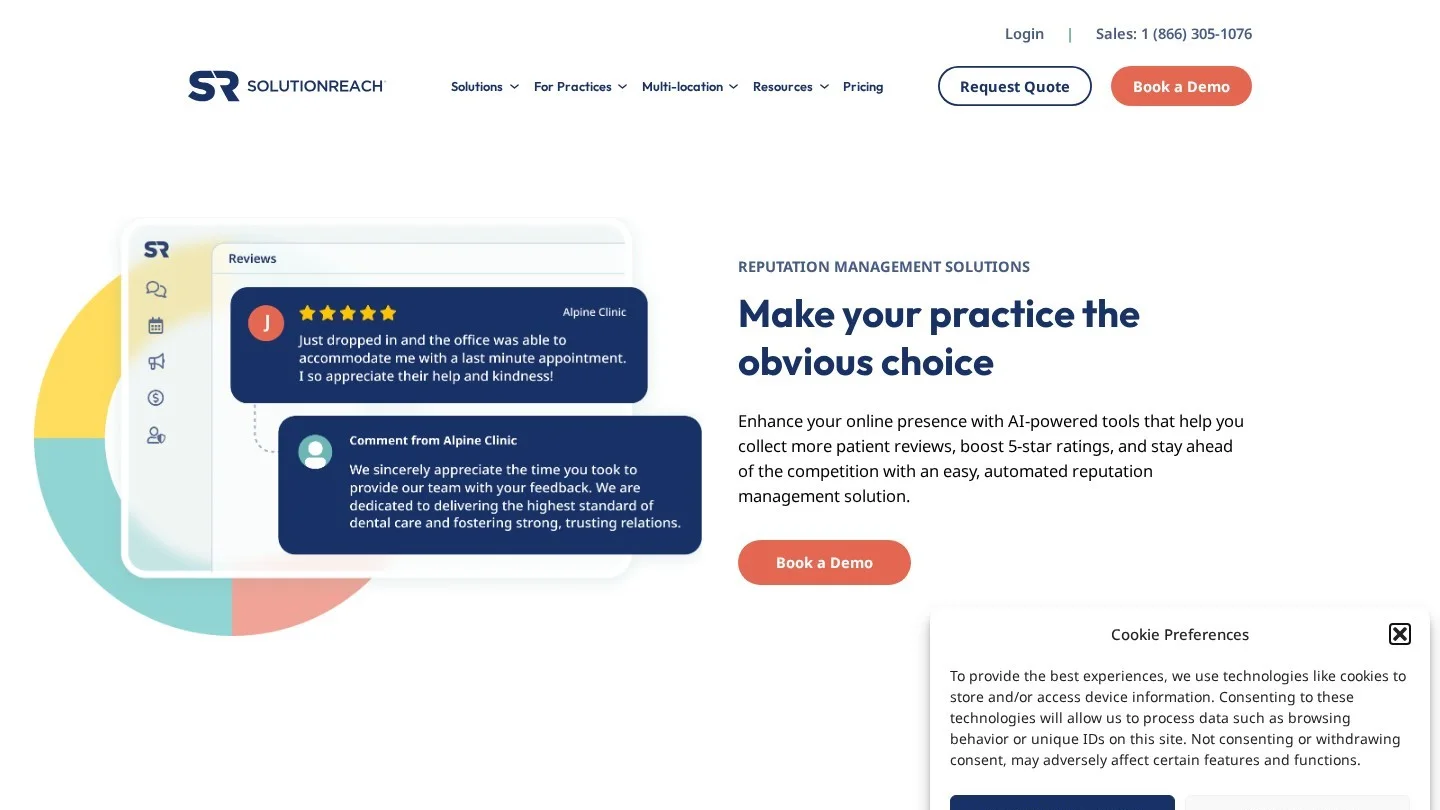
Solutionreach sends invites by text or email, either on autopilot or by hand. Templates let you match your practice’s voice. Also, one dashboard handles single or multiple locations.
The reply tools include AI-suggested templates and bulk responses. In addition, Solutionreach tracks your star rating and review count next to local competitors. Its AI alerts flag risky keywords and negative trends.
8. Adit Sends Patients to Healthgrades and RateMDs Too
Adit runs reviews through a tool called Pozative. It texts patients after they leave the practice. Review sites on its page include Google, Facebook, Yelp, Healthgrades and RateMDs. That health-site reach is useful, because patients compare dentists there too.
Adit also gives staff a platform to respond to unhappy patients. However, its page says Pozative posts reviews to those sites when the patient is happy. So ask Adit how to send every patient the same review link, in line with Google’s policy.
9. Doctible Texts From Your Own Office Number
Doctible sends review requests by text after appointments, and the texts come from your office phone number. So the text arrives from a number patients already know. If a patient does not answer, Doctible can prompt them again.
Requests point to Google and Facebook. You reply from the Doctible dashboard, which also tracks average rating and total reviews. Dental is one of its listed fields, next to optometry, orthodontics and chiropractic.
10. Yext Pairs Provider Listings With Review Replies
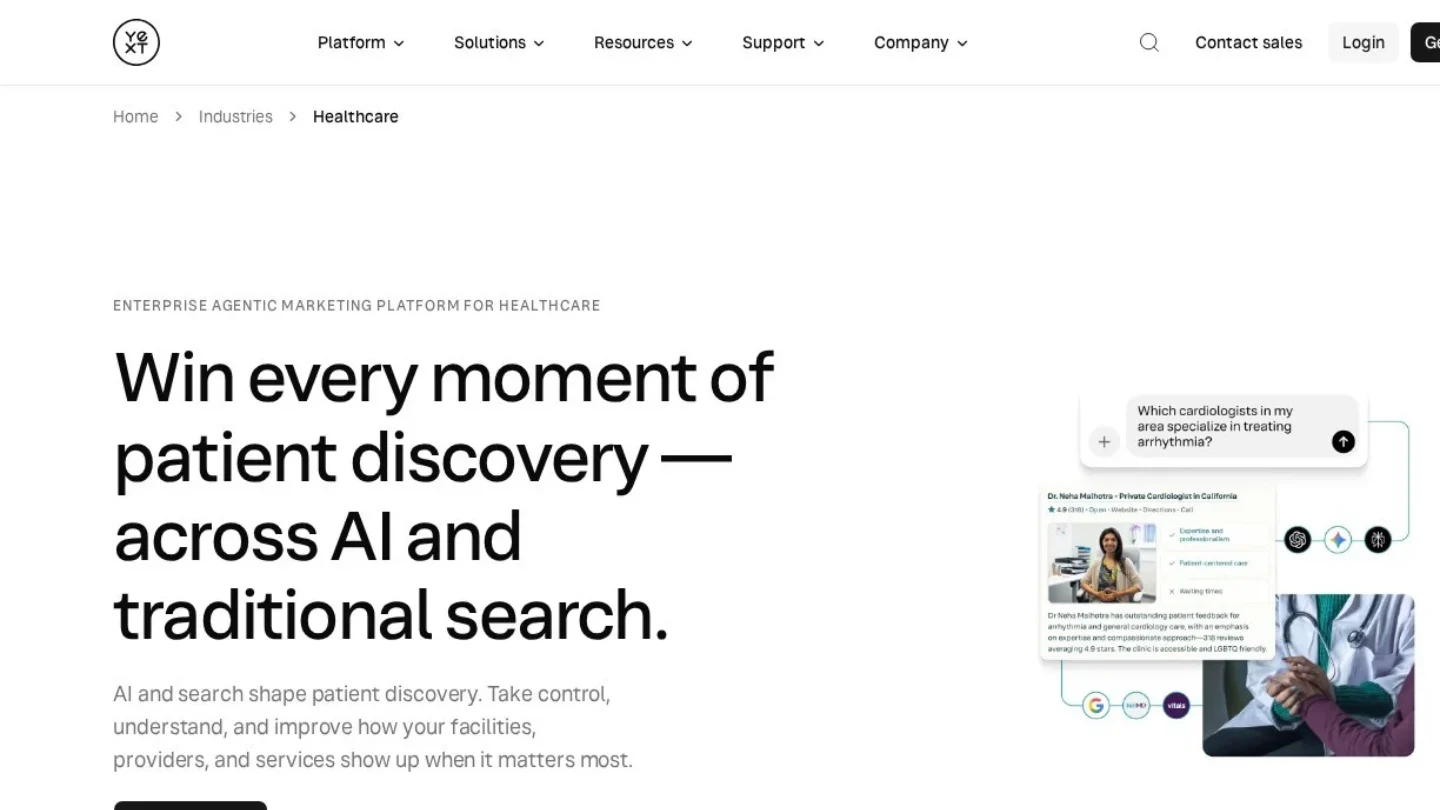
Yext is built for healthcare providers. Its page says it helps teams generate, monitor and respond to reviews. Separately, its listings product syncs provider data to more than 200 sites.
So Yext makes the most sense for a DSO that already needs listings for many dentists. Our guide to citation management software for dental websites covers that listings side in depth.
11. Reputation Runs Review Requests for Health Systems

Reputation offers a review requesting tool that Intermountain Healthcare uses. Reputation says its platform is HIPAA compliant and its team is trained on HIPAA rules. Its reviews module also covers responses and local ratings.
Its healthcare examples come from health systems such as Intermountain. A single dental office may find it more than it needs. Still, a DSO with dozens of offices could add it to a shortlist.
12. RepuGen Surveys Patients You Saw Before Signing Up

RepuGen calls itself a HIPAA-compliant review platform for healthcare. Its ReplyWize tool drafts responses with AI, and real-time alerts flag new reviews. Also, a Past Patient Outreach feature sends surveys to recent patients you saw before joining.
RepuGen prices by the features and changes you need. So you request a cost estimate from its pricing page.

How Many Reviews a Month to Expect From Automated Requests
We ran the math with rates the vendors themselves publish. Swell reports a 9% invite-to-review rate at Smile Doctors and 24% at Sierra Neurosurgery Group. Also, a dentist quoted on the Solutionreach page says 25% to 35% of asked patients leave a review.
For our example, take an office that completes 400 visits a month and sends one request per visit. These are self-reported vendor rates, so treat the result as a range to test.
| Invite-to-review rate | Where the rate comes from | Reviews from 400 requests | Reviews in a year |
|---|---|---|---|
| 9% | Swell, Smile Doctors case | 36 | 432 |
| 24% | Swell, Sierra Neurosurgery case | 96 | 1,152 |
| 25% | Dentist quoted by Solutionreach (low end) | 100 | 1,200 |
Even the low case adds 36 reviews a month. For context, our dental Google reviews statistics show how review counts vary across practices.
What HHS Allows in a Public Reply to a Patient
Never confirm in a reply that the reviewer is your patient. In December 2022, HHS’s Office for Civil Rights settled with New Vision Dental in California for $23,000. The office had posted patient names, treatment and insurance details in its replies to online reviews.
The practice also agreed to a corrective action plan with two years of OCR monitoring. On replies to bad reviews, OCR’s director put it bluntly: “This is a clear NO.”
So AI drafts need a human check before they post. For example, a safe reply thanks the reviewer and invites them to call the office. It never mentions a visit, a procedure, a bill or a date. Our guide to getting more five-star dental reviews has reply wording you can copy.
| Reply line | Safe? | Why |
|---|---|---|
| “Thank you for the kind words. We look forward to seeing you.” | Yes | Says nothing about care or records |
| “We’re sorry to hear this. Please call our office manager at the front desk.” | Yes | Moves the talk offline |
| “Your crown was placed on March 3, and you missed your follow-up.” | No | Confirms treatment and a date |
| “Our records show your insurance denied the claim.” | No | Reveals insurance details |
How the FTC Review Rule Applies to a Dental Office
The FTC’s Consumer Reviews and Testimonials rule took effect on October 21, 2024. It covers dental offices like any other business. Courts can impose civil penalties for knowing violations.
- Fake reviews: writing or buying reviews you know are false is banned.
- Incentives: the rule bans rewards tied to a positive review. A line like “Tell us how much you loved your visit” for a coupon counts.
- Staff and family reviews: insiders may post only with a clear note about their tie to the practice.
- Review suppression: threats or groundless legal threats to remove a review are banned.
- Company-run review sites: you may not present a site you control as an independent review source.
Review gating needs a separate note. The rule has no specific ban on asking only happy patients. However, FTC staff guidance says the practice could still violate the FTC Act. So a “how did we do?” filter that hides low scores is a risk worth removing.
Software Settings That Clash With Google’s Review Policy
Google is stricter than the FTC on incentives. Its Maps content policy bars any incentive in exchange for a review, good or bad. So the FTC may allow a reward that does not depend on a positive review, but Google does not.
Google also says merchants may not discourage negative reviews or selectively ask for positive ones. In addition, it lists staff review quotas as rating manipulation. Check these settings in any tool you buy:
- Score routing: turn off any rule that sends only four- and five-star ratings to Google.
- Template text: remove words that ask for a five-star rating or for specific praise.
- Team leaderboards: reward response time and request volume. Never set review targets per staff member.
- In-office tablets: Google says merchants should not pressure patients to review while on the premises.
Reviews also feed your map ranking. Our walkthrough on ranking a dental clinic in Google’s local 3-pack shows where they fit with the rest of your profile.
Seven Demo Questions for Any Review Vendor
We wrote these from the gaps we found on the vendor pages. Bring them to every demo, and ask the rep to show each answer on screen.
- Will you sign a business associate agreement (BAA) with our practice?
- Which version of our practice software do you sync with, and what triggers a request?
- Can every patient get the same Google link, with no score filter?
- Do AI reply drafts wait for staff approval, or can they post on their own?
- Which review sites do you monitor, by name?
- What does the plan cost per location, and how long is the contract?
- Can we stop requests for patients who opted out of texts?
Many of these tools also handle reminders and recall. If you want one system for all patient messages, compare them with our list of the best CRM for dentists.
Which Review Tool to Shortlist for One Office or Forty
A solo office needs requests that fire from the schedule and a safe way to reply. So Birdeye, Weave, Doctible or NexHealth make a short list. Pick Weave if it already runs your phones, because the reviews sit next to calls and texts.
A group of five to 20 offices needs reports by location. In that case, look at Swell and Solutionreach first. Swell ranks clinics against each other, and Solutionreach manages many locations from one dashboard.
Finally, a DSO with dozens of offices often needs listings and reviews together. Yext and Reputation were built for that scale. Our guide to multi-location dental SEO covers the profile work that goes with it.

Practice Owners’ Questions About Review Platforms
Can We Use Our Reminder System to Ask for Reviews?
Often, yes. For example, Podium’s Dentrix link sends reminders and review requests, and Weave also confirms appointments. Our dental marketing automation guide shows how to time both.
Is It Legal to Offer a Discount for a Google Review?
Google’s policy bars incentives for any review. The FTC rule allows some incentives that do not depend on a positive review. Still, Google’s rule is the one that removes reviews from your profile, so skip rewards entirely.
Can a Hygienist Post a Review of the Practice?
Under the FTC rule, an insider review needs a clear note about the job tie. However, Google treats reviews from current or former staff as a conflict of interest. So ask your team not to review the office on Google.
Should AI Write Our Review Replies?
AI can draft them, and five tools on our list offer it. But a person should approve every reply. The New Vision Dental case shows how costly one detail about a patient can be.
When Should the Review Request Go Out?
Soon after the visit ends. Weave, Swell and NexHealth all send requests right after checkout, while the visit is fresh. Then a single reminder for non-responders, like Doctible’s re-prompt, catches a few more.
Roll Out Review Requests in Your First Two Weeks
In week one, book two demos from our shortlist and ask the seven questions. Then sign the BAA and connect your practice software. Also, remove any score filter and any template line that asks for five stars.
In week two, send requests after hygiene visits only. Next, check the first replies by hand before you widen the rollout. If you want a firm to run reviews with your local SEO, compare specialists on Dental SEO Agencies.